 Help Center
Integrations
Integrations
How to Connect Jump with LeadCenter
The Jump integration with LeadCenter lets Jump pull key LeadCenter data into Jump for pre-meeting prep. This helps teams review contact, appointment, calendar, note, and task information from LeadCenter while preparing for meetings in Jump.
Note: This integration is started from inside Jump. After you select LeadCenter.AI in Jump, you will be redirected to LeadCenter to authorize the connection.
Who Can Connect the Integration
Eligible Jump users can connect LeadCenter from inside Jump. This includes full users on supported Jump plans such as Ramping, Core, Scale legacy, or Meet.
If you do not see LeadCenter as an available integration in Jump, contact your Jump administrator or Jump support to confirm your plan and permissions.
What the Integration Does
The integration brings LeadCenter data into Jump for pre-meeting prep, including:
- Appointments
- Calendar
- Contacts
- Notes
- Tasks
The integration also helps with:
- Viewing account information
- Linking LeadCenter clients to Jump contacts
- Creating tasks and starting workflows from Jump
- Syncing Jump meeting notes back to LeadCenter
How to Connect LeadCenter to Jump
- In Jump, go to Profile & Settings.
- Select User Settings.
- Open Integrations.
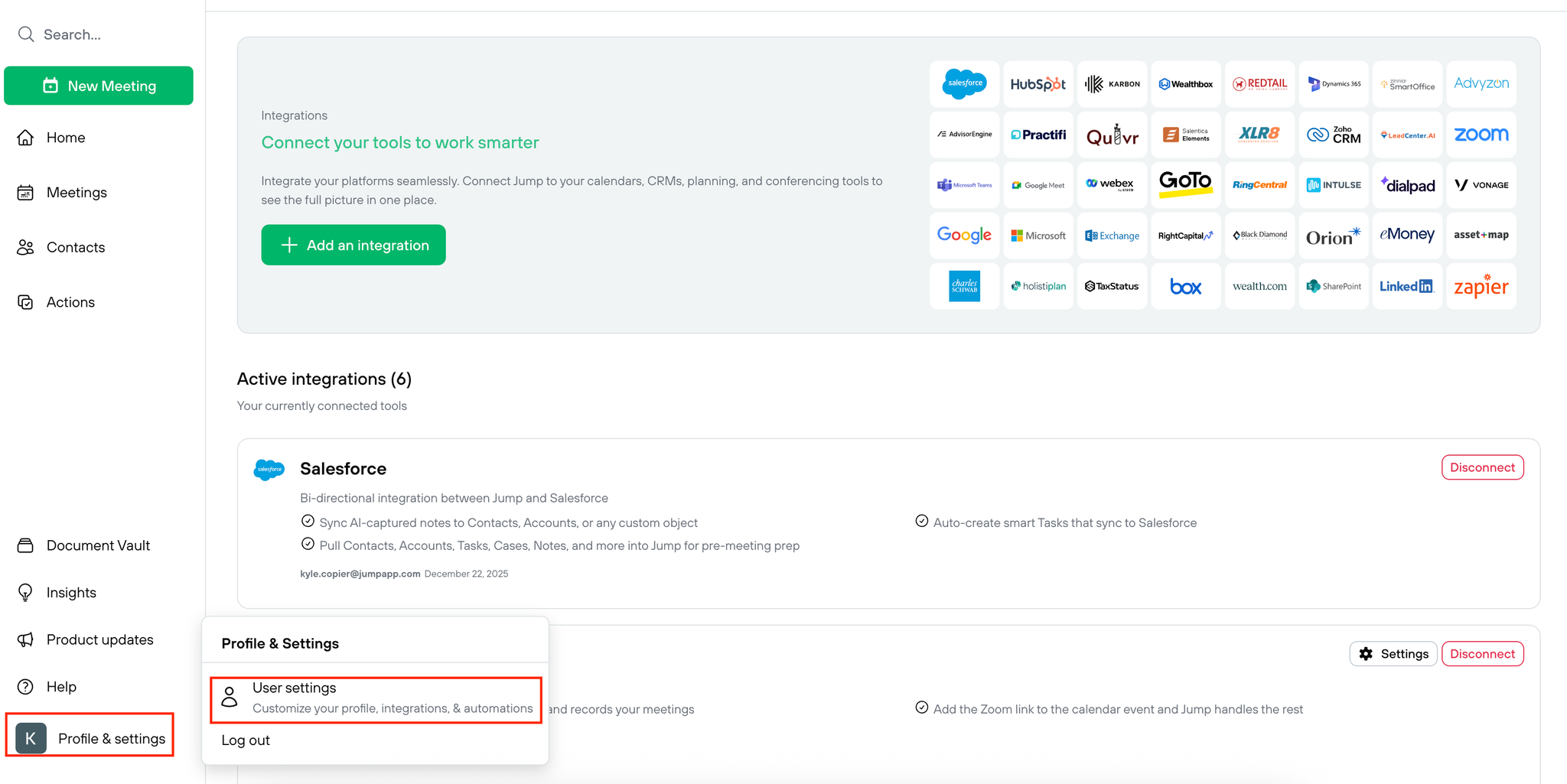
- Click Add an integration.
- Find LeadCenter.AI under the CRM category.
- Select LeadCenter.AI.
- Click Add integration.
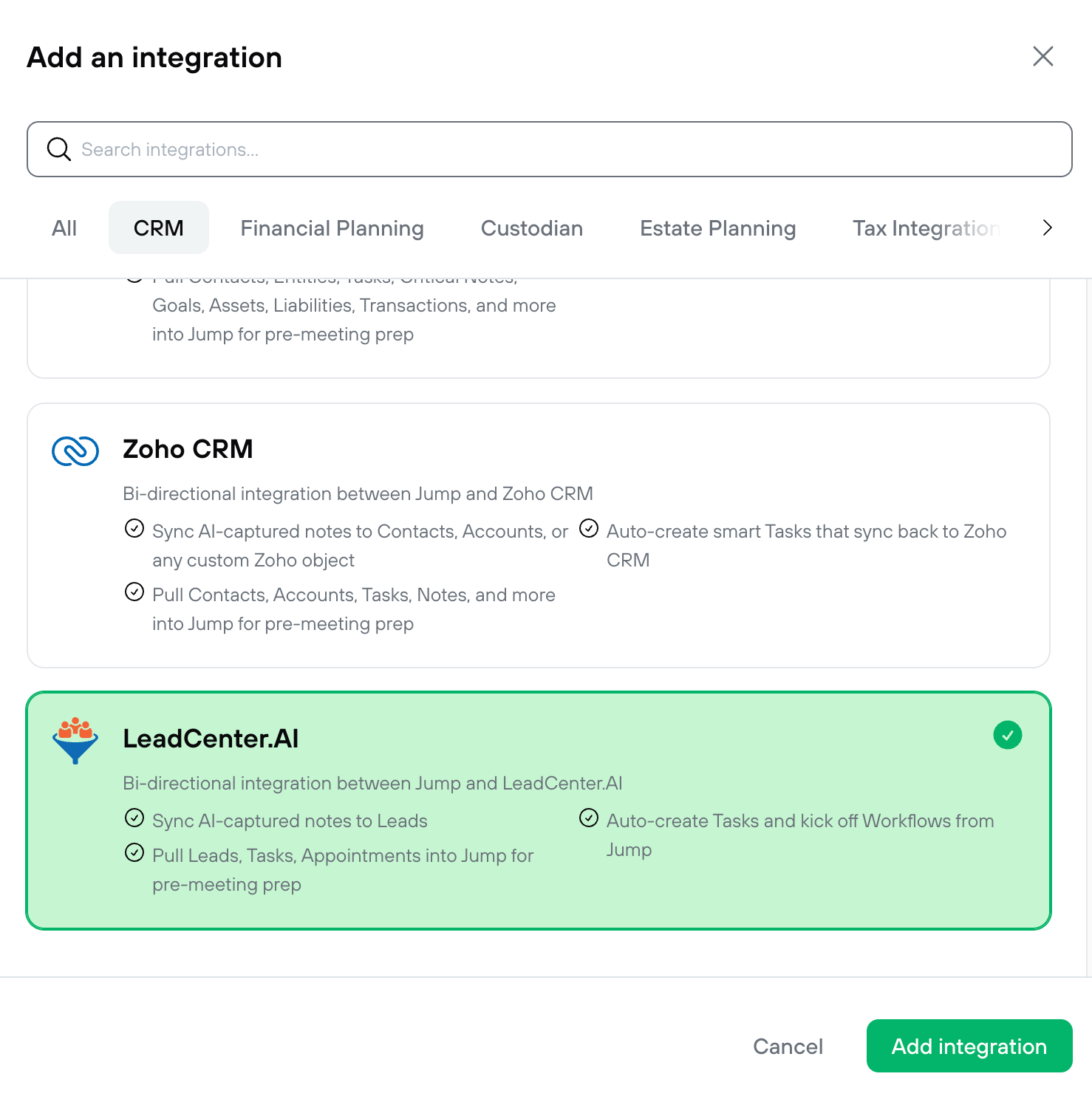
- Follow the redirect to LeadCenter.
- Authorize the connection to complete setup.
How Jump Matches LeadCenter Contacts
Jump links LeadCenter.AI clients to existing Jump contacts using email address matching. If the email address matches, the LeadCenter client is tied to the existing Jump contact.
If there is no matching email address, the LeadCenter.AI client is not automatically linked to a Jump contact.
Tip: To improve matching, make sure the contact’s primary email address is accurate in both LeadCenter and Jump.
Data Used for Pre-Meeting Prep
Jump can use the following LeadCenter data for pre-meeting prep:
- Appointments
- Calendar
- Contacts
- Notes
- Tasks
Troubleshooting
I do not see LeadCenter.AI in Jump
Confirm that your Jump account has access to supported integrations and that you are using an eligible Jump plan. If needed, contact Jump support or your Jump administrator.
I connected the integration, but a contact is not linked
Jump matches LeadCenter clients to Jump contacts by email address. Check that the email address is present and matches in both systems.
I was redirected to LeadCenter but could not authorize
Make sure you are logged into the correct LeadCenter account and have permission to authorize integrations. If you are unsure, contact LeadCenter support.

Need more help?
If you can't find the answers you're looking for, our support specialists are available to answer your questions and troubleshoot if necessary.
-
Phone Call (888) 291-7116. Our main hours are Monday to Friday 7 am-5 pm Central Time.
-
Support Send your questions and inquiries via email to support@leadcenter.ai. A support ticket will be created and one of our team members will get back to you as quickly as possible.