 Help Center
Calendars & Appointments
Calendars & Appointments
Create Appointments in the LeadCenter Mobile App
Create appointments from the LeadCenter mobile app, invite guests and team members, set the meeting time, and control whether attendees are notified.
Appointment creation is available to every user and does not require a separate create permission.
Start an Appointment
- Tap the blue + in the bottom navigation bar.
- Select Appointment.
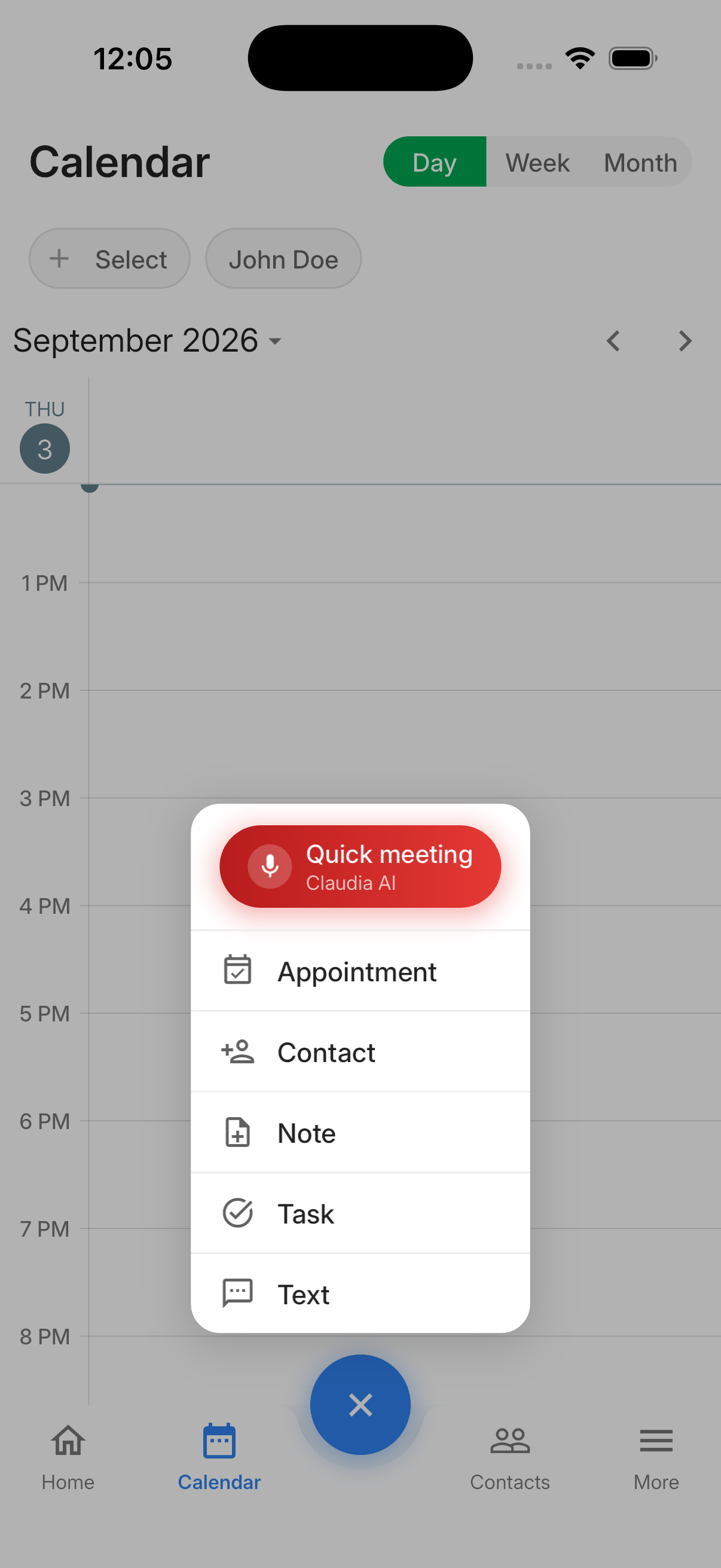
You can also open a contact, tap ⋮, and select Add Appointment. The contact is filled in automatically.
Create the Appointment
- Optionally select a Contact by searching for a name or email.
- Add external Guests by entering their email addresses.
- Use Attendees from company to select the team members whose calendars should include the appointment.
- Set the start and end under When.
- Enter the required Subject.
- Optionally enter a description or tap Speak AI to dictate it.
- Turn on Notify all? when attendees should receive an email.
- Set the appointment visibility.
- Tap Save.
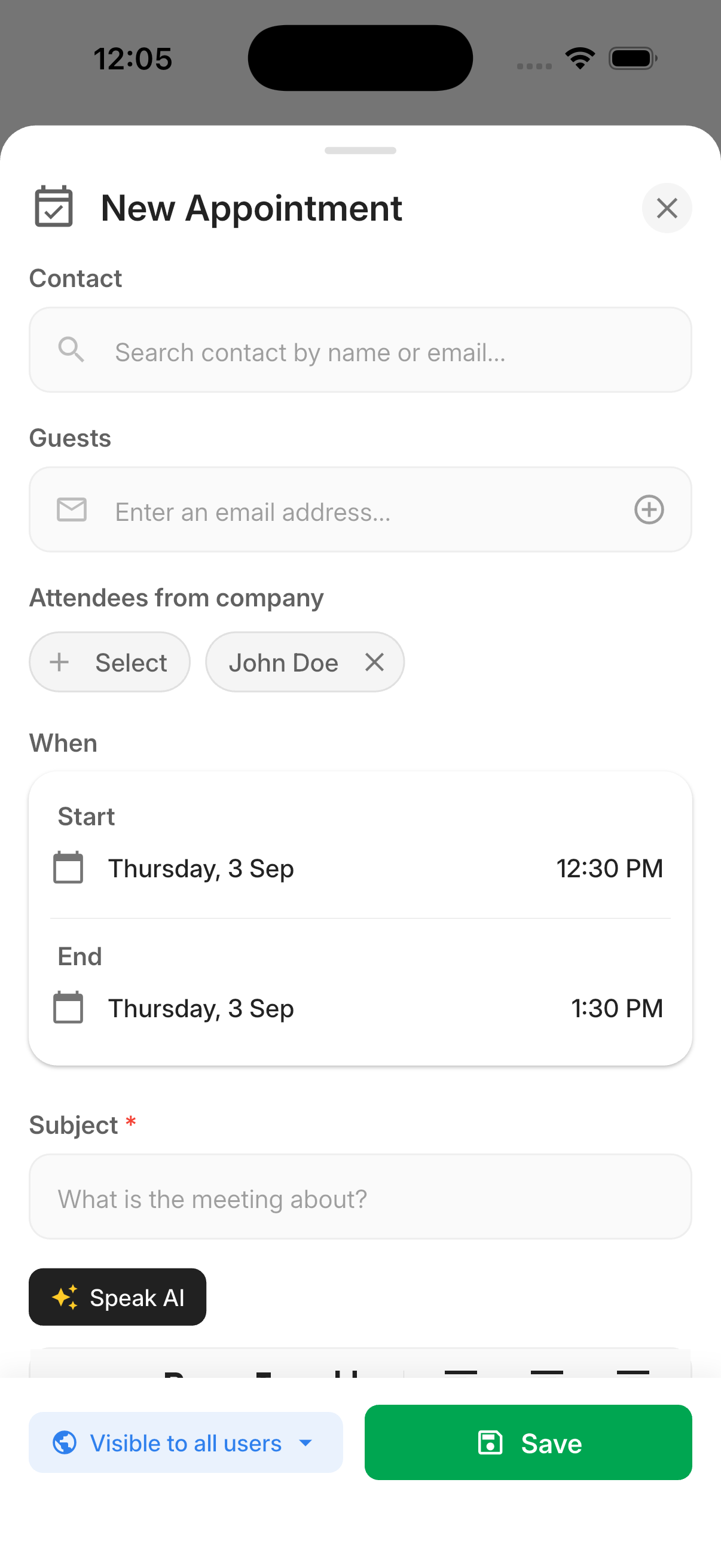
The appointment appears on the Calendar tab. An appointment created from a contact also appears under that contact's Upcoming Activities.
Date and Time Behavior
- A new appointment starts at the next half-hour and defaults to a one-hour duration.
- Changing the start preserves the current duration.
- If the end would fall before the start, it moves to one hour after the start.
- The appointment cannot be saved unless the end is later than the start.
- Start and end dates can be scheduled approximately one year ahead.
Guests and Company Attendees
- Guests are external attendees added by email address.
- Attendees from company are team members selected by calendar.
- Your calendar is selected by default but can be deselected.
- Guests and additional company attendees are optional.
- Duplicate or invalid guest email addresses cannot be added.

Need more help?
If you can't find the answers you're looking for, our support specialists are available to answer your questions and troubleshoot if necessary.
-
Phone Call (888) 291-7116. Our main hours are Monday to Friday 7 am-5 pm Central Time.
-
Support Send your questions and inquiries via email to support@leadcenter.ai. A support ticket will be created and one of our team members will get back to you as quickly as possible.