 Help Center
AI Agents
AI Agents
Use Troy AI on an Account Details Page
When you are viewing a single financial account, Troy AI can help you understand that account quickly, including the linked contact, balances, holdings, recent activity, notes, and related details.
Open Troy AI
- Open any financial account from the Accounts list or from a contact's accounts.
- On the account details page, click the dark Troy AI button near the top.
- Ask a question about this account, or choose a suggested prompt.
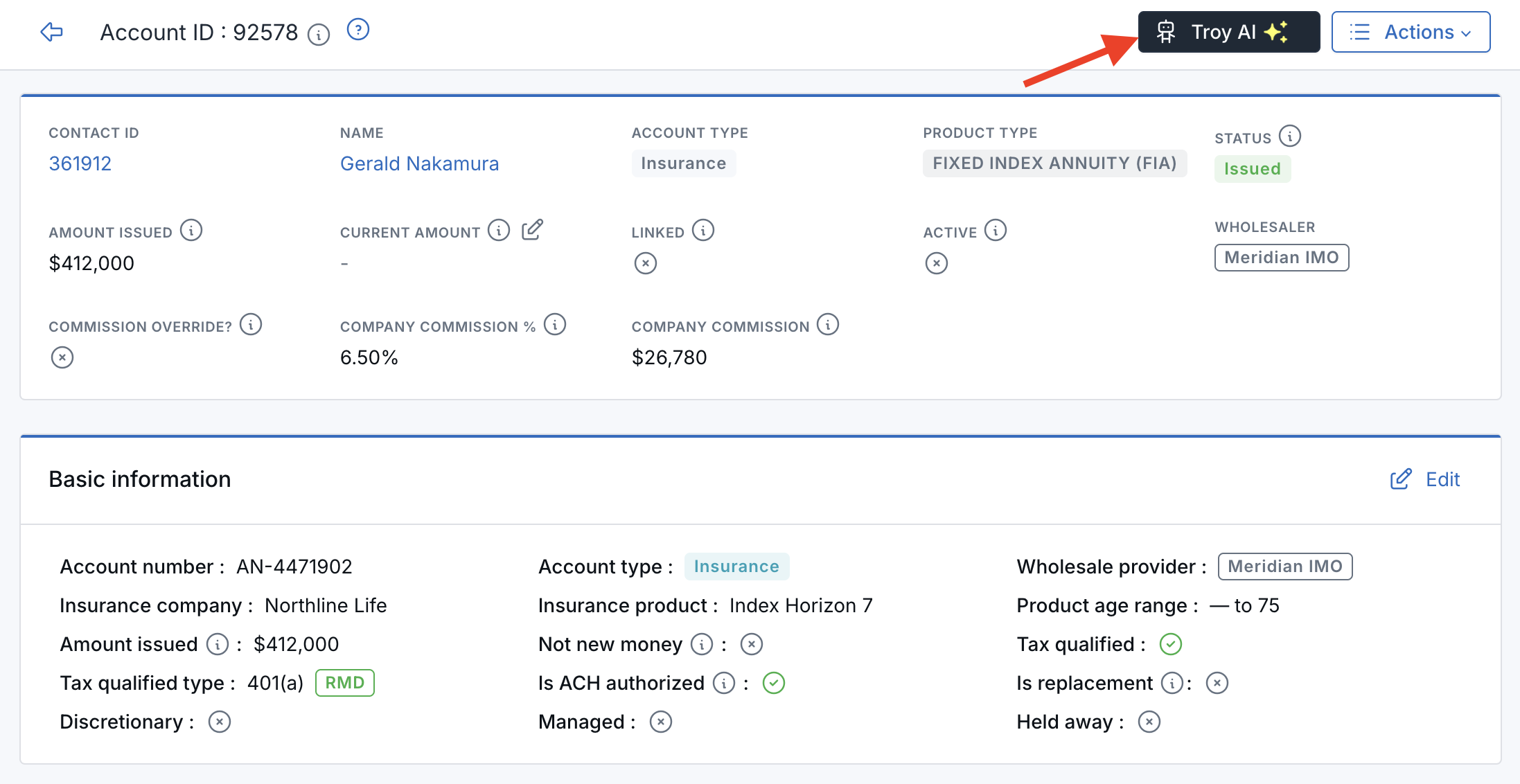
Troy AI sits at the top of the account page.
Troy already knows which account and contact you are viewing. You can say this account or this client without pasting account numbers or IDs.
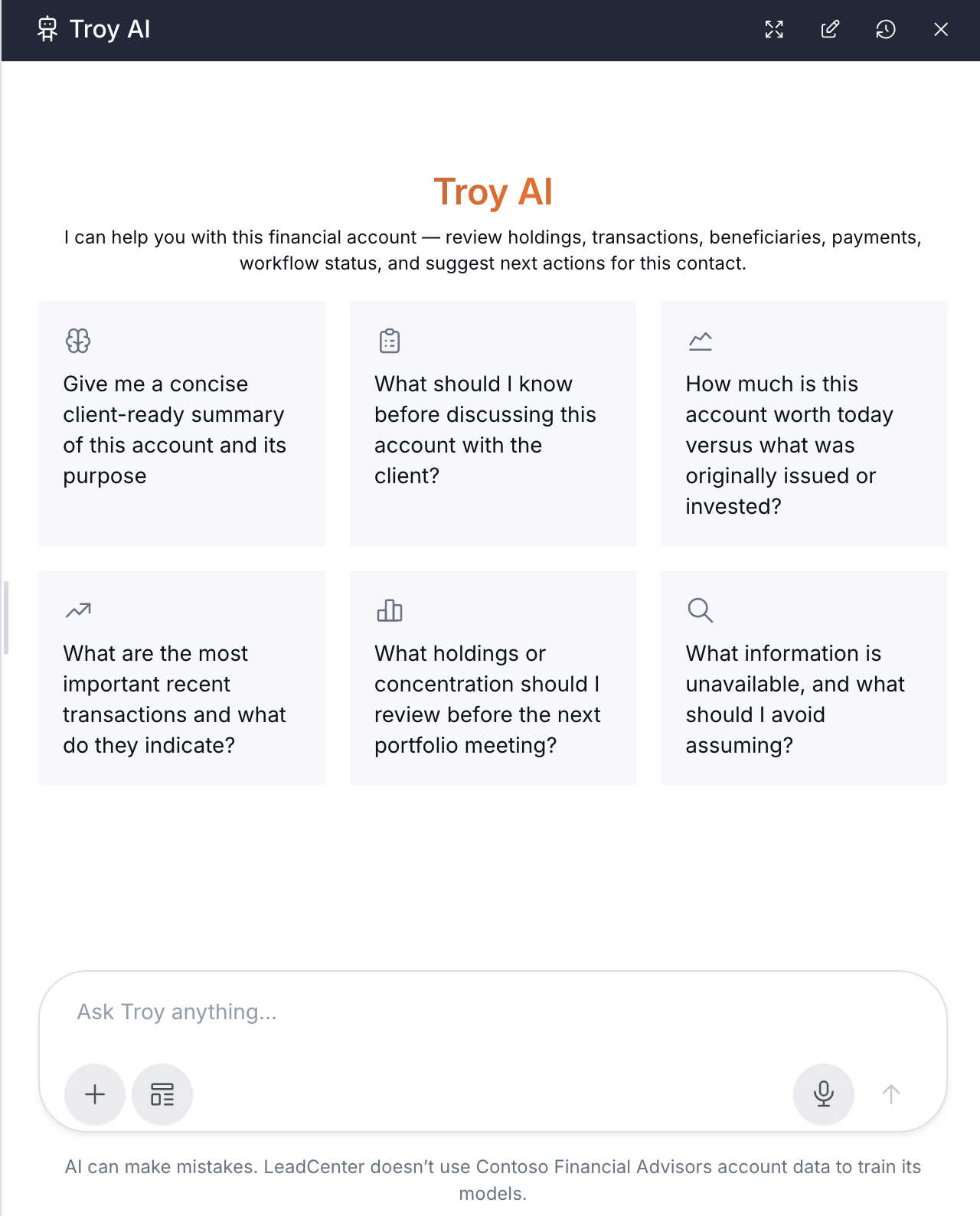
Troy opens already scoped to the account you have open.
What You Can Ask
- Get a quick overview of the account, including type, status, custodian, amounts, and advisors.
- Summarize holdings or assets and how value is concentrated.
- Review recent transactions or cash movement on the account.
- Check notes, workflows, or follow-ups tied to the account.
- Ask about related or sleeve accounts when they are part of the same setup.
- Draft a follow-up task, note, or email for you to review.
Other Things You Can Ask
Troy shows a set of suggested prompts when you open it. You can also ask in your own words:
- What are the key details I should know before calling this client?
- What holdings are on this account, and where is most of the value?
- Show recent deposits and withdrawals on this account.
- Are there any notes or open follow-ups for this account?
- Does this account have related or sleeve accounts?
- Draft a short follow-up task to review this account next week.
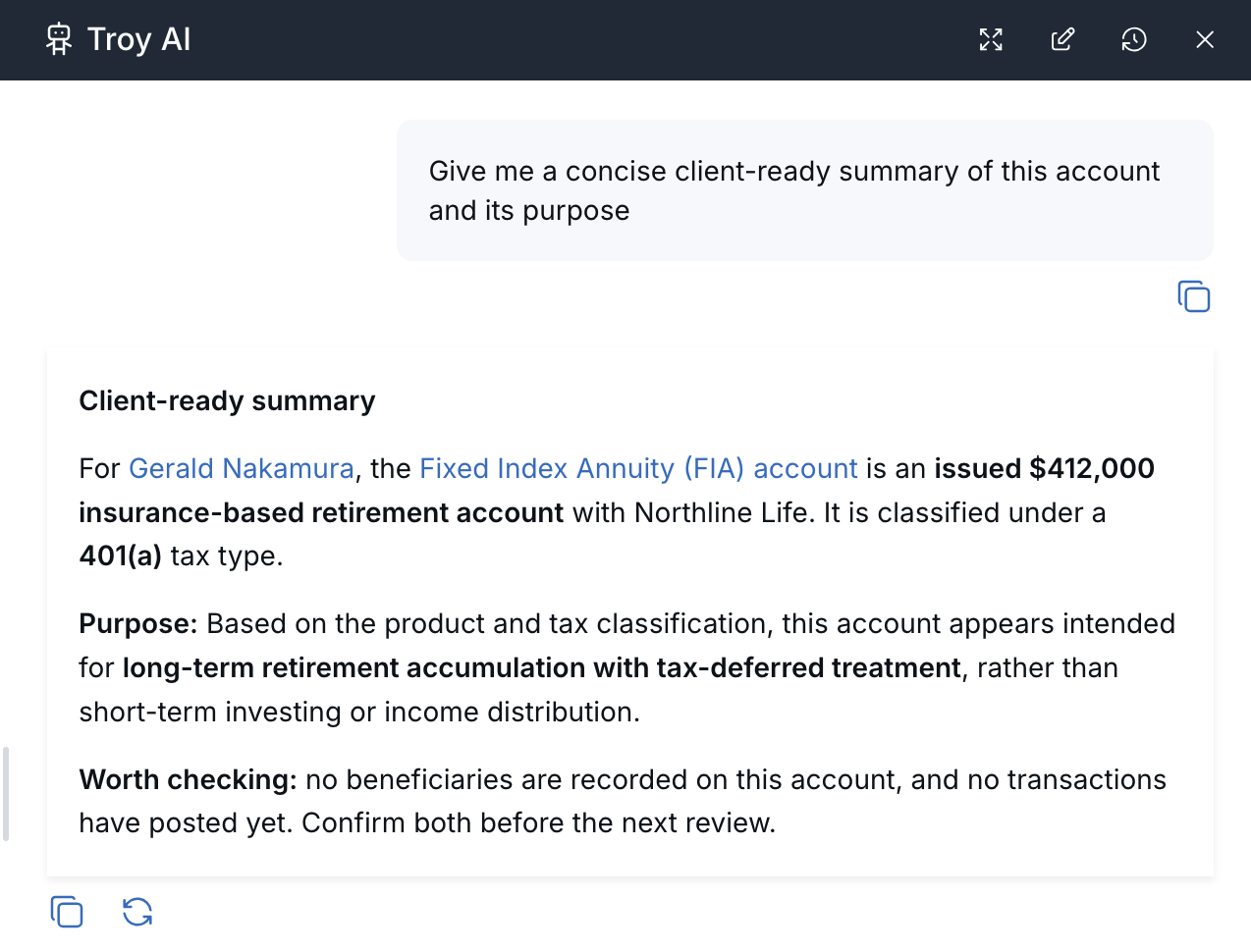
Troy summarizes the account and flags what to check.
Review Before You Save or Send
Troy AI can suggest drafts, but it does not automatically change the account or message the client.
- Review any suggested task, note, or email before you create or send it.
- Check names, dates, amounts, and promised actions carefully.
- Use the normal Save or Send buttons in LeadCenter when you are ready.
What Troy AI Can See
Troy AI stays focused on the account and linked contact you have open, unless you clearly ask about something else. It only uses records you are already allowed to view.
Balances, holdings, and transactions reflect what is stored in LeadCenter, including synced custodian data when available. They are not a substitute for live custodian statements or performance reporting. Confirm important details on the account page or with the custodian before advising a client.
AI-generated answers can be incomplete or incorrect. Use Troy as a starting point, then verify anything that matters in the original account record.

Need more help?
If you can't find the answers you're looking for, our support specialists are available to answer your questions and troubleshoot if necessary.
-
Phone Call (888) 291-7116. Our main hours are Monday to Friday 7 am-5 pm Central Time.
-
Support Send your questions and inquiries via email to support@leadcenter.ai. A support ticket will be created and one of our team members will get back to you as quickly as possible.