 Help Center
AI Agents
AI Agents
Phoenix AI: Find Screens and Fields
Phoenix AI is a screen and field finder for LeadCenter. Ask where something lives, and Phoenix points you to the page, setting, or field — including a direct link that opens the right screen or dialog.
Phoenix is different from Troy AI and Claudia AI. It does not summarize contacts, draft emails, or run reports. It only helps you find the right place in the product.
Open Phoenix AI
When your account includes Phoenix access, you can open it from any of these places:
- Top navigation — click the bird icon, labelled Open Phoenix AI.
- AI page — open AI in the left sidebar, then click Open Phoenix AI on the Phoenix card under AI Help Agents.
- Help panel — open Help in the top navigation, then click Open Phoenix AI.
If you do not see the bird icon or the Phoenix button, your user may not be enabled for this assistant.
What You Can Ask
Describe what you want to do in plain English. Phoenix looks up LeadCenter screens, fields, settings, and dialogs, then replies with directions and a link.
Examples:
- Where to add a new contact tag
- Where to create a shared calendar
- Where to add a new bank account for a contact
- Where can I create an email campaign
- Where can I create a Claudia AI meeting summary template
- Where can I configure the event attendee creation setting
You can also ask for a specific field on a page, such as a setting on a form or a column on a list.
How Phoenix Uses Your Current Screen
Phoenix uses the page, tab, and section you are viewing to interpret your question. A question such as “Where is the owner?” points to the owner field for the current contact, company, or other record.
- Open Phoenix after selecting the page and tab related to your question.
- Phoenix prefers fields and settings that belong to the current screen.
- When the current URL identifies a record, Phoenix uses that record in its link instead of asking which record you mean.
To ask about another area, name that screen. For example, while viewing a contact, ask “Where is the company owner field?” to receive directions for companies.
Using Phoenix Links
Phoenix answers usually include a direct link and a short How to get there path.
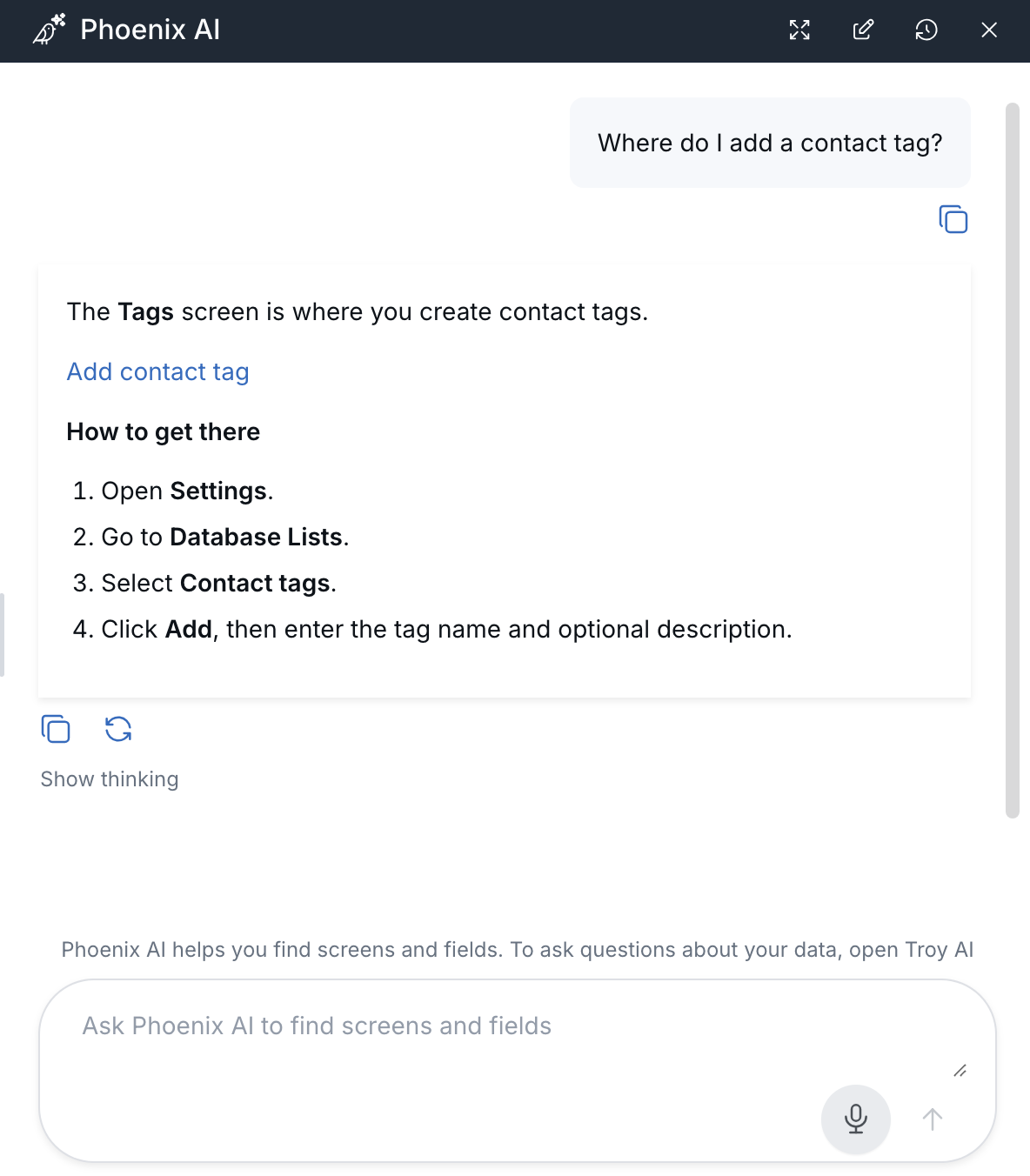
Each answer provides a direct link and the steps for reaching the screen.
When a link points to the page you are already viewing, Phoenix closes and LeadCenter moves to the requested location without opening another browser tab.
- Links can switch to the matching tab.
- Links can scroll to the matching section.
- Links can open the matching pop-up or slide-in panel.
Links to another page open in a new tab. Hold Ctrl on Windows or Command on Mac while clicking to open a same-page link in a new tab.
Phoenix links open screens and controls, but they do not save, apply, or delete information.
What Phoenix Does Not Do
- It does not create, edit, or delete records.
- It does not send emails or texts or change settings without you using the normal Save action.
- It does not replace Troy AI or Claudia AI.
Tips for Better Answers
- Open Phoenix after selecting the page and tab related to your question.
- Start a new conversation after switching tabs so Phoenix uses the new tab.
- Name another screen or area when your question is not about the current page.
- If several records could match, include the contact, template, or other record name.
- Specify whether you mean the website library or landing page library when asking about images or media.

Need more help?
If you can't find the answers you're looking for, our support specialists are available to answer your questions and troubleshoot if necessary.
-
Phone Call (888) 291-7116. Our main hours are Monday to Friday 7 am-5 pm Central Time.
-
Support Send your questions and inquiries via email to support@leadcenter.ai. A support ticket will be created and one of our team members will get back to you as quickly as possible.