 Help Center
AI Agents
AI Agents
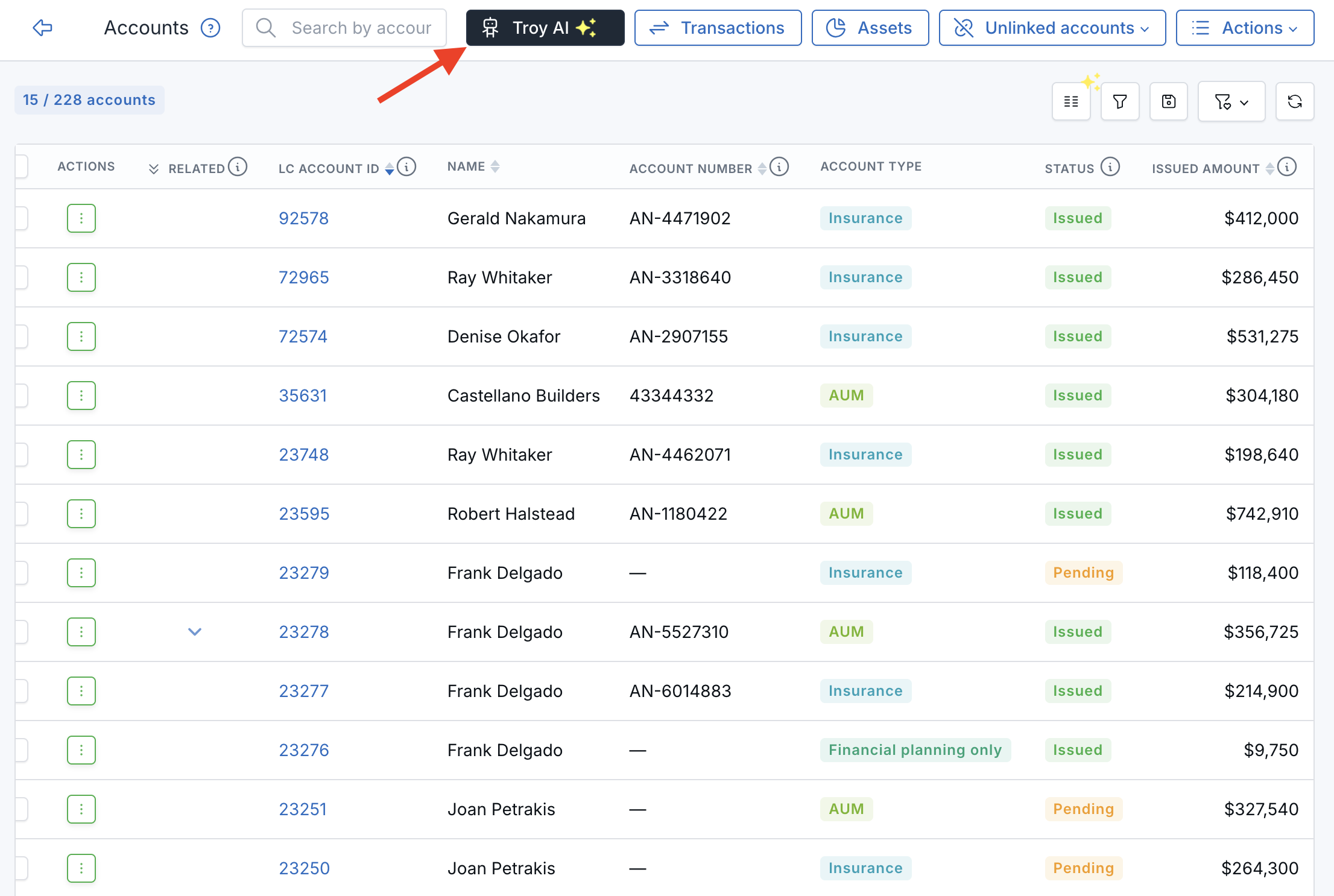
Use Troy AI on the Accounts List
Troy AI helps you review financial accounts without manually working through filters or spreadsheets. From the Accounts page, ask questions about account totals, statuses, types, custodians, important dates, and accounts that may need attention.
Open Troy AI
- Open the Accounts page .
- Click the dark Troy AI button near the top of the page.
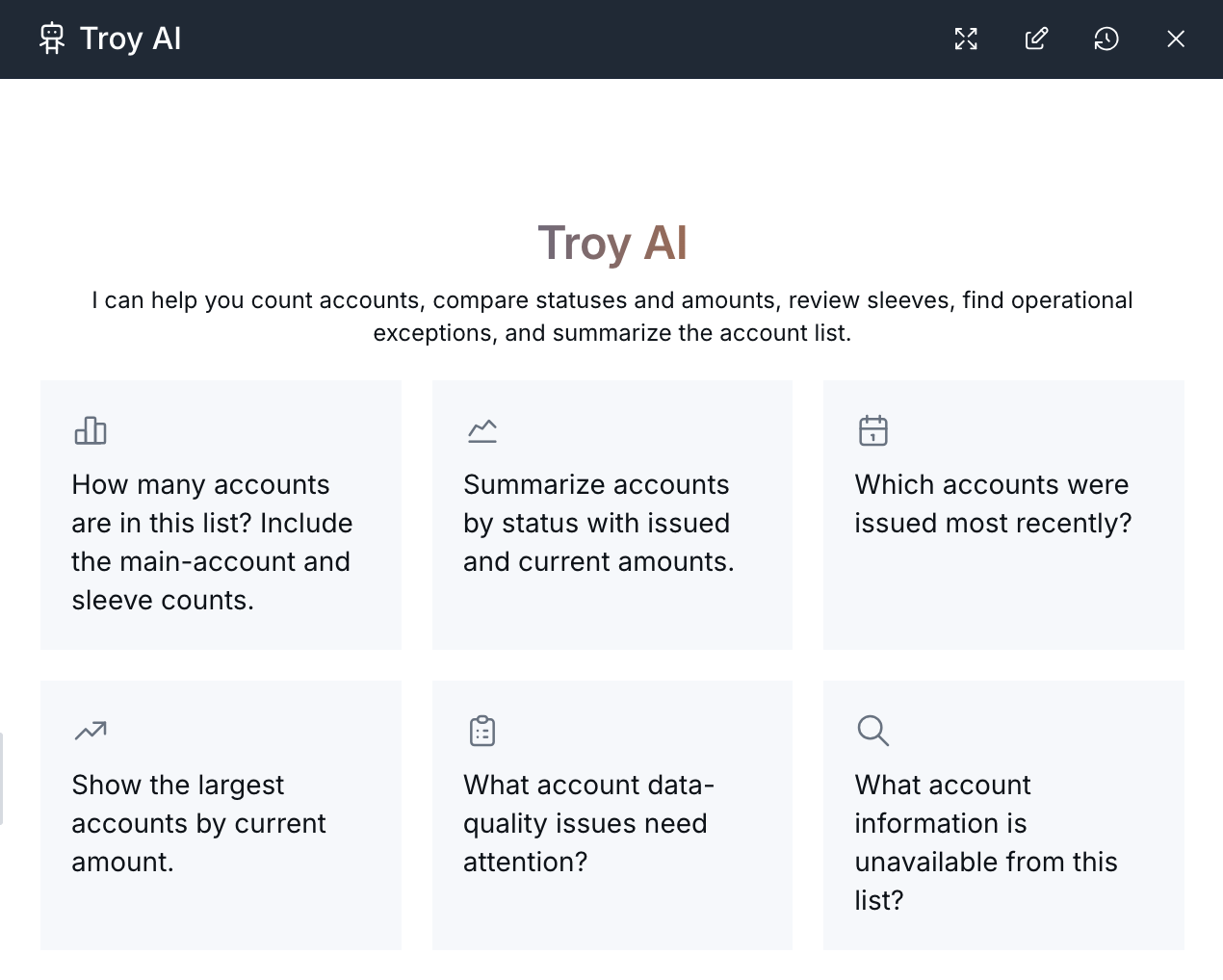
- Choose a suggested question or enter your own question in the chat box.
Troy AI recognizes that you opened it from the Accounts list, so you do not need to explain which area of LeadCenter you are reviewing.
What You Can Ask
Use Troy AI to understand your accounts and decide where to focus.
- Summarize the number of accounts and the total amounts recorded.
- Group accounts by status, type, tax type, custodian, or writing advisor.
- Find the largest accounts by current amount or amount issued.
- Review accounts applied for or issued during a specific period.
- Identify accounts with missing information, such as a missing current amount.
- Find accounts connected to a particular contact, household, owner, or custodian.
Other Questions You Can Ask
Troy shows a set of suggested questions when you open it. You can also ask in your own words:
- Summarize my accounts by status.
- What are my top 10 accounts by current amount?
- How many AUM accounts do we have with each custodian?
- Show accounts issued this year, grouped by month.
- Which accounts are missing a current amount?
- Summarize accounts for the Petrakis household.
- How many issued insurance accounts do I have?
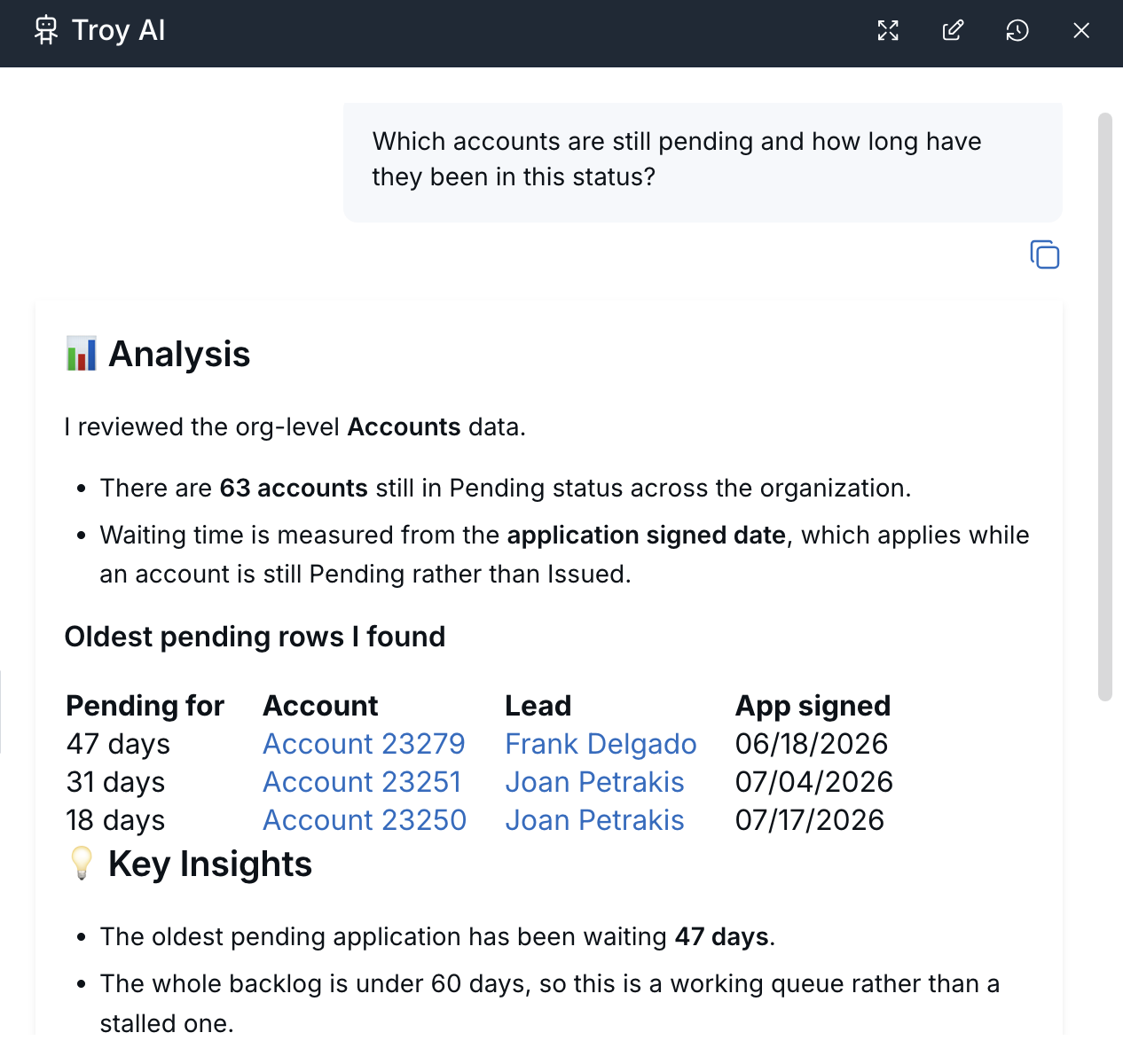
Include a timeframe, account type, status, contact, or household name when you need a more focused answer. For example, ask Show issued AUM accounts for Frank Delgado or Summarize accounts issued in the last 90 days.
Tips for Clear Answers
- Specify whether Troy should use main accounts only or include related or sleeve accounts. This helps prevent totals from being counted twice.
- Use familiar account terms such as Issued, Pending, or AUM, or provide a custodian name.
- Refine broad answers with follow-up questions such as Narrow that to my book only or Show just the top five.
Account Access and Financial Information
Troy AI follows your LeadCenter permissions and only uses accounts and contacts you are allowed to view. Results may differ between team members based on their access.
Amounts and summaries come from information recorded in LeadCenter. They are not live market quotes or verified investment-performance figures. Confirm important amounts on the account record before using them to make client decisions.
AI-generated answers may be incomplete or incorrect. Treat the answer as a starting point and verify important information in the original account record.
Related Article

Need more help?
If you can't find the answers you're looking for, our support specialists are available to answer your questions and troubleshoot if necessary.
-
Phone Call (888) 291-7116. Our main hours are Monday to Friday 7 am-5 pm Central Time.
-
Support Send your questions and inquiries via email to support@leadcenter.ai. A support ticket will be created and one of our team members will get back to you as quickly as possible.