 Help Center
AI Agents
Use Troy AI For Pipeline And Contact List Questions
Troy AI can help you review your Sales Pipeline, prioritize contacts, and find groups of people to work next. You can ask questions in plain English, review the answer in chat, and open matching lists in LeadCenter when Troy AI provides a link.
Use this when you want help understanding pipeline health, identifying follow-up priorities, finding contacts that need attention, or turning an AI answer into a workable list.
Where To Open Troy AI
Open Troy AI from the Sales Pipeline or Contacts list page.
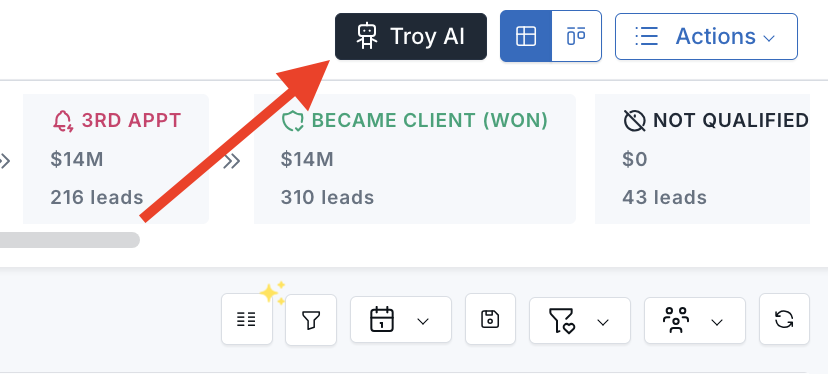
Troy AI follows your LeadCenter permissions. It only uses contacts and Sales Pipeline records your account is allowed to access.
Pipeline Questions Troy AI Handles Well
- “What is my pipeline health summary and forecast for this month?”
- “Analyze my pipeline and identify bottlenecks slowing down conversions.”
- “Which stages have the most stalled contacts, and what actions should I take?”
- “What are the top 10 contacts I should prioritize today?”
- “Show me contacts at risk of going cold that need attention.”
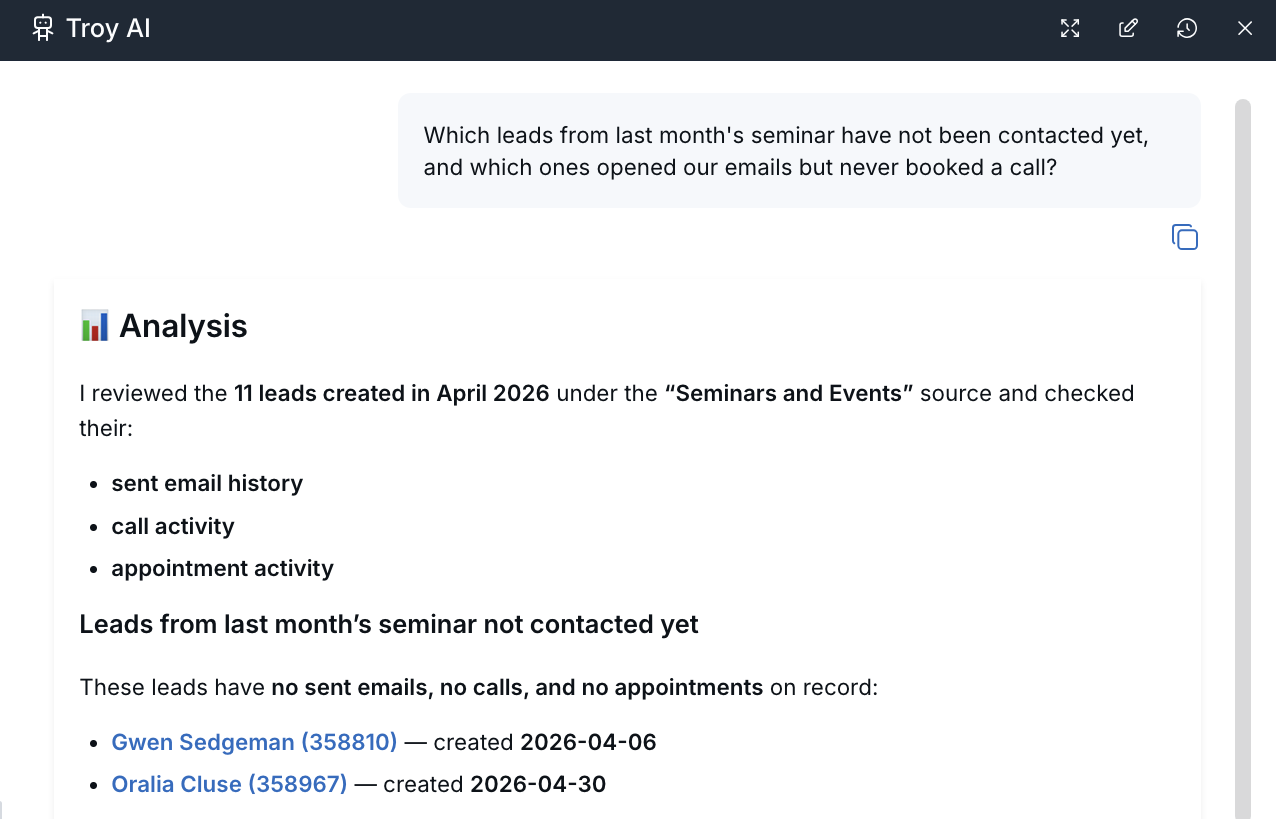
Attach Images or PDFs to a Troy AI Chat
You can attach images and PDF documents to a Troy AI conversation so Troy can use the file as additional context when answering your question.
- Open Troy AI.
- Click the + button beside the message box.
- Select Add image or Add PDF.
- Choose the file from your device.
- Type your question or instruction, then send the message.
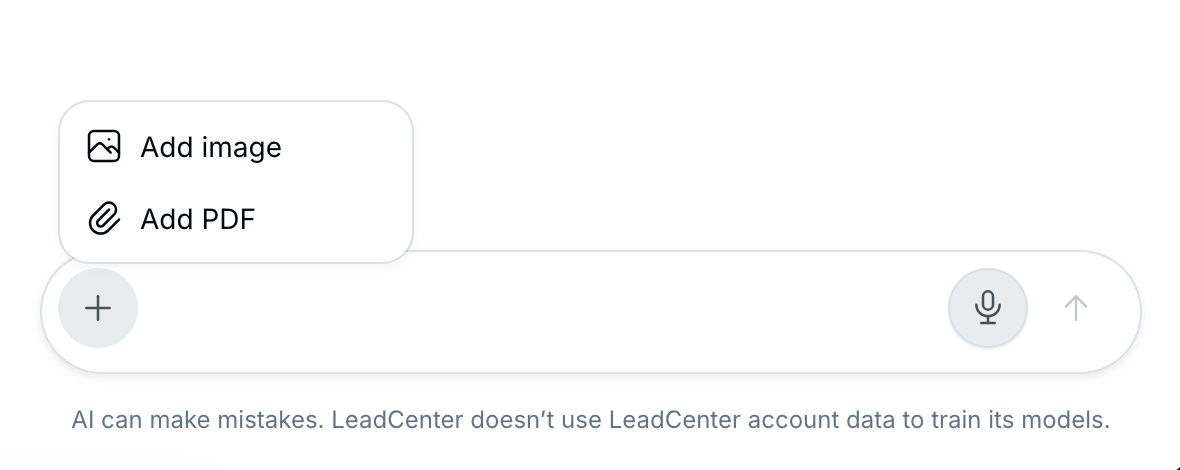
After the file is attached, ask Troy your question as usual. Troy can review the uploaded file together with available LeadCenter information to provide a more informed response.
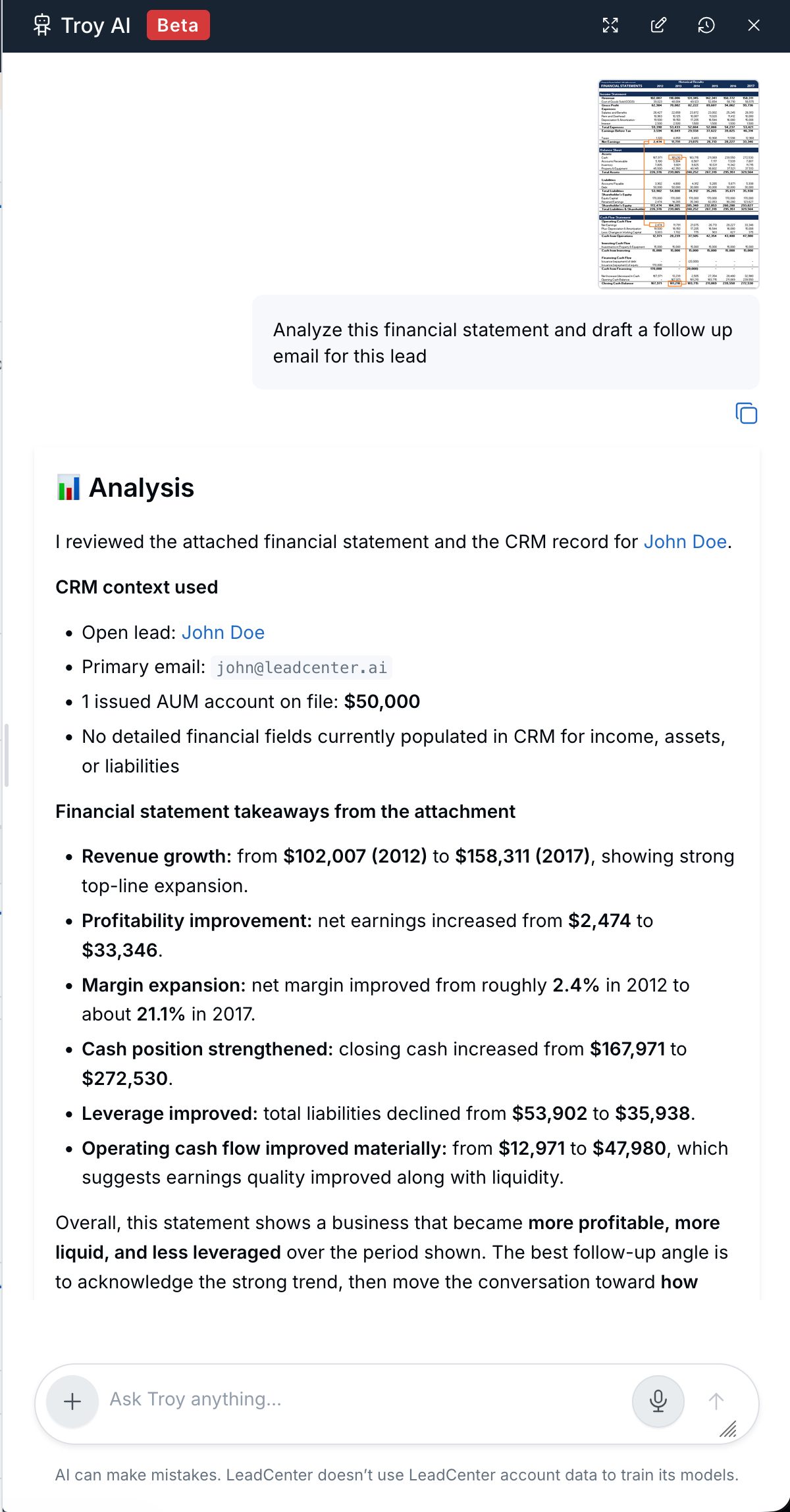
Troy currently supports image files and PDF documents. File availability and size limits may vary depending on your account configuration.
Contact List Questions Troy AI Handles Well
- “List contacts added last week who are still in New.”
- “Who is assigned to me with overdue follow-ups?”
- “Show the 20 contacts updated longest ago.”
- “Sort by most recently updated.”
- “Group the results by stage.”
Troy AI may return a compact list with details such as name, stage, owner, email, last updated date, or other relevant fields.
Recommended Next Steps
Troy AI can summarize what it found and suggest practical follow-up actions based on the records it reviews.
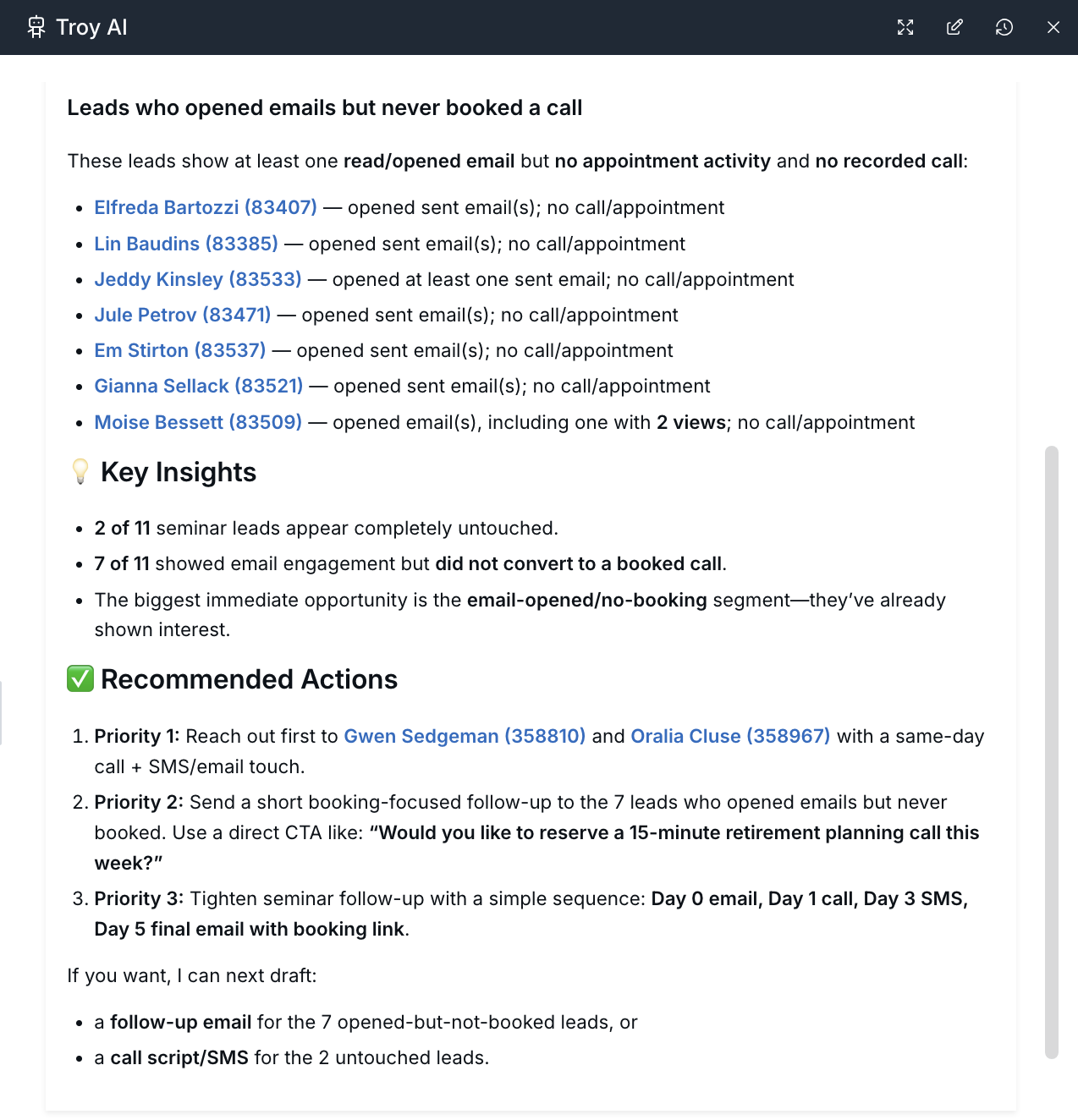
Open Troy AI Results In LeadCenter
When Troy AI returns a list based on your question, look for a link such as:
- Contacts list page: Use Troy AI to ask contact list questions and find contacts that match specific criteria.
- Sales Pipeline list page: Use Troy AI to ask pipeline questions, review priorities, and open matching Sales Pipeline records.
- LeadCenter opens the Sales Pipeline or Contacts page with matching criteria applied.
- You review the list in the app.
- You work the list normally using calls, emails, tasks, notes, stage changes, or other available actions.
The chat is useful for reviewing and prioritizing. The Sales Pipeline and Contacts pages are where you take action on the list.
Example Workflows
Monday Morning Triage
- Open Troy AI from the Sales Pipeline list page.
- Ask, “What are the top 10 contacts I should prioritize today?”
- Review the summary and suggested actions.
- Click Open in Sales Pipeline if Troy AI provides a link.
- Work the list in LeadCenter.
Before A Pipeline Review Meeting
- Ask, “Pipeline health summary for this month, including risks and bottlenecks.”
- Ask a follow-up question, such as “Which stages have the most stalled contacts?”
- Copy useful notes into your meeting agenda.
- Use the Sales Pipeline link if you need to review live records during the meeting.
Contact List Cleanup
- Open Troy AI from the Contacts list page.
- Ask, “Contacts not in the pipeline added in the last 90 days who still have no owner.”
- Click Open in Contacts if Troy AI provides a link.
- Assign owners, archive records, or update contacts according to your team’s process.
Tips For Better Answers
- Be specific with time. “Last 14 days” is clearer than “recently.”
- Name the outcome. Ask for “top 10,” “group by stage,” or “one next action each.”
- Say whose records you want. Use phrases like “my contacts,” “the whole team,” or “assigned to Sarah.”
- Follow up in the same chat. Refine the answer with prompts like “Narrow that to Qualified only” or “Sort by oldest first.”
- Verify important numbers. Open the linked list or contact record before making client-facing decisions.
Troubleshooting
| Problem | What To Try |
|---|---|
| Troy AI cannot find contacts or Sales Pipeline records. | Widen the time window and confirm whether you are asking for pipeline records, contacts, or all matching people. |
| The link opens an empty list. | Clear extra filters on the page and confirm your role can access those records. |
| Numbers differ from a report. | Ask Troy AI to state the date range or criteria it used, then compare that with the report settings. |
| No Open in Sales Pipeline link appears. | Ask directly: “Include a link to open this list in the Sales Pipeline.” |
| Troy AI is not visible on the list page. | Ask an admin whether your plan and role include Troy AI. |

Need more help?
If you can't find the answers you're looking for, our support specialists are available to answer your questions and troubleshoot if necessary.
-
Phone Call (888) 291-7116. Our main hours are Monday to Friday 7 am-5 pm Central Time.
-
Support Send your questions and inquiries via email to support@leadcenter.ai. A support ticket will be created and one of our team members will get back to you as quickly as possible.