 Help Center
Contact Management
Contact Management
Use Troy AI on the Households List
Troy AI helps you search and make sense of your Households and Families without opening every row. From the Households list, you can ask plain-language questions about household counts, find a family by name, and review activity for a household.
Open Troy AI
- Go to Households in LeadCenter.
- Click the dark Troy AI button near the top of the page.
- Choose a suggested question, or type your own question in the chat box.
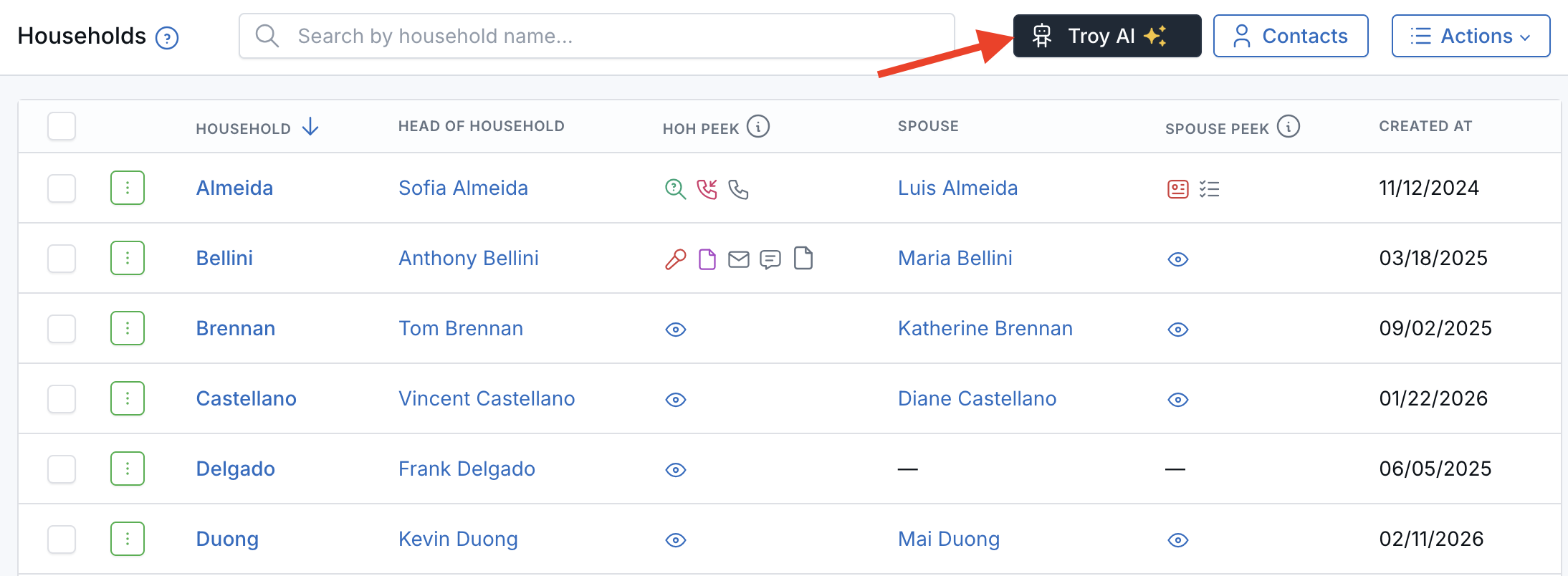
The Troy AI button sits above the Households list.
When you open Troy from the Households list, it already knows you are looking at households. Questions like how many entries are here? apply to households on this page, not Sales Pipeline contacts.
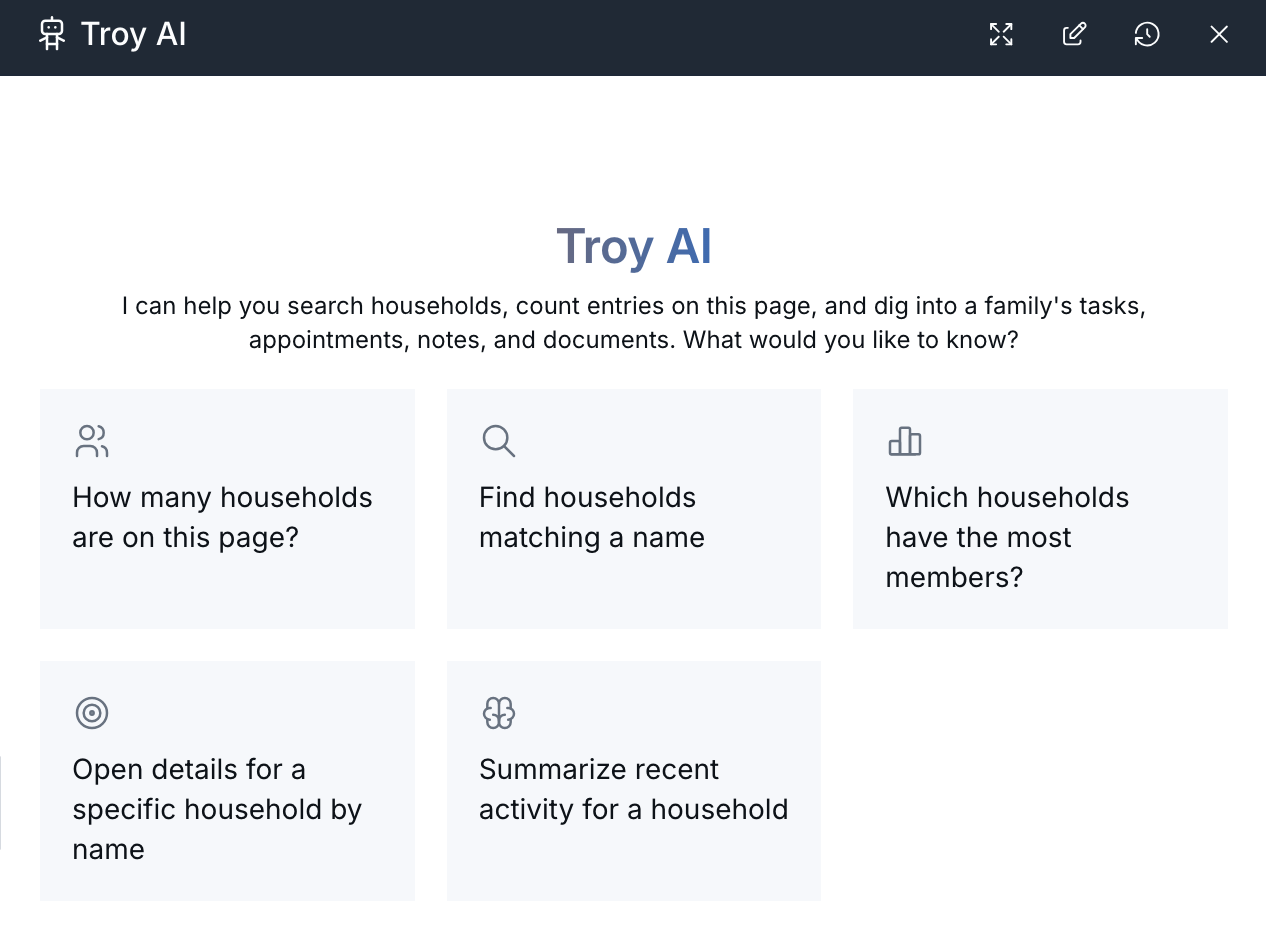
Troy opens with suggested questions about your households.
What You Can Ask
- Count how many households match the list, including after you search.
- Find households by name.
- See which households have more members.
- Ask Troy to help you open or focus on a specific household.
- Summarize recent activity for a household once you name it.
Try Asking
- How many households are on this page?
- Find households matching a name.
- Which households have the most members?
- Open details for a specific household by name.
- Summarize recent activity for a household.
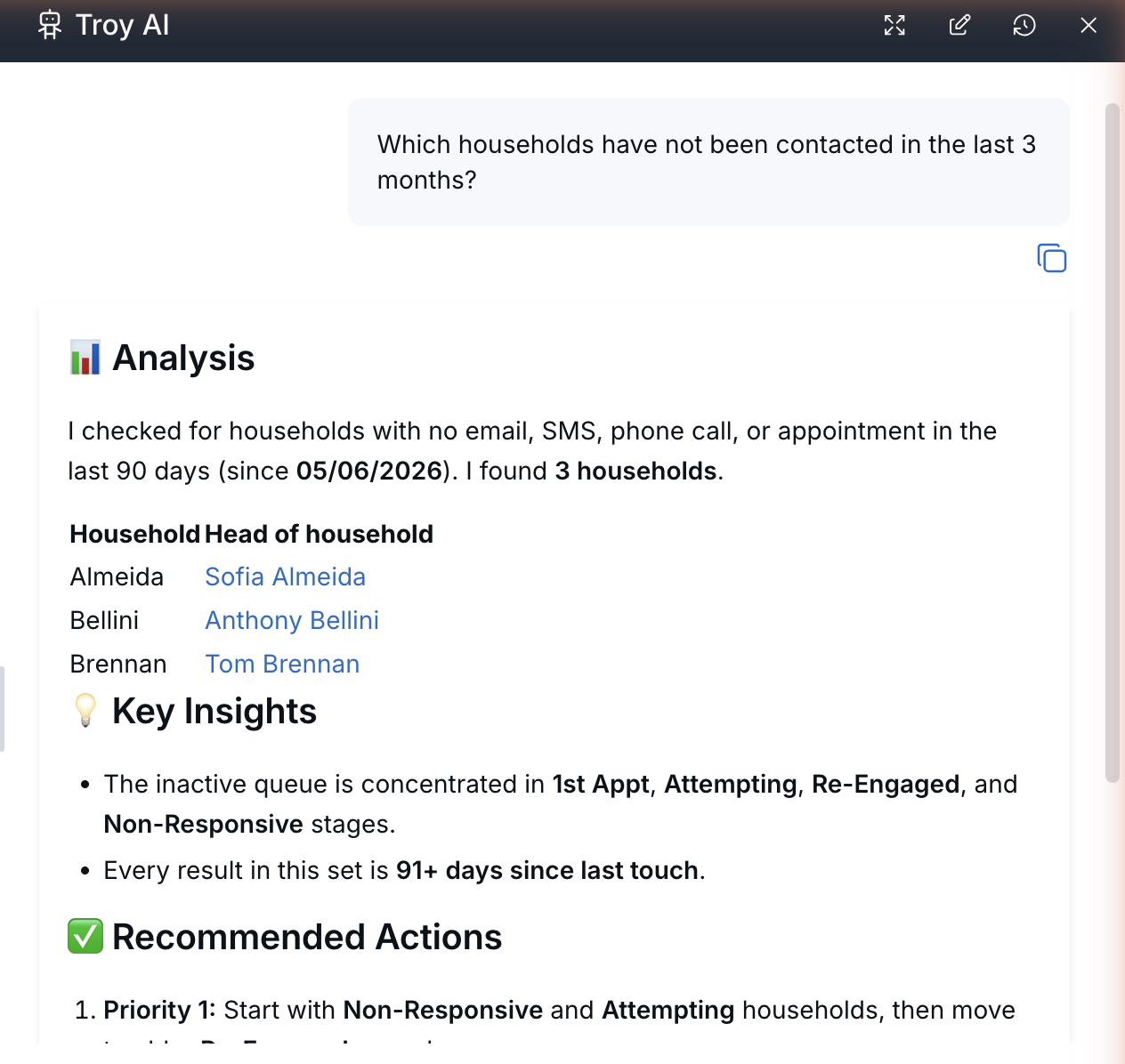
Troy answers with the households, key insights, and next steps.
For clearer answers, search by a household name first, then ask Troy about the current search or the remaining count.
Tips for Clear Answers
- Let the Households table finish loading before you ask about totals, so Troy's count matches the page.
- If you searched or filtered the list, say on this page or matching the current search.
- Households are available for Financial Advisor accounts.
- Team members only see households and contacts they are already allowed to view.
What Troy AI Can See
Troy AI follows the households and contacts you are already allowed to view in LeadCenter. It does not unlock families you cannot already open.
AI-generated answers can be incomplete or incorrect. Treat them as a starting point, then open the household in LeadCenter when you need to act.

Need more help?
If you can't find the answers you're looking for, our support specialists are available to answer your questions and troubleshoot if necessary.
-
Phone Call (888) 291-7116. Our main hours are Monday to Friday 7 am-5 pm Central Time.
-
Support Send your questions and inquiries via email to support@leadcenter.ai. A support ticket will be created and one of our team members will get back to you as quickly as possible.