 Help Center
What's New
What's New
New: Notes & Mobile UX Enhancements
02/18/2026
LeadCenter Mobile App just got a major upgrade. You can now create, edit, search, and manage Notes on the go — with rich text formatting, real-time AI voice transcription, @mentions, threaded comments, and cleaner navigation.
What’s New
- Notes on mobile — Create, edit, search, and organize notes from your phone.
- AI voice transcription — Use [AI] Listen & Transcribe to dictate notes in real time.
- @mentions — Mention teammates in notes and comments to notify them.
- Threaded comments — Collaborate directly inside each note.
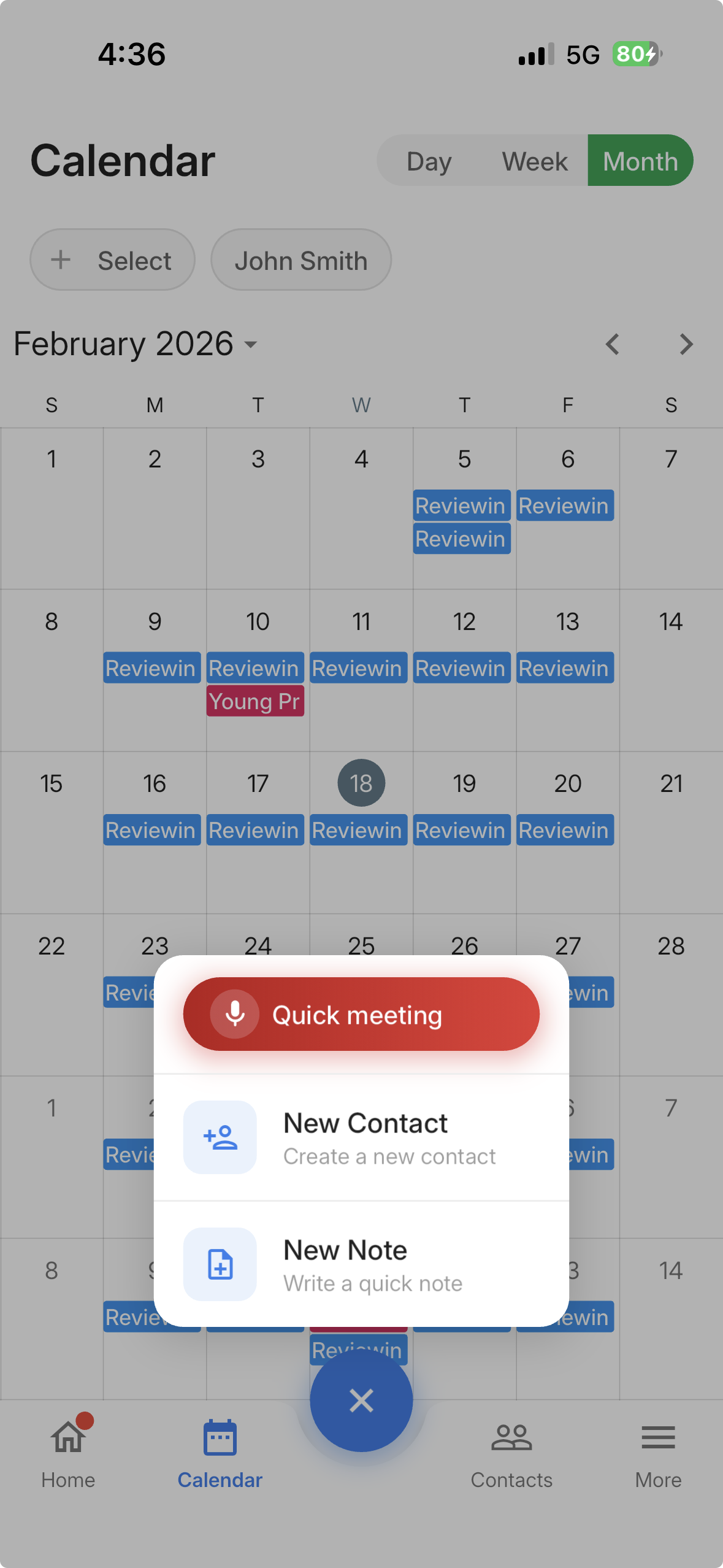
- Quick actions button — Create a new note (and more) from anywhere in the app.
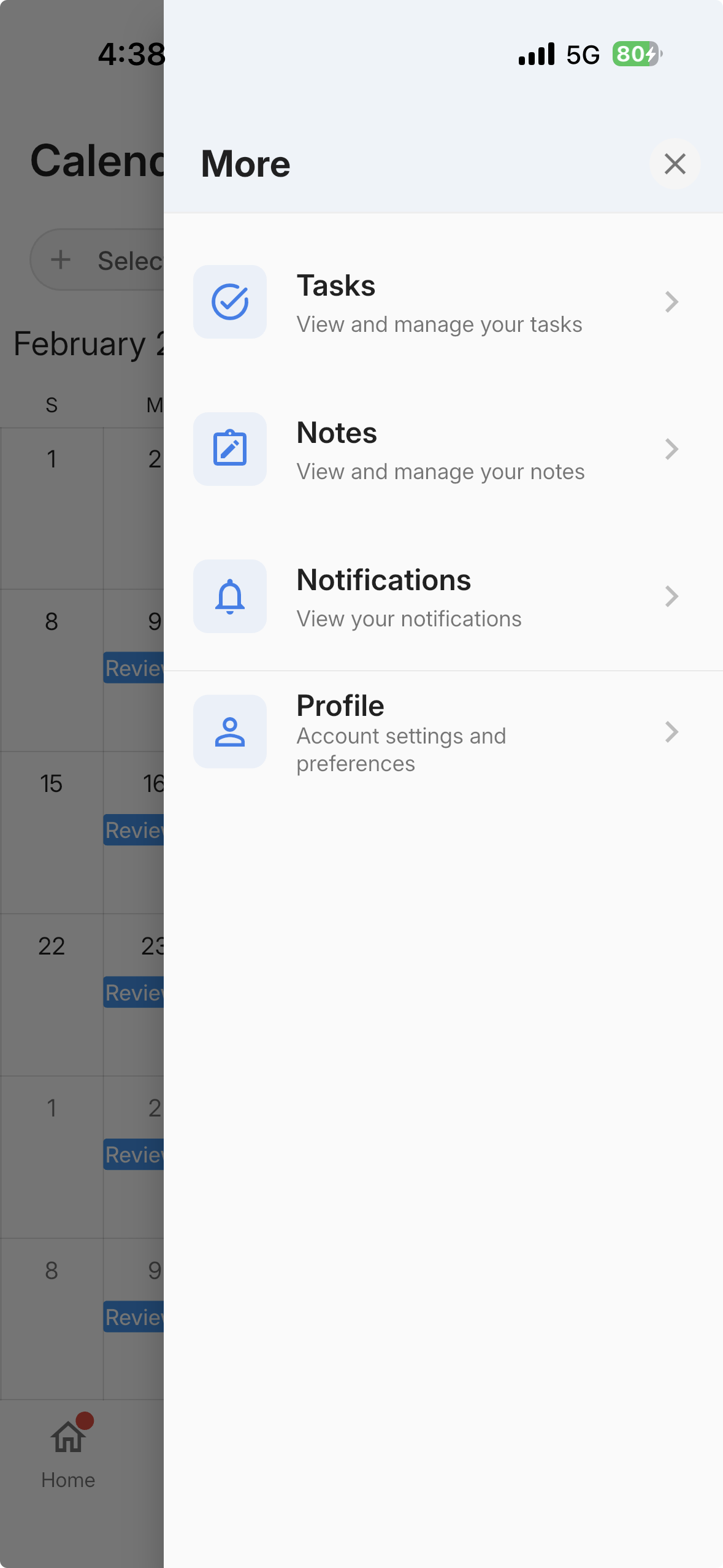
- More menu — Quick access to Notes, Tasks, Notifications, and Profile.
Create a Note Faster (Quick Actions Button)
Use the new Quick Actions button to create a note from almost anywhere in the app — no need to hunt through menus.
Where to Find Notes
The fastest way to create a note is using the Quick Actions button. You can also open Notes from the More menu.
Browse, Search, and Filter Notes
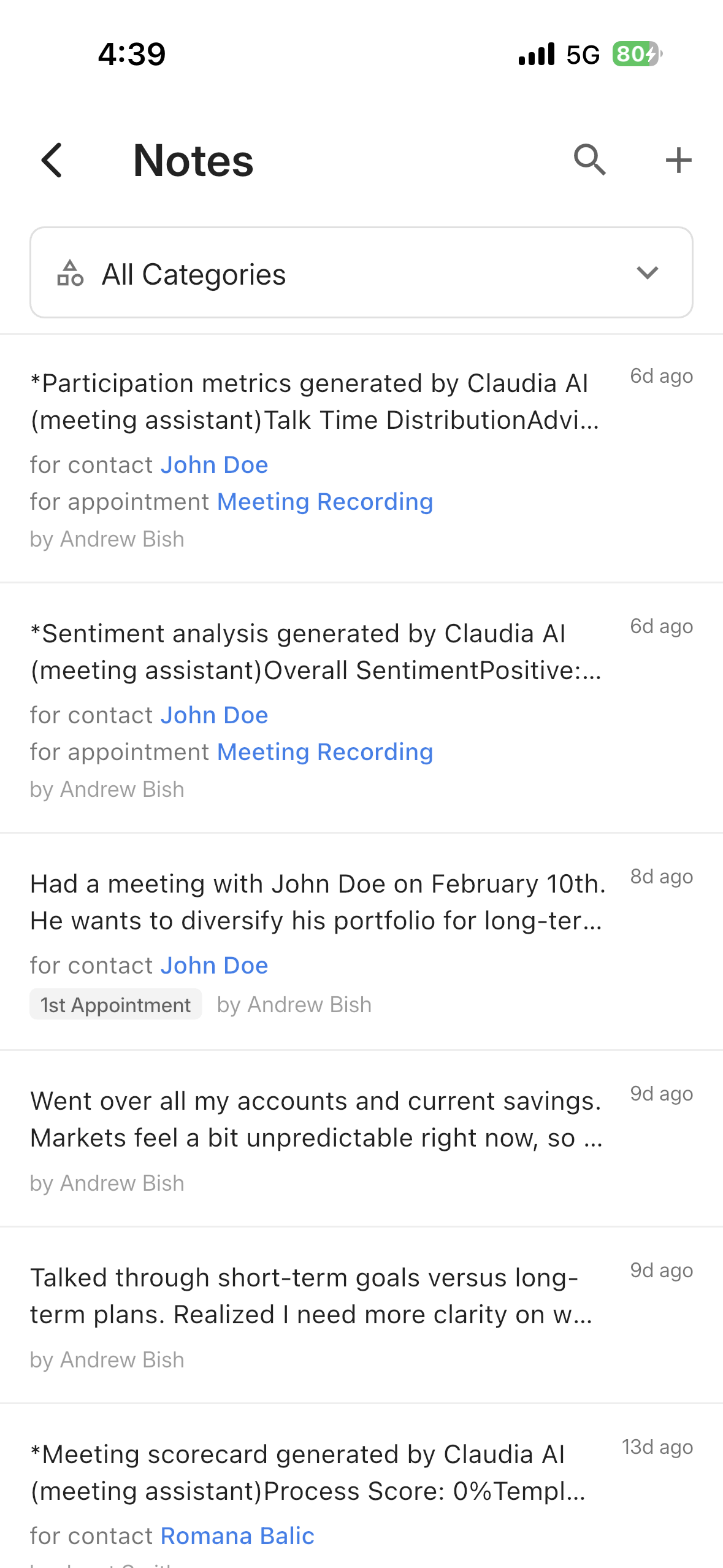
The Notes screen includes search, category filtering, and a fast scrollable list — so you can quickly find what you need.
Create a Note (with Rich Text + Contact Linking)
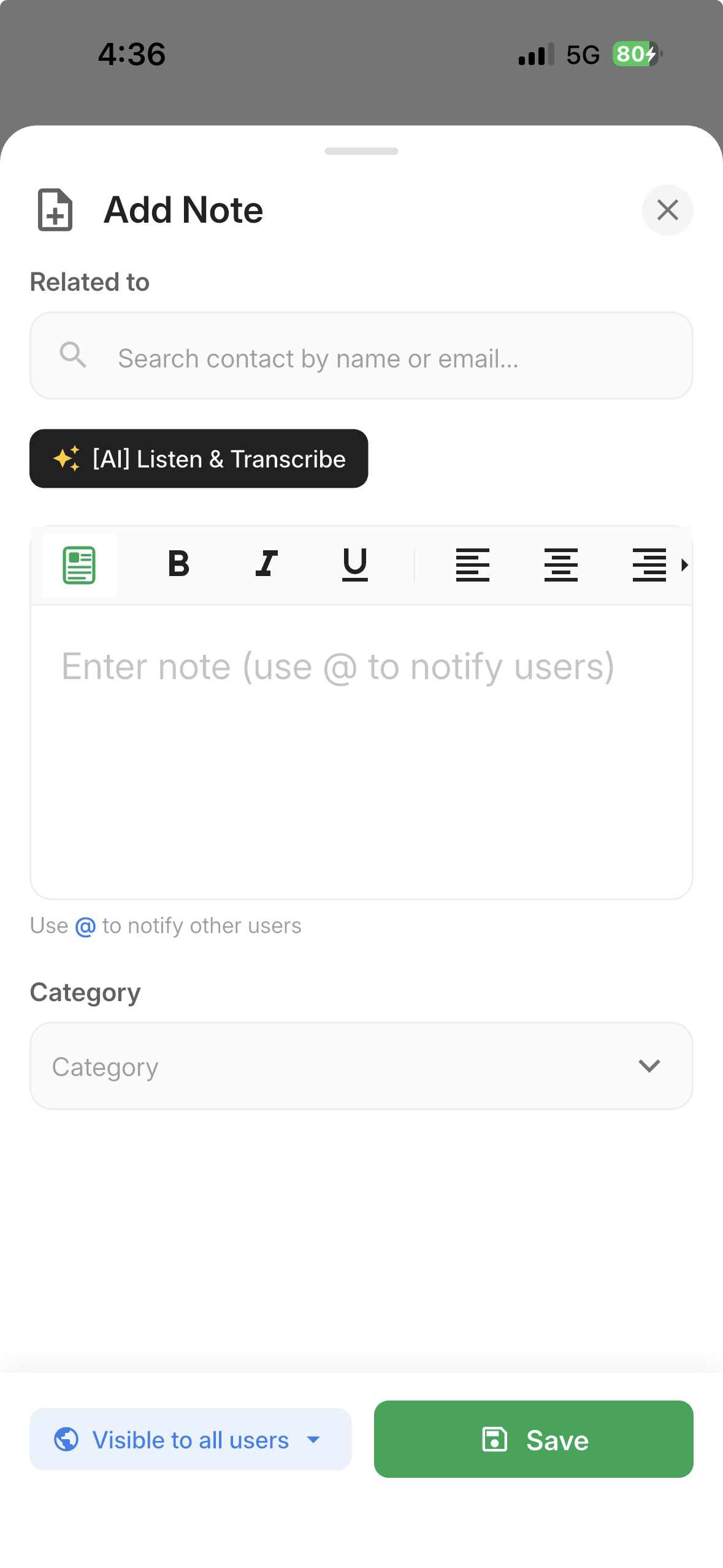
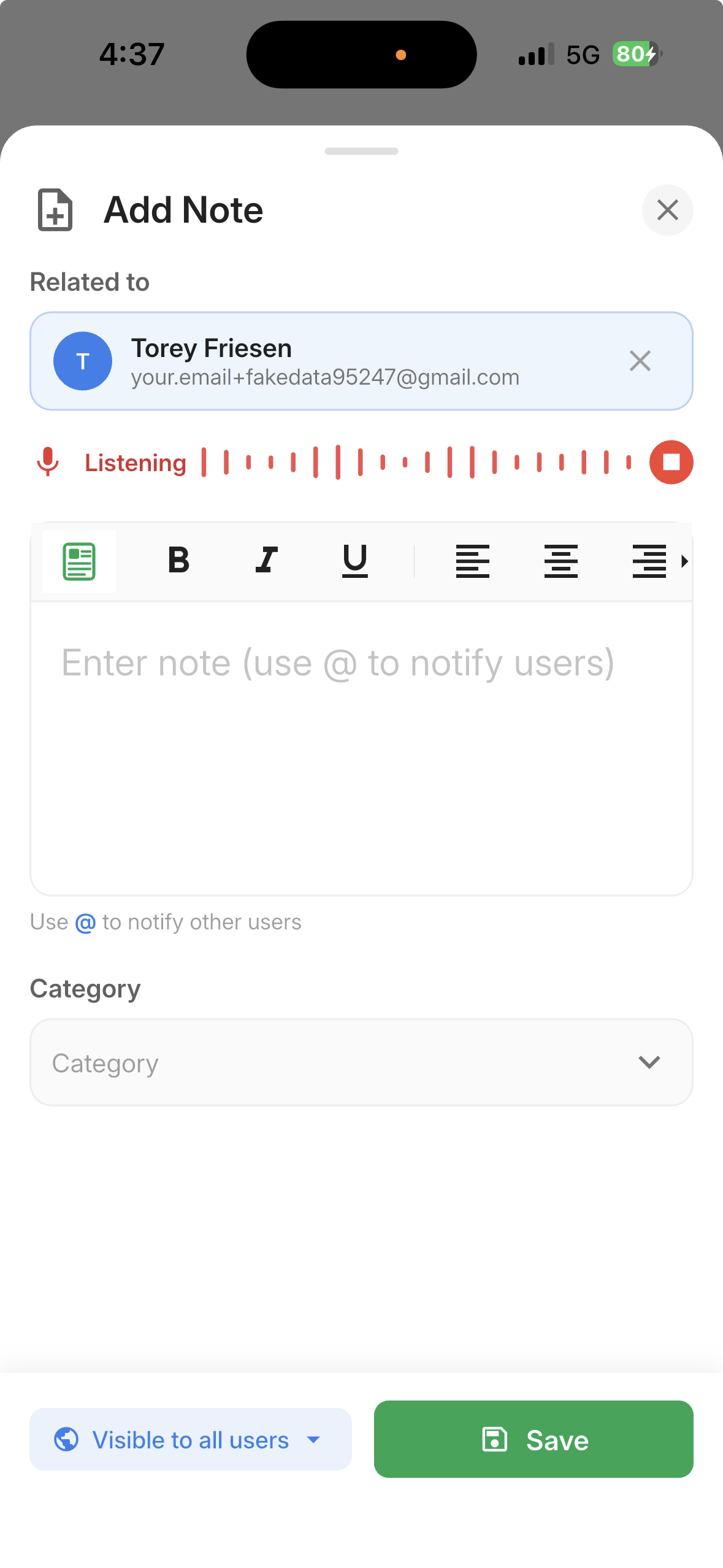
When creating a note, you can optionally link it to a contact, choose a category, and format it with rich text tools.
AI Voice Transcription (Real-Time)
Tap [AI] Listen & Transcribe while creating a note and start speaking — your words will be transcribed in real time directly into the editor.
@Mentions and Comments
You can mention teammates in notes and comments using @. Mentioned users receive a notification, making collaboration easier.
Why This Matters
- Capture notes instantly after meetings, calls, or client conversations.
- Reduce admin work with real-time voice transcription.
- Collaborate better using comments and @mentions.
- Move faster with improved navigation and quick actions.
Questions or feedback? Contact us at support@leadcenter.ai.

Need more help?
If you can't find the answers you're looking for, our support specialists are available to answer your questions and troubleshoot if necessary.
-
Phone Call (888) 291-7116. Our main hours are Monday to Friday 7 am-5 pm Central Time.
-
Support Send your questions and inquiries via email to support@leadcenter.ai. A support ticket will be created and one of our team members will get back to you as quickly as possible.