 Help Center
What's New
What's New
New: Sync Seminars & Attendees with Zapier
02/16/2026
You can now sync Seminars and Attendees with Zapier — expanding what you can automate beyond contacts.
In addition to creating, updating, and finding contacts, you can now trigger automations based on seminar activity and attendee data inside LeadCenter.
What’s New
- Seminar triggers — Trigger Zaps when a seminar is created or updated.
- Attendee triggers — Trigger automations when someone registers for or attends a seminar.
- Seminar-based workflows — Send data to CRMs, email platforms, spreadsheets, Slack, Teams, and thousands of other apps.
- More event automation — Build complete event follow-up workflows without manual exports.
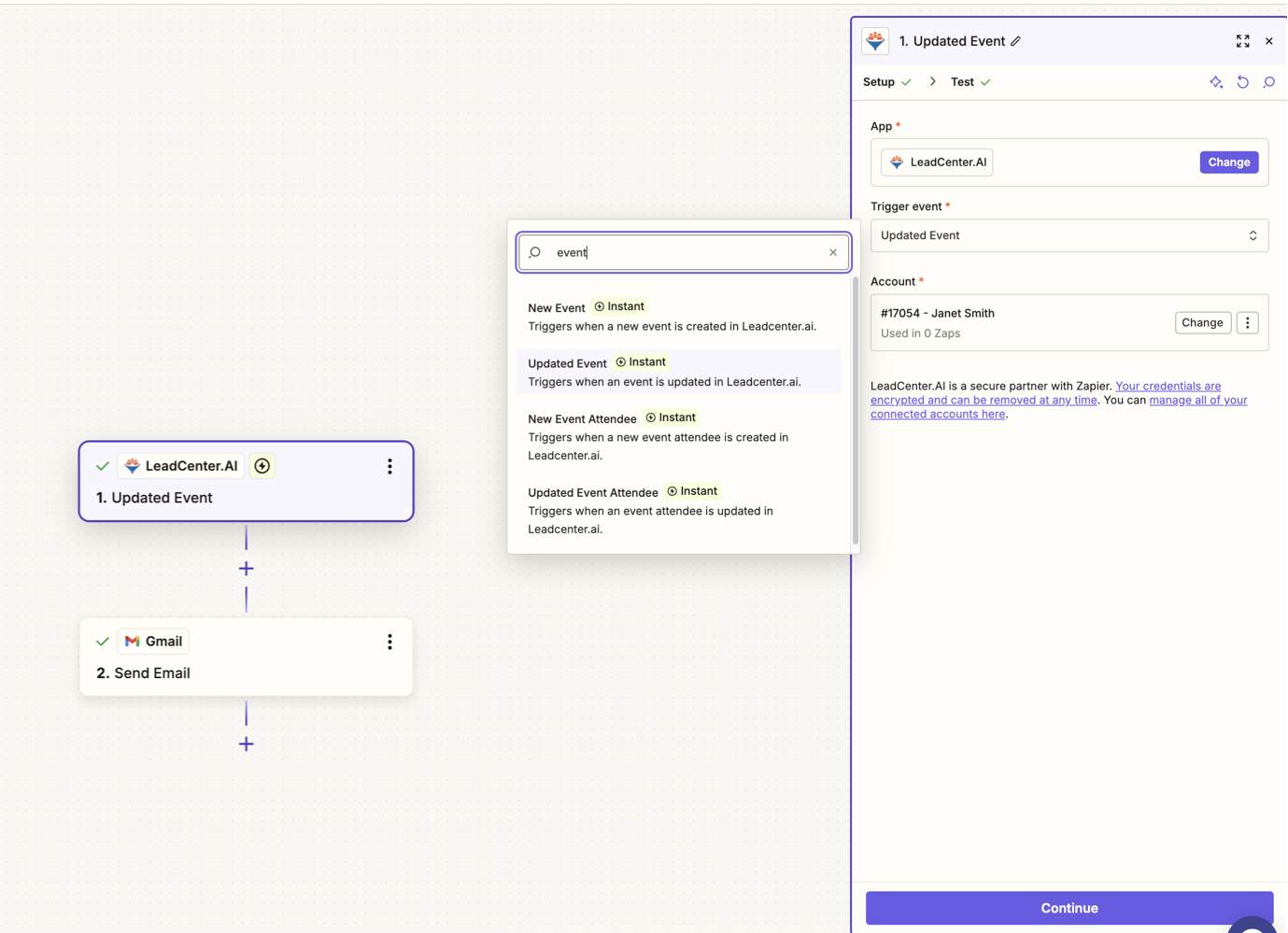
Seminar and Attendee triggers now available inside Zapier.
Why This Matters
Seminars and events are a major growth channel for many financial advisors and insurance agencies. With this update, you can now:
- Automatically notify your team when new attendees register
- Add seminar attendees to email sequences
- Push seminar data to external CRMs or reporting tools
- Create follow-up tasks based on attendance status
- Update marketing lists based on event engagement
Instead of manually exporting attendee lists, your systems stay in sync automatically.
How It Works
- In Zapier, create a new Zap.
- Select LeadCenter as the trigger app.
- Choose a Seminar or Attendee trigger.
- Connect your LeadCenter account.
- Map the fields to your destination app (CRM, email platform, spreadsheet, etc.).
- Test and turn on your Zap.
Available Zapier Capabilities
- Create Contact
- Update Contact
- Find Contact
- Seminar Created (new)
- Seminar Updated (new)
- Attendee Registered / Updated (new)
Best Practice
When building automations that involve attendees, we recommend using:
- Find Contact
- If found → Update Contact
- If not found → Create Contact
This helps prevent duplicates while keeping your event data clean and structured.
If you need help designing the right Zap for your seminar workflow, contact support@leadcenter.ai.

Need more help?
If you can't find the answers you're looking for, our support specialists are available to answer your questions and troubleshoot if necessary.
-
Phone Call (888) 291-7116. Our main hours are Monday to Friday 7 am-5 pm Central Time.
-
Support Send your questions and inquiries via email to support@leadcenter.ai. A support ticket will be created and one of our team members will get back to you as quickly as possible.