 Help Center
What's New
What's New
Answer Inbound Calls in LeadCenter
06/10/2026
You can now answer incoming calls to your LeadCenter virtual numbers directly in the browser from any LeadCenter page. This helps your team respond faster without switching tools or relying only on a mapped phone line.
What’s New
- Answer inbound calls in LeadCenter — Selected team members can receive incoming-call pop-ups and answer calls from the browser.
- Control who rings — Choose which team members should receive calls for each virtual number.
- Set business-hours behavior — Decide whether LeadCenter recipients, your mapped phone, or both should ring during and after business hours.
- Use LeadCenter voicemail — Send unanswered calls to voicemail in LeadCenter, with a custom greeting and ring duration.
How It Works
Each standard LeadCenter virtual number has its own inbound call settings. Go to Settings > Phone & Text > Phone Numbers, open the number’s row menu, and choose Inbound call settings.
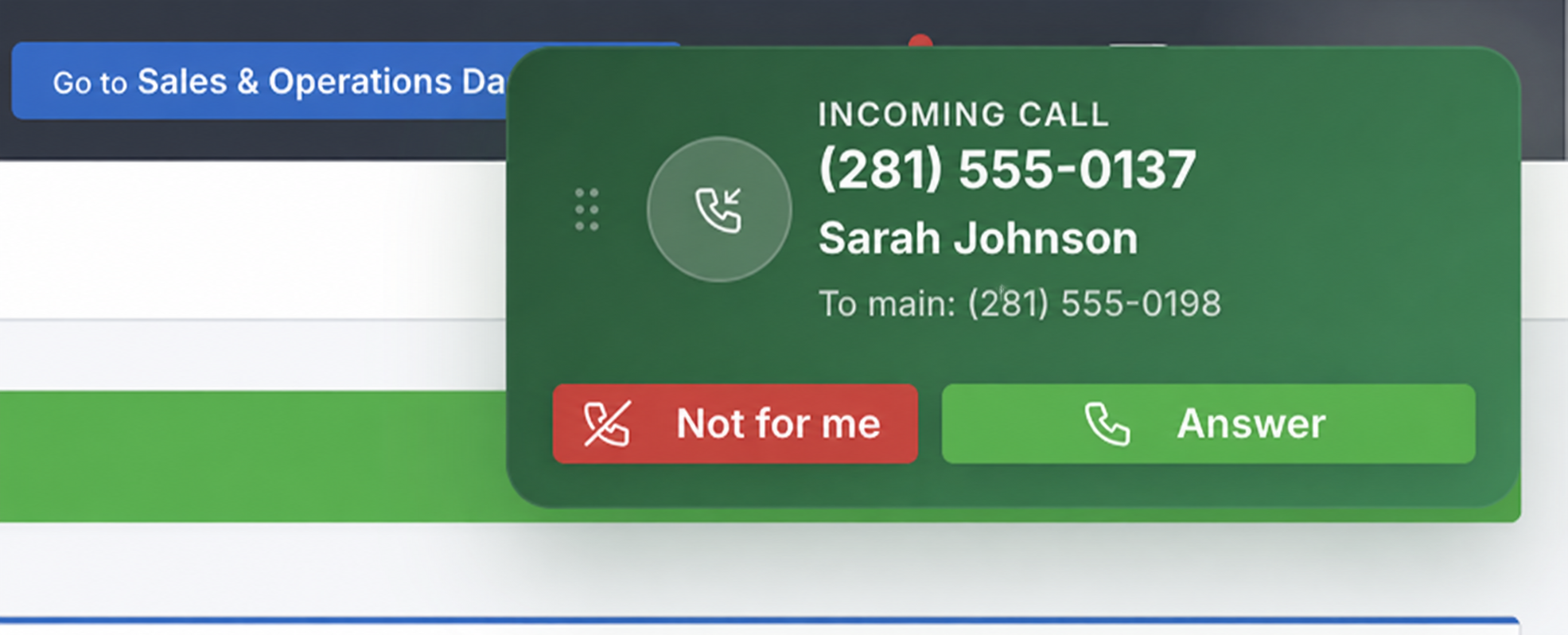
When a call comes in, available team members who are listed as recipients see an incoming-call pop-up in LeadCenter. If the caller’s phone number matches a contact, the pop-up shows caller details. Click Answer to take the call, or Not for me to stop ringing on your screen only.
What to Know
- Standard virtual numbers only — Hosted numbers are for text messaging only and cannot receive inbound calls in LeadCenter.
- Emergency address required — Your store must have an emergency address on file before using inbound calling.
- Simple inbound calling — LeadCenter supports browser-based call answering, voicemail, and basic routing settings. It is not a full PBX phone system with call queues, extensions, IVR menus, or complex call routing.
- Call history included — Answered inbound calls, outbound calls, and voicemails appear in Calls after the call ends.
Why It Matters
- Fewer missed calls — The right team members can answer calls directly in LeadCenter.
- Better coverage — Business-hours and after-hours settings help calls ring where they should.
- Cleaner follow-up — Calls and voicemails are tracked in LeadCenter after they end.
Questions? support@leadcenter.ai

Need more help?
If you can't find the answers you're looking for, our support specialists are available to answer your questions and troubleshoot if necessary.
-
Phone Call (888) 291-7116. Our main hours are Monday to Friday 7 am-5 pm Central Time.
-
Support Send your questions and inquiries via email to support@leadcenter.ai. A support ticket will be created and one of our team members will get back to you as quickly as possible.