 Help Center
What's New
What's New
Connect Blueleaf to LeadCenter
06/24/2026
LeadCenter now supports Blueleaf, giving firms a way to sync Blueleaf households, accounts, holdings, and eligible transactions into LeadCenter. After connecting Blueleaf, your team can review unlinked accounts, link them to existing financial accounts, or create new LeadCenter accounts from Blueleaf data.
What’s New
- Blueleaf connection in Custodian integrations — Firms with Blueleaf enabled can connect with a Blueleaf API token from Integrations → Custodians.
- Account linking tools — Review unlinked Blueleaf accounts, link them to existing issued accounts, create new accounts for contacts, or auto-link possible matches.
- Holdings and eligible transactions — Linked accounts can receive Blueleaf holdings, current balances, and eligible transaction activity for cash movement and fees.
- Nightly sync — LeadCenter refreshes connected Blueleaf data each night using your firm’s selected sync options.
How It Works
To connect Blueleaf, open Integrations → Custodians, find the Blueleaf card, paste your API token from Blueleaf, review the sync options, and click Connect.
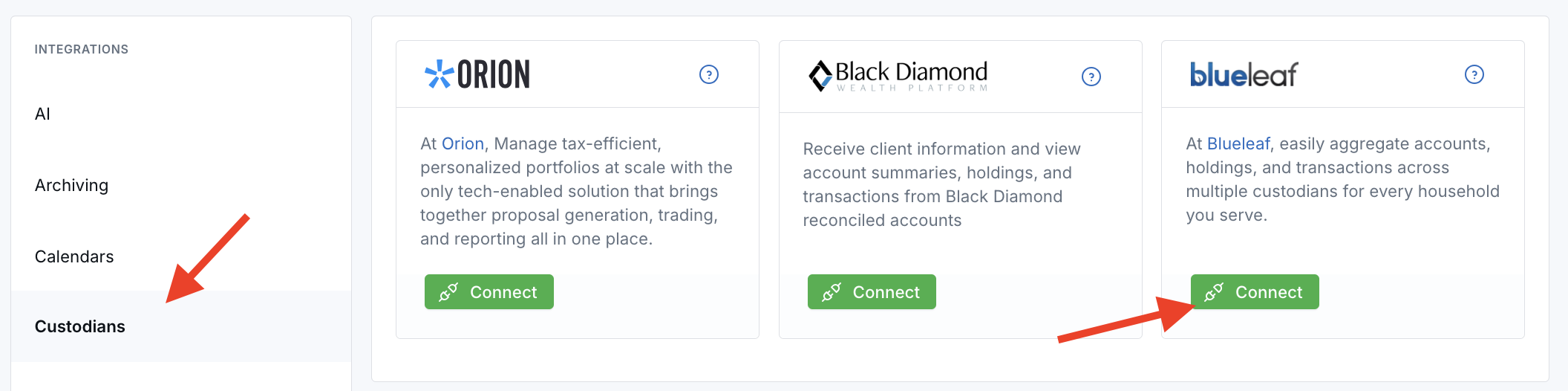
During setup, you can choose whether LeadCenter should pull custodied accounts only and whether the sync should be limited to a specific institution, such as Altruist. After the first import, your team can review accounts under Financial Accounts → Unlinked Blueleaf accounts.
Why It Matters
- Less manual account setup — Create or link LeadCenter accounts from Blueleaf account data.
- Clearer account tracking — Keep current balances and holdings refreshed on linked financial accounts.
- Focused transaction review — Bring in eligible Blueleaf transactions for cash movement and fees without pulling unrelated portfolio activity.
- Better firm control — Use sync settings to choose which Blueleaf account data LeadCenter requests.
Questions? support@leadcenter.ai

Need more help?
If you can't find the answers you're looking for, our support specialists are available to answer your questions and troubleshoot if necessary.
-
Phone Call (888) 291-7116. Our main hours are Monday to Friday 7 am-5 pm Central Time.
-
Support Send your questions and inquiries via email to support@leadcenter.ai. A support ticket will be created and one of our team members will get back to you as quickly as possible.