 Help Center
What's New
Run a Workflow for a Group of Contacts on a Schedule
10/25/2026
Workflows no longer have to wait for a new contact, an update, an appointment, a form, or a manual start. Pick a group of contacts and a time, and LeadCenter runs the workflow for each person, once or on a repeating schedule. One workflow can create tasks, wait, and send emails or texts to the whole group.
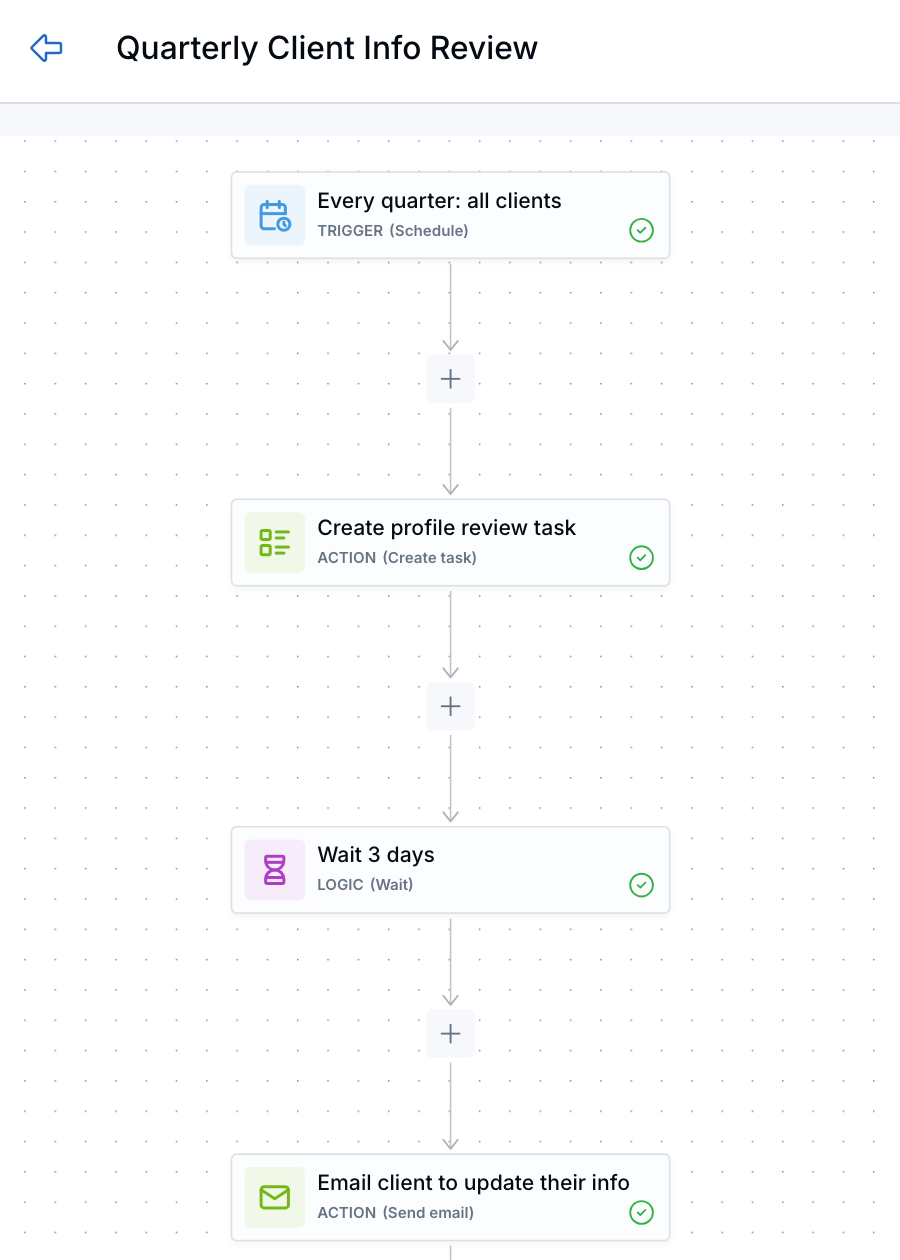
A quarterly client info review that runs for every client.
What's New
- Start a workflow for a group — Choose a saved segment or build a one-time filter to decide who enters. Each matching contact gets their own run.
- Repeat it automatically — Run it once, or every set number of days, weeks, months, quarters, or years. The filter is checked each time, so new contacts who match can join and contacts who no longer match are skipped.
- More than a single send — For example, create a task to review each client's profile and beneficiaries, wait three days, then email the client a form to update their details.
How It Works
- Open a workflow in Workflows and choose the Schedule trigger.
- Set the date, time, and timezone. Turn on Repeat this schedule if it should run again.
- Under Contact filter, choose a saved segment or create a one-time segment.
- Add your steps and click Save & Publish.
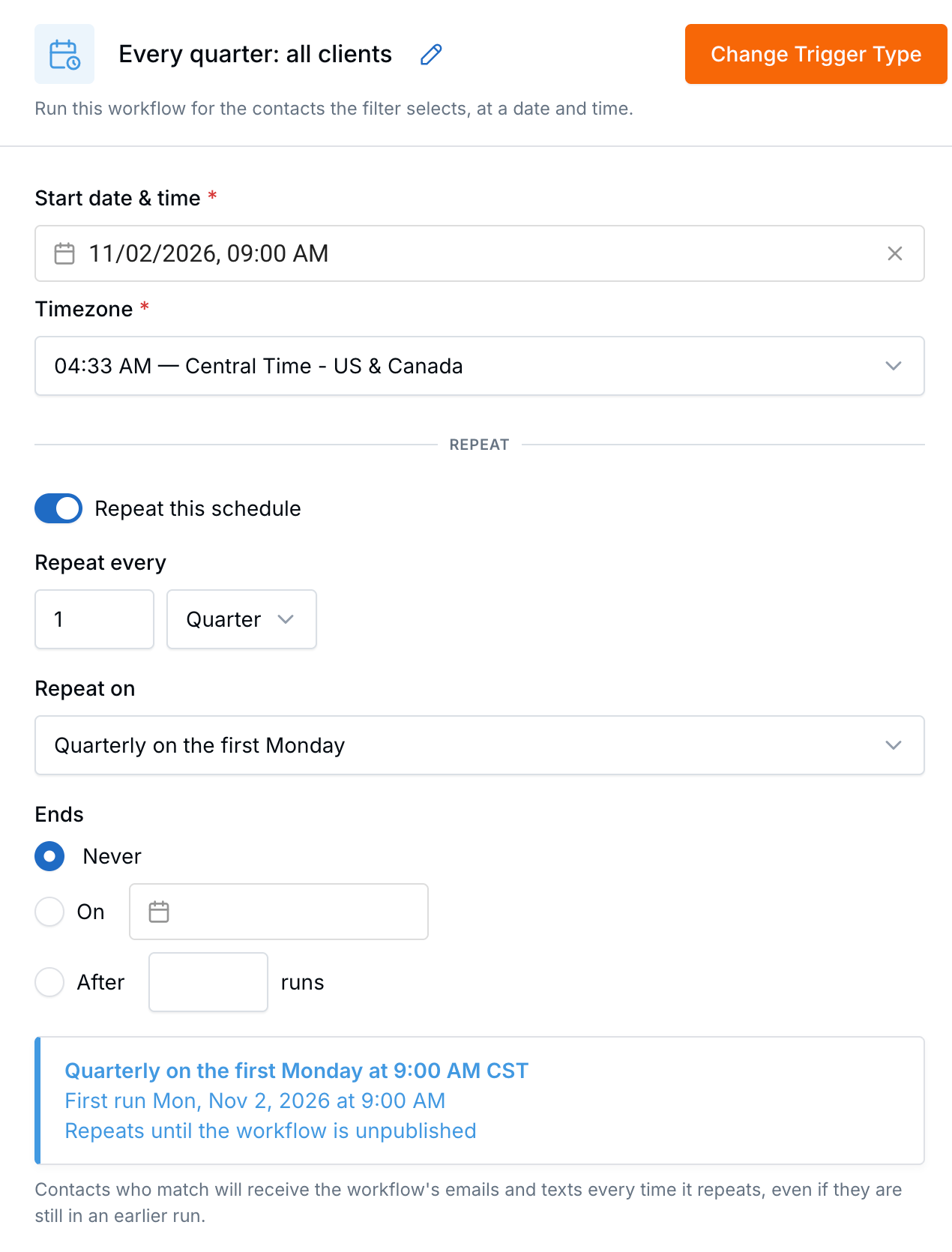
Set the date, time, and how often it repeats.
On repeating schedules, you can open each scheduled run to see the contacts it started.
Why It Matters
- Less one-by-one work — Start a multi-step process for a whole group instead of contact by contact.
- Always the right group — The audience updates each time the schedule runs.
- Clear history — Every contact has their own run you can review.
Learn how it works: Schedule a Workflow for a Group of Contacts

Need more help?
If you can't find the answers you're looking for, our support specialists are available to answer your questions and troubleshoot if necessary.
-
Phone Call (888) 291-7116. Our main hours are Monday to Friday 7 am-5 pm Central Time.
-
Support Send your questions and inquiries via email to support@leadcenter.ai. A support ticket will be created and one of our team members will get back to you as quickly as possible.