 Help Center
What's New
Ask Troy AI Questions About Your Pipeline and Contacts
06/19/2026
Troy AI is now available from the Pipeline and Contacts list pages, where you can ask plain-English questions about your pipeline and contacts. Troy AI analyzes your CRM data, surfaces opportunities, recommends next steps, and can open matching filtered lists in LeadCenter.
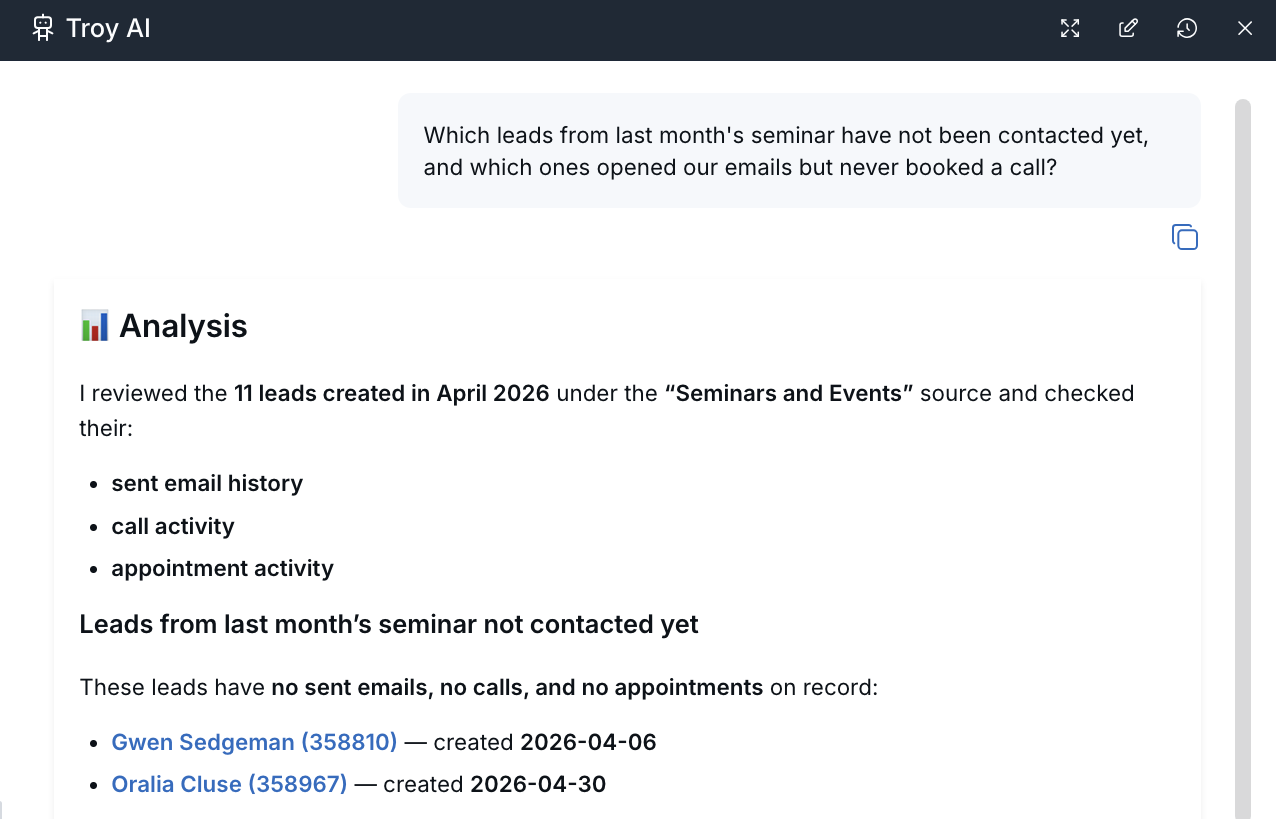
What’s New
- Pipeline analysis — Ask about pipeline health, stalled records, stage bottlenecks, source trends, and records at risk of going cold.
- Contact analysis — Review contacts by source, timing, ownership, activity, tags, or other available CRM details.
- Opportunity identification — Troy AI can highlight records that may need attention based on emails, calls, appointments, stage history, or other engagement signals.
- Recommended next steps — Troy AI can summarize what it found and suggest practical follow-up actions.
- AI-assisted filters — Troy AI can translate your question into matching filter criteria, such as stage, source, owner, tags, date ranges, activity, custom fields, and Catchlight data when available.
- Filtered LeadCenter lists — When a list is useful, Troy AI can provide a link to open the filtered results in Sales Pipeline or Contacts.
How It Works
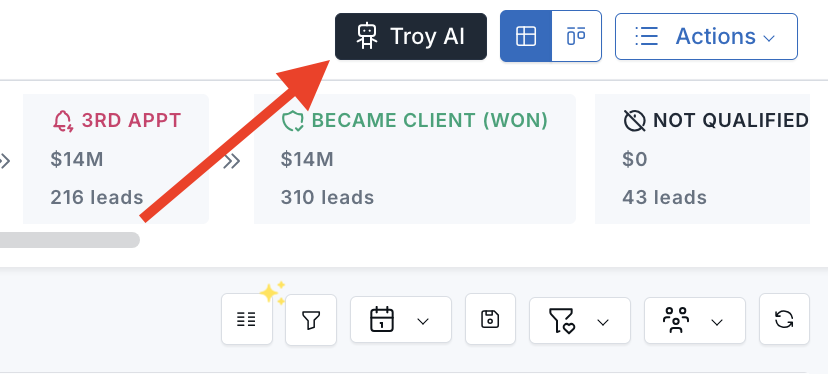
Open Troy AI from the Pipeline or Contacts list page.
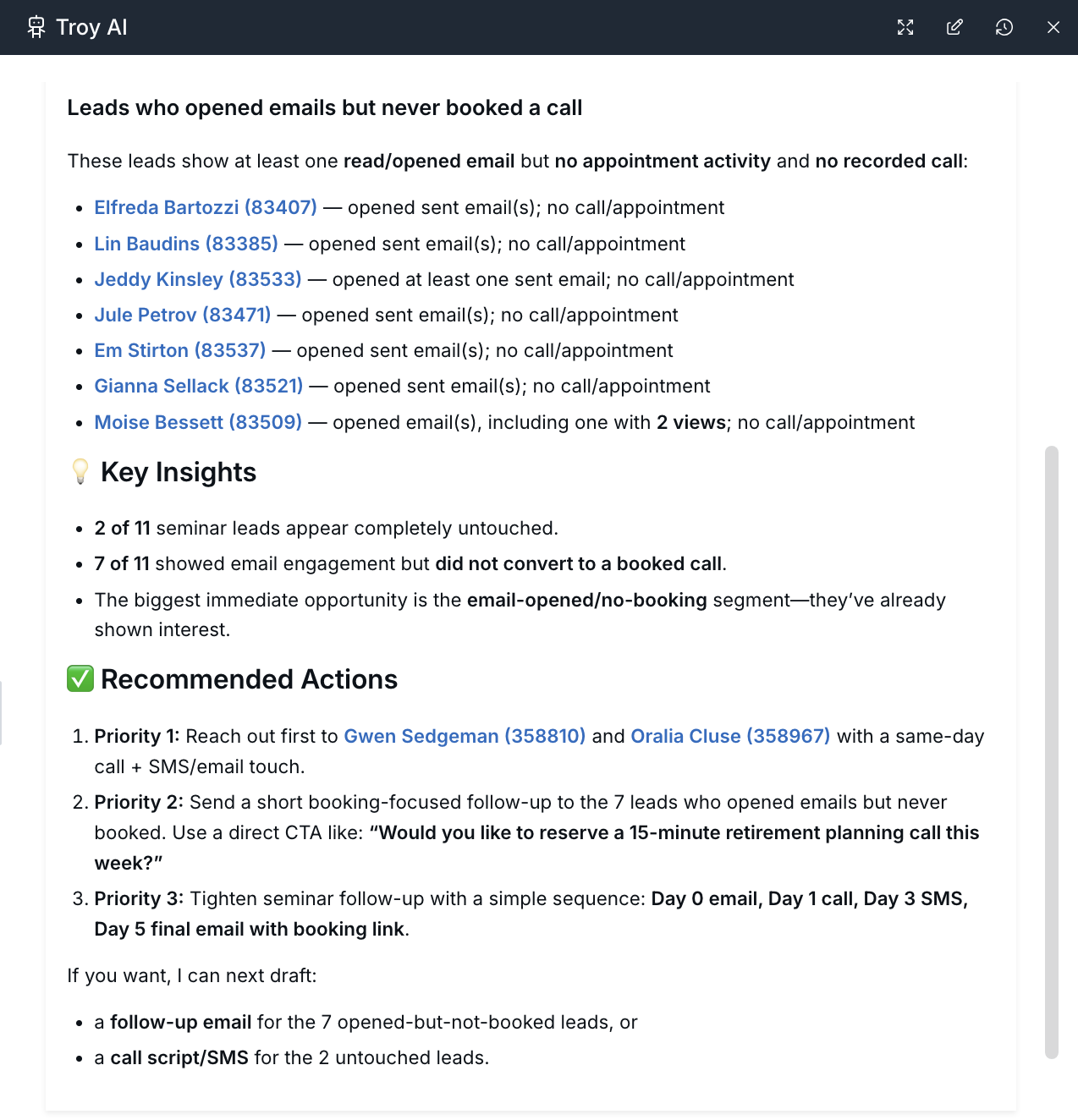
Ask a business question, such as “Show me leads that are at risk of going cold” or “Which leads from last month’s seminar have not been contacted yet?”
Troy AI reviews the relevant CRM activity, returns a concise analysis, and may include specific records, risk signals, opportunities, or recommended actions.
For list-based questions, Troy AI can also apply the matching filters behind the scenes. That means you can ask for records by stage, source, ownership, activity, timing, tags, or available enrichment data without building each filter manually.
When Troy AI includes Open in Sales Pipeline or Open in Contacts, the page opens with the relevant filters applied. From there, you can review the records, adjust criteria, and continue your normal workflow.
Why It Matters
- More useful pipeline reviews — Ask Troy AI to summarize risks, bottlenecks, and priority areas instead of manually piecing the story together.
- Faster follow-up decisions — See which records may need attention and why.
- Better event and source follow-up — Review groups such as seminar contacts, website inquiries, or other source-based segments.
- Less manual filtering — Move from a plain-English question to a filtered Sales Pipeline or Contacts view.
- Clear path to action — Move from Troy AI’s analysis into LeadCenter when you are ready to continue the work.
Questions? support@leadcenter.ai

Need more help?
If you can't find the answers you're looking for, our support specialists are available to answer your questions and troubleshoot if necessary.
-
Phone Call (888) 291-7116. Our main hours are Monday to Friday 7 am-5 pm Central Time.
-
Support Send your questions and inquiries via email to support@leadcenter.ai. A support ticket will be created and one of our team members will get back to you as quickly as possible.