 Help Center
What's New
What's New
New: Convert Notes into Tasks in One Click
04/17/2026
You can now convert a note into a task in one click. LeadCenter carries over the linked contact and note content automatically, so you can turn follow-ups into action without re-entering the same information.
What’s New
- Convert notes into tasks directly — Use the new Convert to Task action from any note.
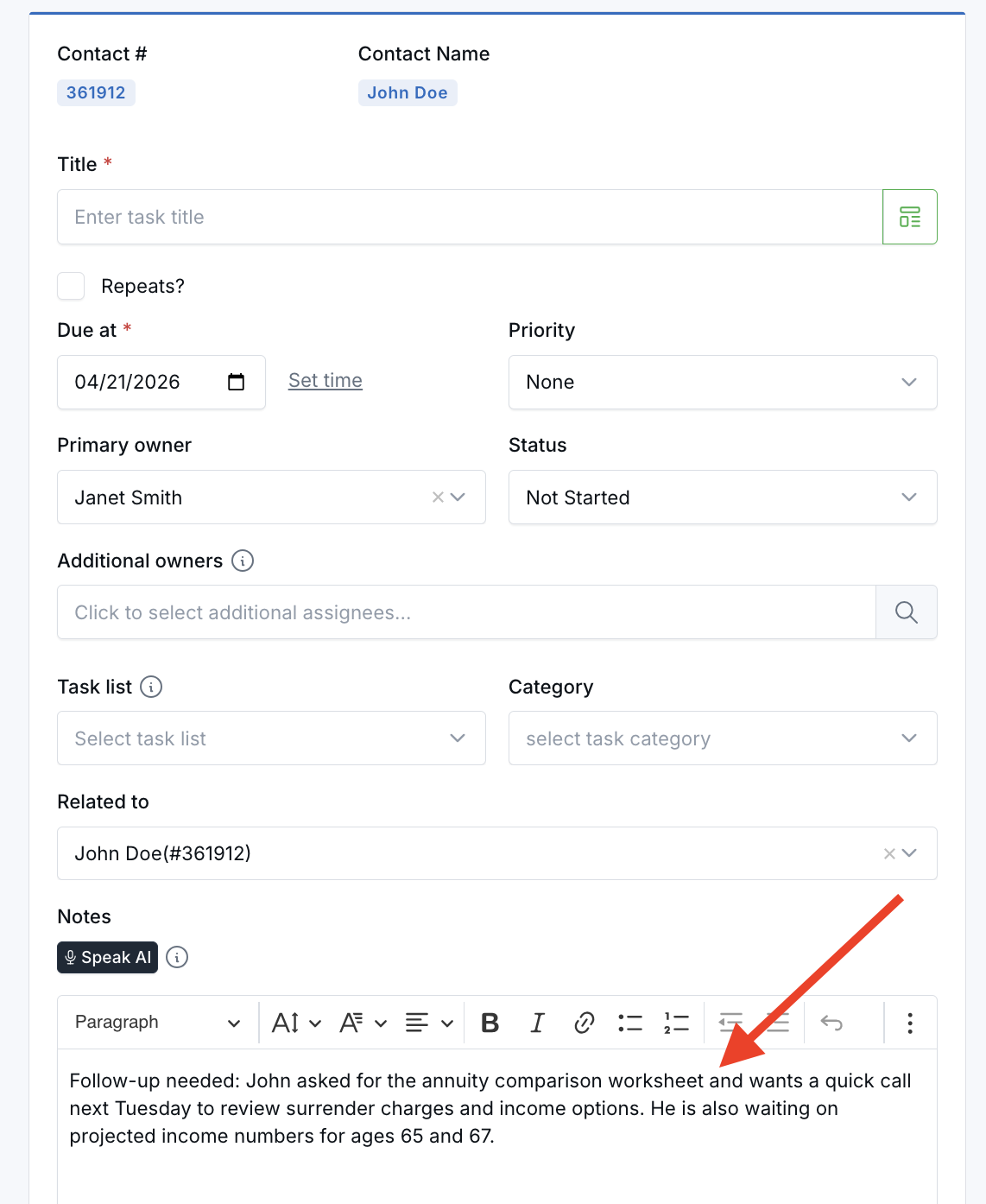
- Carry over the contact automatically — If the note is linked to a contact, the task form pre-fills the Related to field for you.
- Reuse the note content — The note’s content is added to the task automatically, so you can continue from the same context instead of starting over.
How It Works
Go to any page where notes are available, such as the Notes page, a contact’s Notes tab, or a family’s Notes tab.
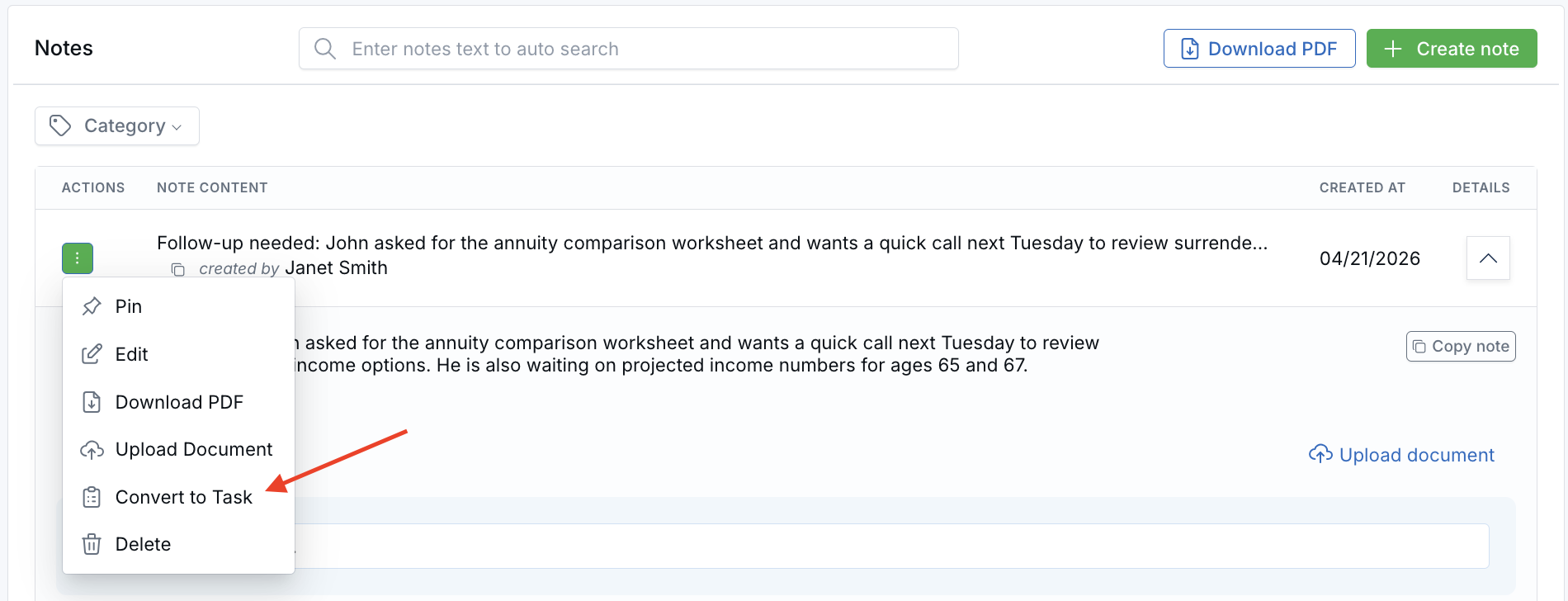
Find the note you want to use, open the note’s action menu, and click Convert to Task.
LeadCenter opens the task creation form with the note content already added and the linked contact pre-filled when one is available. From there, add a task title, choose the due date, adjust any other fields you need, and click Save.
Why It Matters
- Move from notes to action faster — Turn follow-up items into tasks without copying and pasting details manually.
- Reduce duplicate entry — Keep the note content and related contact connected as you create the task.
- Make follow-up work easier to manage — Capture next steps directly from notes while the context is still fresh.
Questions? support@leadcenter.ai

Need more help?
If you can't find the answers you're looking for, our support specialists are available to answer your questions and troubleshoot if necessary.
-
Phone Call (888) 291-7116. Our main hours are Monday to Friday 7 am-5 pm Central Time.
-
Support Send your questions and inquiries via email to support@leadcenter.ai. A support ticket will be created and one of our team members will get back to you as quickly as possible.