 Help Center
What's New
New: Pushed Records Now Reflect the Right Team Member in Wealthbox
03/27/2026
You can now connect individual team members to their own Wealthbox accounts in LeadCenter. This helps ensure that contacts, tasks, and notes pushed to Wealthbox reflect the right team member and, when applicable, the correct assignee.
What’s New
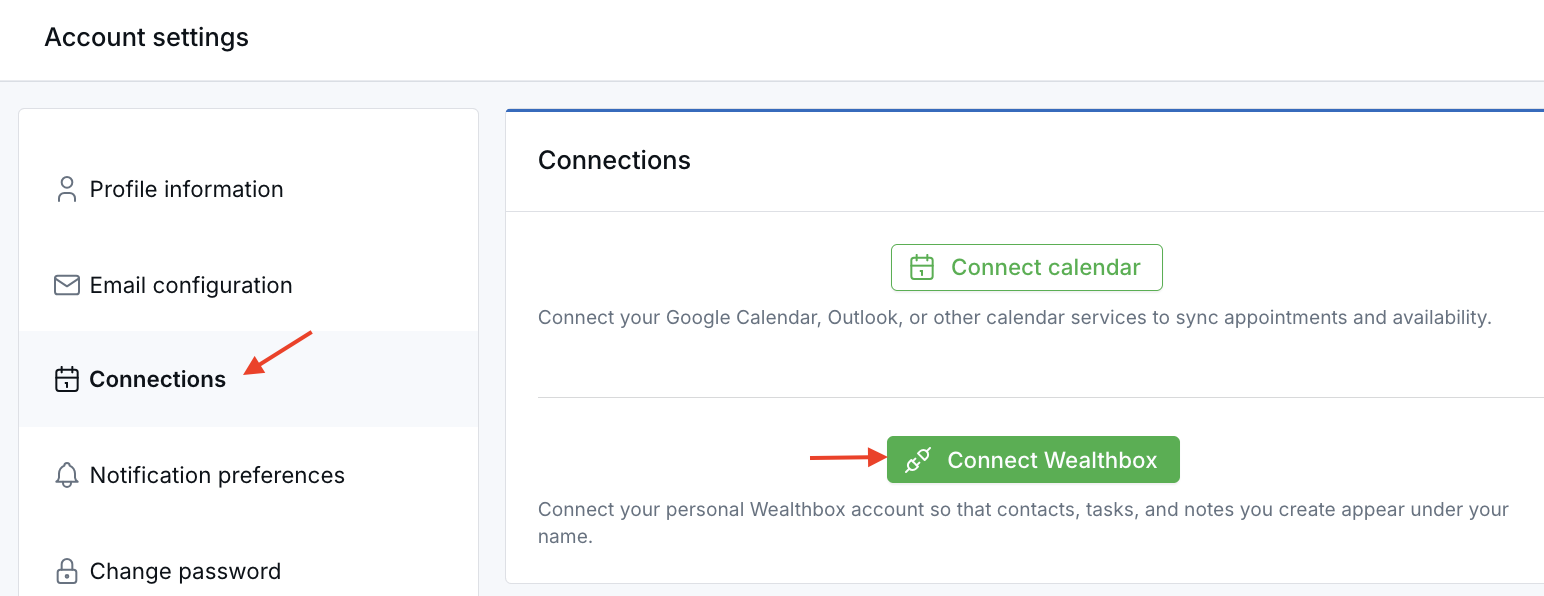
- Connect Wealthbox per user — Each team member can link their own Wealthbox account from their Personal Profile.
- Show records under the right team member in Wealthbox — Pushed contacts, tasks, and notes can now reflect the user who performed the action in LeadCenter.
- Improve assignment accuracy — For contacts and tasks, Wealthbox can reflect the correct assignee based on the LeadCenter owner.
- Keep the existing fallback behavior — If a user does not connect their personal account, LeadCenter continues using the primary Wealthbox connection for the firm.
How It Works
Each user can connect their own Wealthbox account from Personal Profile > Connections. Once connected, LeadCenter uses that user’s Wealthbox connection when pushing records, so records can appear under the right team member in Wealthbox.
For contacts and tasks, the assignee in Wealthbox is based on the record owner in LeadCenter. If the owner has not connected their personal Wealthbox account, the record falls back to the primary Wealthbox connection, preserving the existing workflow.
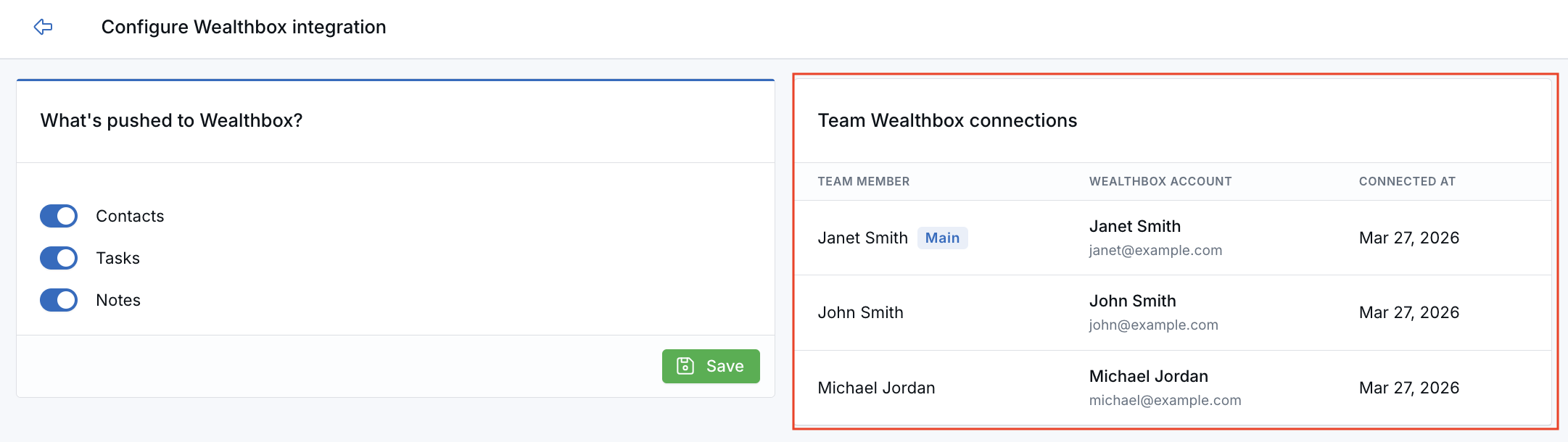
Admins can also review connected team members from Integrations > Wealthbox > Settings, where the primary connection is marked separately.
Why It Matters
- Improve team visibility — Make it easier to see the right team member associated with pushed records in Wealthbox.
- Support cleaner handoffs — Help contacts and tasks reflect the right assignee when ownership matters.
- Keep setup flexible — Users can connect individually, while teams that do not need per-user linking can continue using the primary Wealthbox connection.
Questions? support@leadcenter.ai

Need more help?
If you can't find the answers you're looking for, our support specialists are available to answer your questions and troubleshoot if necessary.
-
Phone Call (888) 291-7116. Our main hours are Monday to Friday 7 am-5 pm Central Time.
-
Support Send your questions and inquiries via email to support@leadcenter.ai. A support ticket will be created and one of our team members will get back to you as quickly as possible.