 Help Center
What's New
New: Download a Printable Financial Questionnaire for Offline Completion
04/16/2026
You can now download a printable version of the Financial Questionnaire directly from a contact’s detail page. This gives advisors an easy offline option when a client prefers to review, print, and complete the questionnaire by hand instead of filling it out online.
What’s New
- Download a printable Financial Questionnaire — Open the Financial Questionnaire tab on a contact and generate a paper-friendly version directly from LeadCenter.
- Use the same form for offline completion — The PDF includes all questionnaire sections in a paper-friendly format with blank lines, empty checkboxes, and blank tables for handwritten completion.
- Keep Financial Questionnaire workflows flexible — Use the digital questionnaire when it fits, or print a blank version when an offline process works better for the client.
How It Works
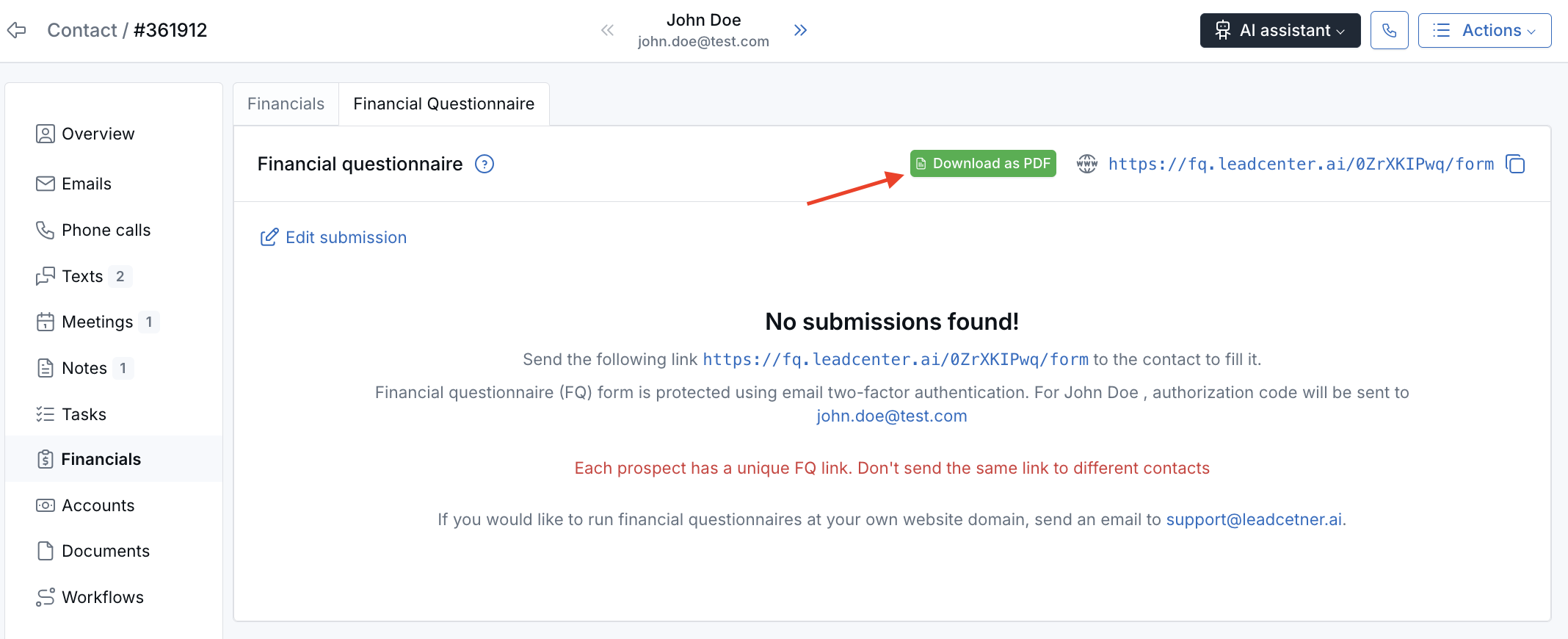
Open a contact’s detail page and go to the Financial Questionnaire tab inside the Financials section. Once the tab loads, click Download as PDF in the top-right corner of the card.
The printable questionnaire opens in a new browser tab as a PDF. From there, you can review it, print it, or use your browser’s download button to save a copy locally.
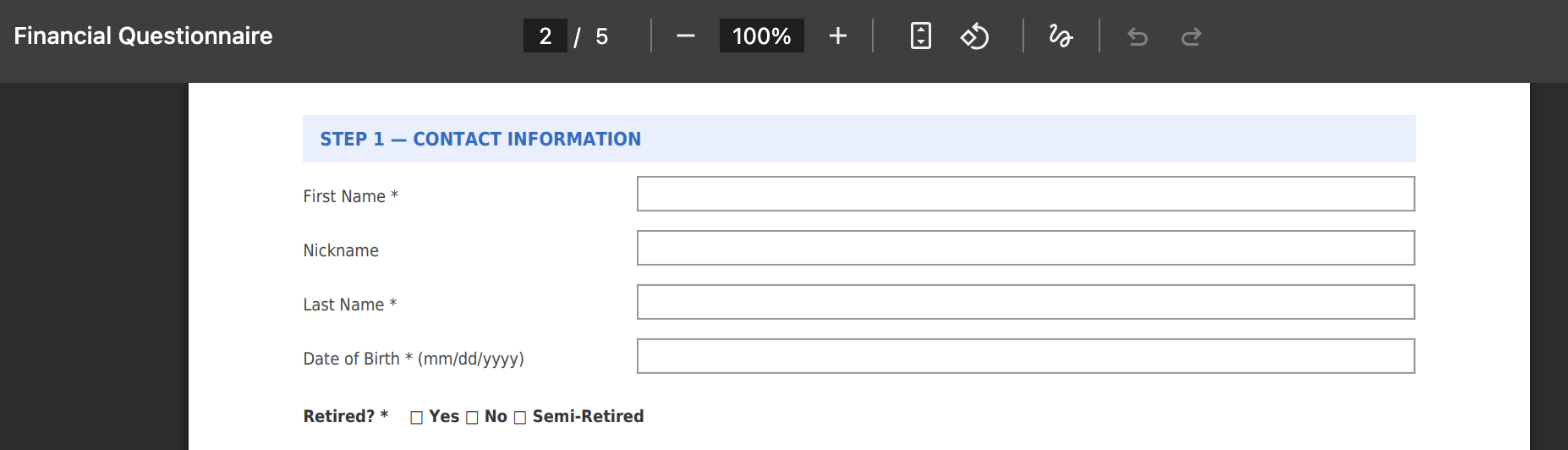
The PDF is always a blank form. It does not include the contact’s submitted questionnaire data, so it can be used as a clean printable version for offline completion whenever needed.
Financial-Questionnaire.pdf and includes all questionnaire sections in a paper-friendly format for manual completion.
Why It Matters
- Support offline client workflows — Give clients a printable questionnaire when a digital form is not the best fit.
- Stay flexible in how you collect information — Use the same Financial Questionnaire process across both digital and paper-based workflows.
- Keep the questionnaire easy to access — Generate the blank form directly from the contact record without needing a separate file or template.
Questions? support@leadcenter.ai

Need more help?
If you can't find the answers you're looking for, our support specialists are available to answer your questions and troubleshoot if necessary.
-
Phone Call (888) 291-7116. Our main hours are Monday to Friday 7 am-5 pm Central Time.
-
Support Send your questions and inquiries via email to support@leadcenter.ai. A support ticket will be created and one of our team members will get back to you as quickly as possible.