 Help Center
What's New
Claudia AI Improvements for Meetings, Transcriptions, and Follow-Up Tasks
06/16/2026
We've streamlined how you access Claudia meeting transcriptions and recordings on contact records. The content hasn't changed—it's simply easier to find and follows the same navigation patterns used throughout LeadCenter.
What's Improved
- Access transcripts and recordings from Meetings — Transcriptions and Videos are now available from the Meetings section on a contact record instead of the left navigation.
- Consistent actions menu — Meeting transcripts and recordings now use the same row actions menu found throughout LeadCenter.
- Faster transcript access — Open a transcript directly from the list with a single click.
- Quicker PDF downloads — Download transcript PDFs directly from the list when available.
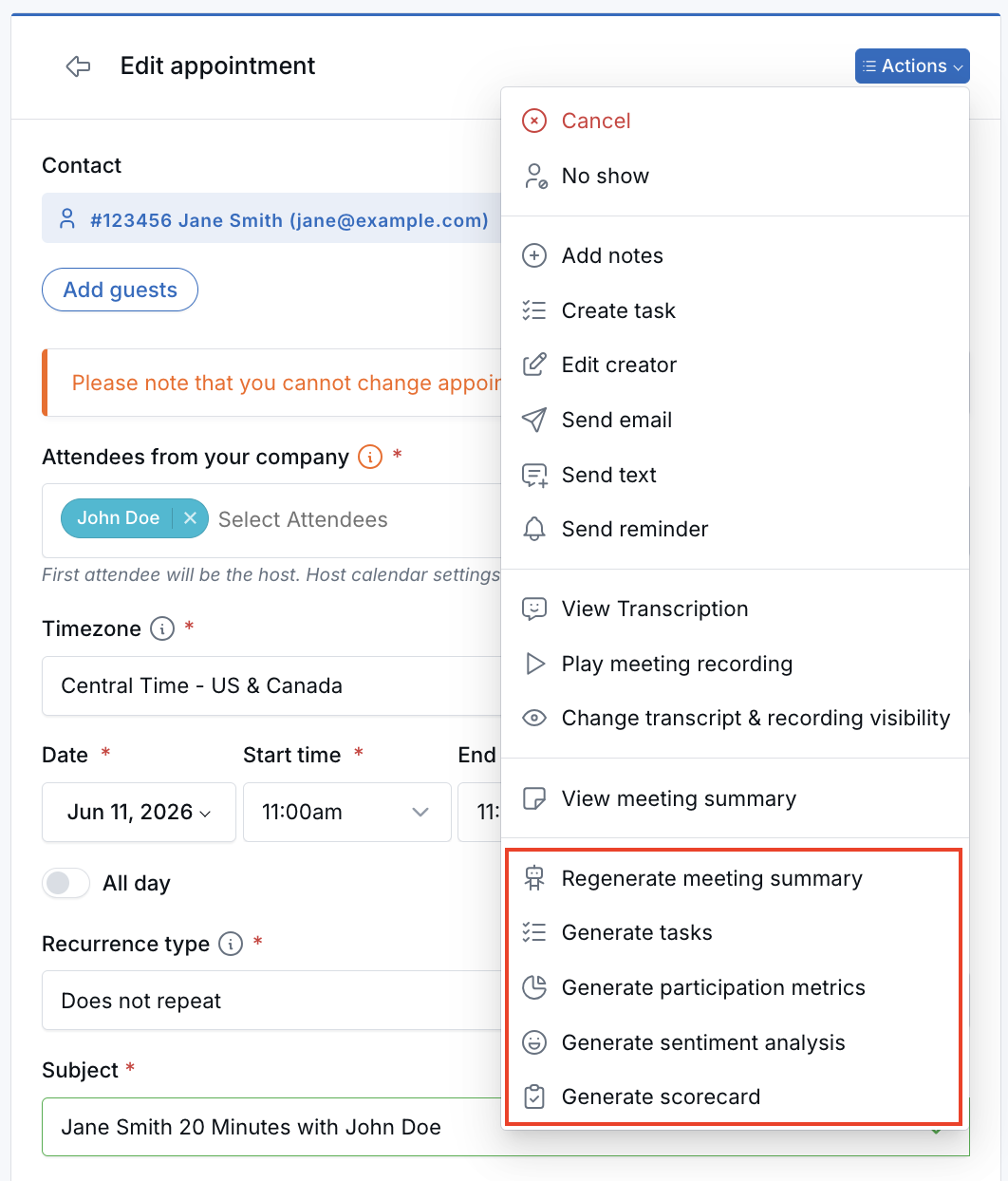
- Appointment actions consolidated — Claudia meeting options are now included in the appointment's main Actions menu.
Finding Meeting Transcriptions and Recordings
Open any contact, select Meetings, then choose Transcriptions or Videos from the top of the Meetings section.

Within the Transcriptions and Videos lists, you can quickly open transcripts, play recordings, download available transcript PDFs, or open the related meeting using the row actions menu.
Appointment Actions
When viewing a meeting, Claudia AI options are now grouped within the appointment's main Actions menu, making meeting tools easier to find alongside other appointment actions.
Why It Matters
- More intuitive navigation — Meeting content is now organized where users naturally expect to find it.
- Fewer clicks — Open transcripts, recordings, appointments, and PDFs directly from the list.
- A more consistent experience — Meeting transcripts and recordings now follow the same interaction patterns used across LeadCenter.
Questions? support@leadcenter.ai

Need more help?
If you can't find the answers you're looking for, our support specialists are available to answer your questions and troubleshoot if necessary.
-
Phone Call (888) 291-7116. Our main hours are Monday to Friday 7 am-5 pm Central Time.
-
Support Send your questions and inquiries via email to support@leadcenter.ai. A support ticket will be created and one of our team members will get back to you as quickly as possible.