 Help Center
What's New
What's New
Manage Claudia Settings for Other Users
09/01/2026
Owners and Admins could already manage another user's calendar settings, but the Claudia AI section could not be changed. You can now configure Claudia on any user's calendar, so meeting preparation, note taking, and templates no longer depend on each calendar owner making the change themselves.
What's New
- Claudia settings are editable on other users' calendars — Owners and Admins can update meeting preparation, AI Note Taker, templates, and every other Claudia option on someone else's calendar.
- Role-aware access — Users continue managing their own calendar, while cross-user controls remain limited to Owners and Admins.
How It Works
Open Calendars, select the user's calendar you want to configure, and open Calendar settings → Claudia AI (meeting assistant). Make the changes and click Save.
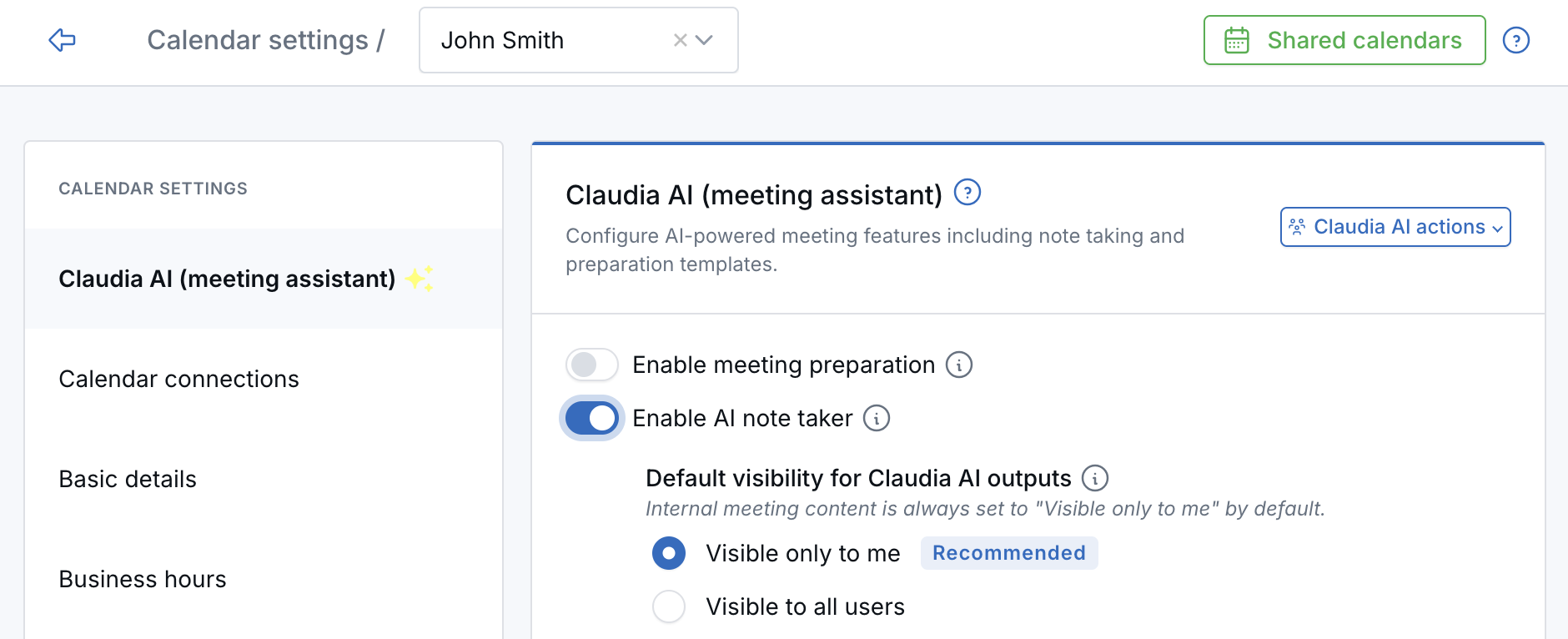
Once a calendar is set up the way you want, you can still copy it across the team with Claudia AI actions → Apply settings to all users. See Apply Claudia AI Settings to All Calendar Users.
Why It Matters
- Keep team workflows consistent — Standardize how Claudia prepares for meetings, captures conversations, and produces follow-up content.
- Reduce administrative work — Set up a new team member's Claudia configuration yourself instead of walking them through it.
Questions? support@leadcenter.ai

Need more help?
If you can't find the answers you're looking for, our support specialists are available to answer your questions and troubleshoot if necessary.
-
Phone Call (888) 291-7116. Our main hours are Monday to Friday 7 am-5 pm Central Time.
-
Support Send your questions and inquiries via email to support@leadcenter.ai. A support ticket will be created and one of our team members will get back to you as quickly as possible.