 Help Center
What's New
Introducing Troy AI for Emails, Calls, and Texts
07/29/2026
Troy AI is now available in Emails, Calls, and Texts. It helps you understand conversations, identify what needs attention, plan follow-up actions, and prepare replies without leaving the page.
What’s Included
- Email assistance — Summarize email threads, find messages that need a response, review engagement, draft clearer replies, and prioritize follow-ups.
- Call insights — Review available transcripts, identify decisions and next steps, compare recent calls with the same contact, and prepare for callbacks.
- Text support — Summarize text threads, find unanswered conversations, draft professional SMS replies, and keep follow-ups moving.
How It Works
Open Emails, Calls, or Texts from the LeadCenter navigation, then click the dark Troy AI button near the top of the page. Choose a suggested question or type your own.
You can ask Troy about the items currently available in your inbox or open one conversation first to give Troy a specific email, call, or text thread as its starting point.
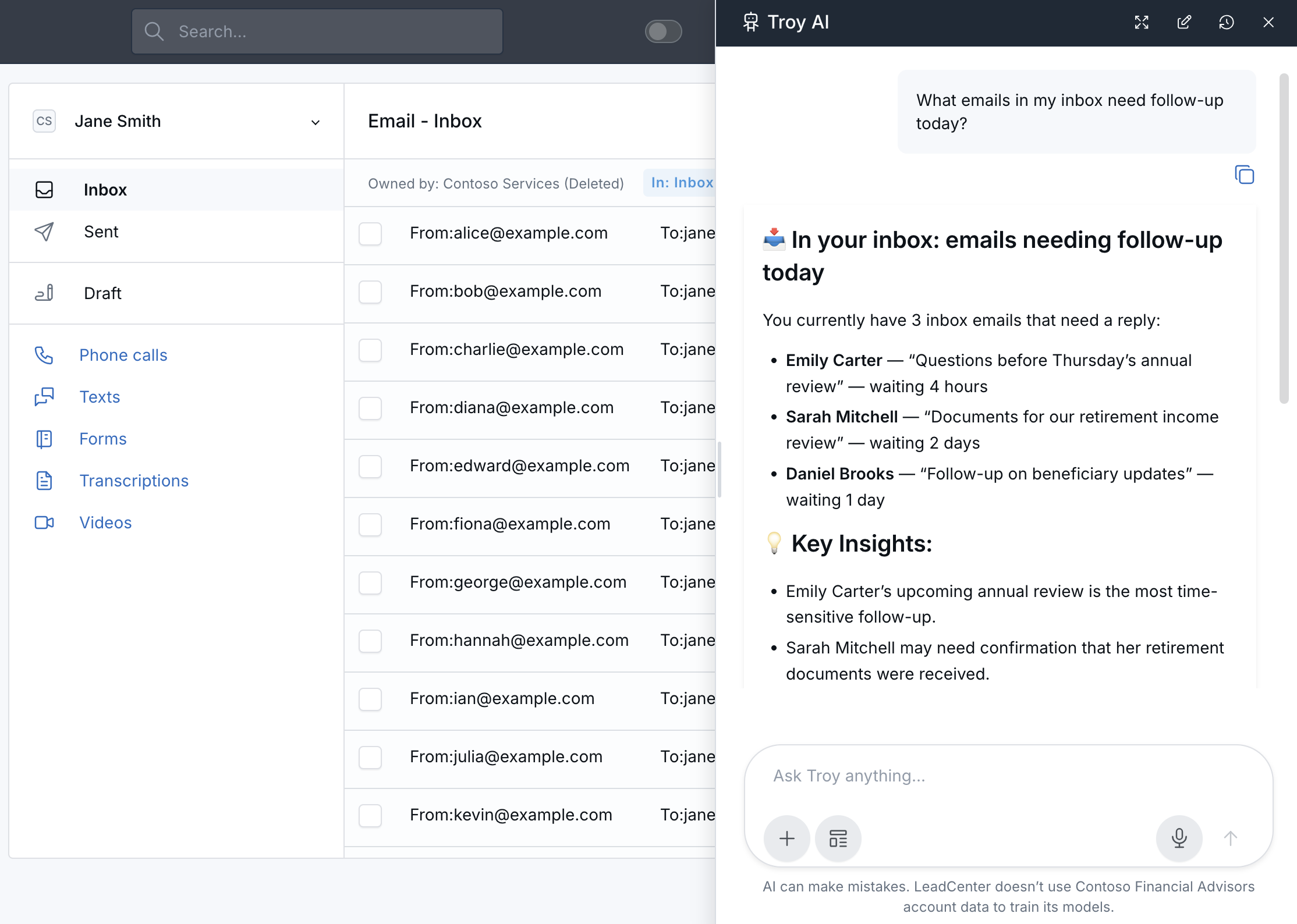
For example, you can ask Troy which emails need follow-up today. Troy can identify messages that may need a reply and highlight the conversations that appear most time-sensitive.
Why It Matters
- Save time reviewing conversations — Get quick summaries of emails, calls, and text threads before deciding what to do next.
- Prioritize follow-up — Ask which messages, calls, or text threads need your attention.
- Prepare better replies — Create professional email and SMS drafts, then review and personalize them before sending.
- Work within your existing access — Troy follows the records and inbox access already available to you in LeadCenter.
AI-generated answers can be incomplete or incorrect. Confirm important details in the original email, text, or call record before taking action.
Questions? support@leadcenter.ai

Need more help?
If you can't find the answers you're looking for, our support specialists are available to answer your questions and troubleshoot if necessary.
-
Phone Call (888) 291-7116. Our main hours are Monday to Friday 7 am-5 pm Central Time.
-
Support Send your questions and inquiries via email to support@leadcenter.ai. A support ticket will be created and one of our team members will get back to you as quickly as possible.