 Help Center
What's New
Let Clients Upload Documents from Your Website
10/28/2026
Add one secure upload link to your website, and clients can send you documents without waiting for a personal link. They enter their email, verify it with a code, and their files land on their own contact record.
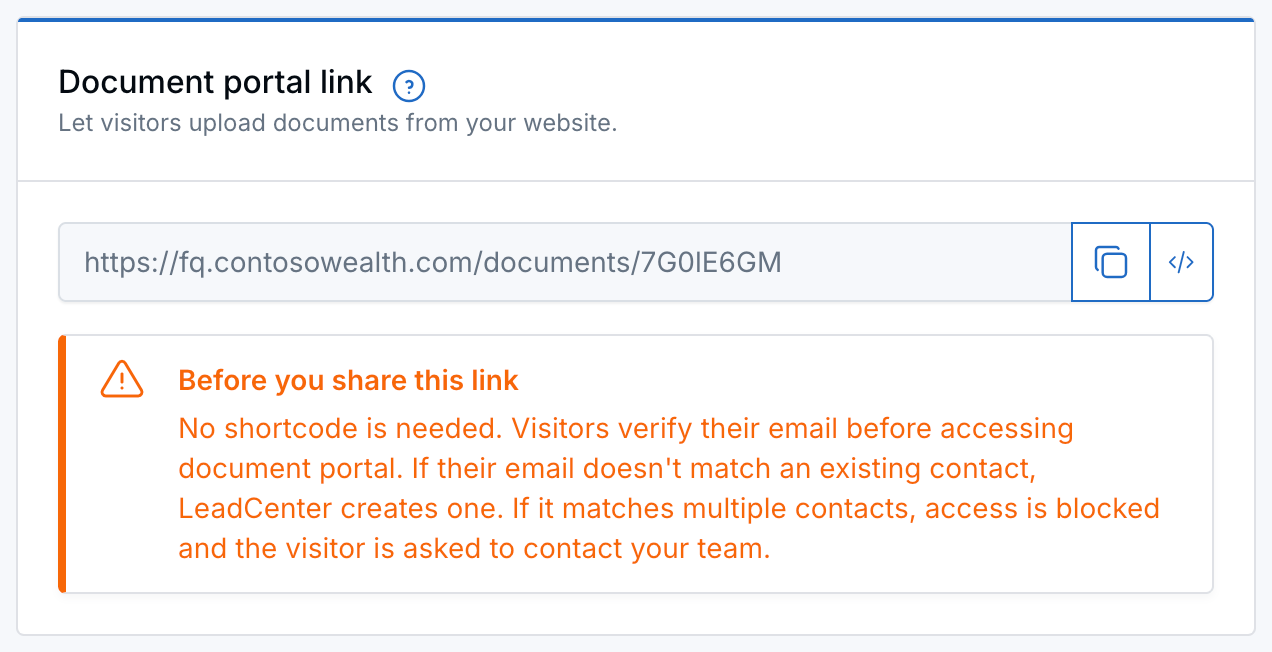
Copy your Document portal link, or click the code icon to embed it on your website.
What's New
- One link for your whole firm: No shortcode and no separate link for each client. Put it on a button or embed it in a page.
- Email verification: Visitors confirm their email with a code before they can upload.
- Files go to the right contact: LeadCenter matches the email to the contact. If there's no match, it creates a new contact for you.
- Protected from mix-ups: If an email belongs to more than one contact, the portal stays closed and the visitor is asked to contact your team.
How It Works
- Open Secure client portal (Settings → Basic settings → Secure client portal).
- Under Document portal link, click the copy icon to copy the link, or the code icon to get embed code for your website.
- Add it to your website, for example on an Upload Documents button.
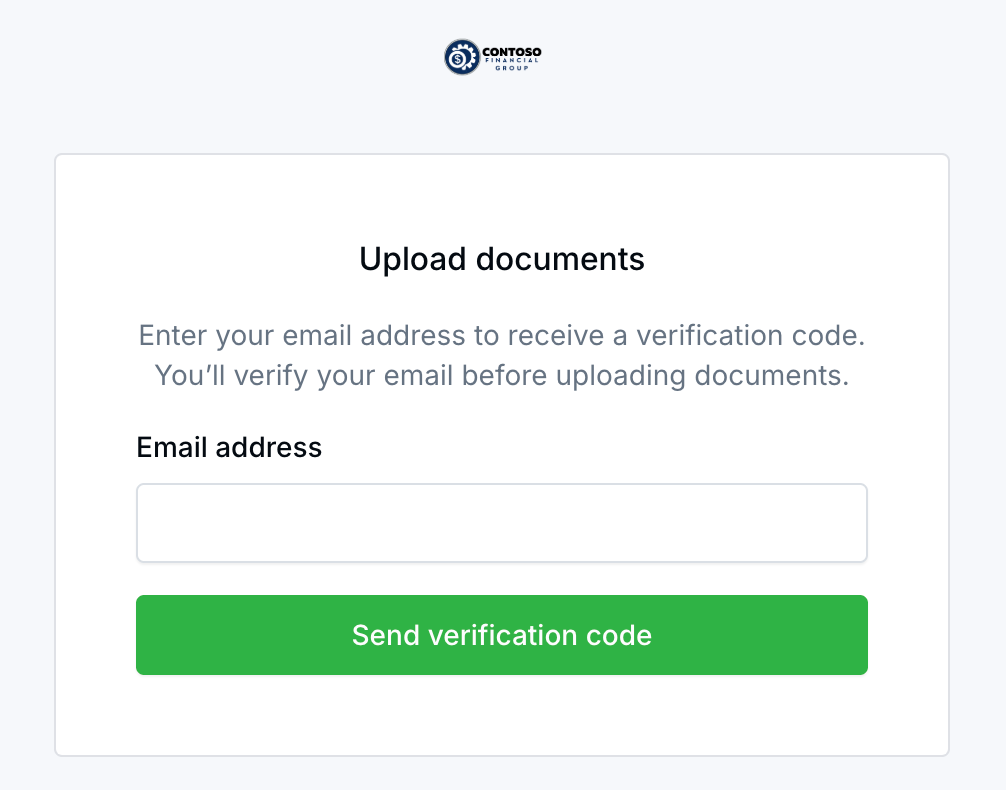
What visitors see when they open your Document portal link.
[[dms_url]] still work as before.
Why It Matters
Clients and prospects can send statements and forms anytime from your website, and you don't have to hunt for the right link to send. For details, see Let Website Visitors Upload Documents.
Questions? support@leadcenter.ai

Need more help?
If you can't find the answers you're looking for, our support specialists are available to answer your questions and troubleshoot if necessary.
-
Phone Call (888) 291-7116. Our main hours are Monday to Friday 7 am-5 pm Central Time.
-
Support Send your questions and inquiries via email to support@leadcenter.ai. A support ticket will be created and one of our team members will get back to you as quickly as possible.