 Help Center
What's New
What's New
Warn or Block Bookings Over Reserved Time
08/07/2026
You can now control whether other team members can book over reserved calendar time. Busy time blocks can warn or stop them, and Free time blocks can limit which appointments are allowed to use the time.
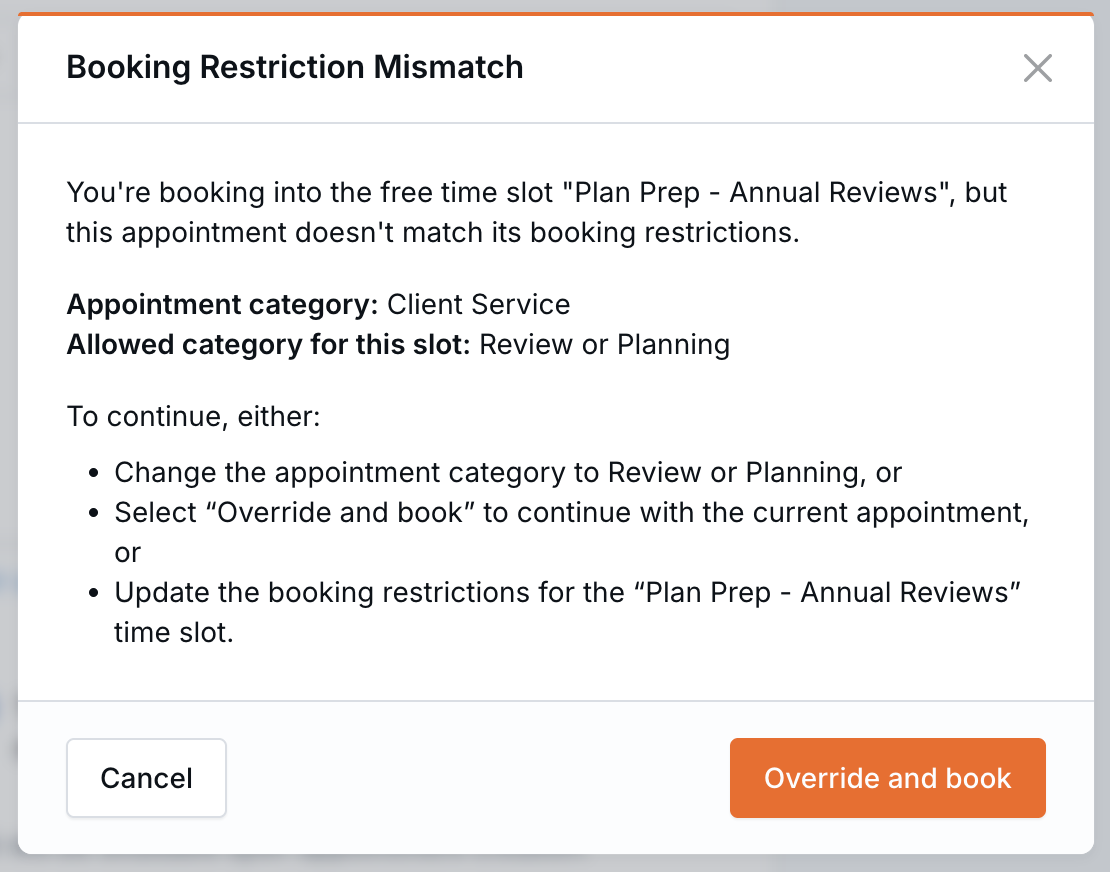
LeadCenter warns before an appointment is booked over reserved time.
What’s New
- Protect Busy time from being overbooked — Choose whether other team members receive a warning they can confirm, or are prevented from booking over a Busy time block.
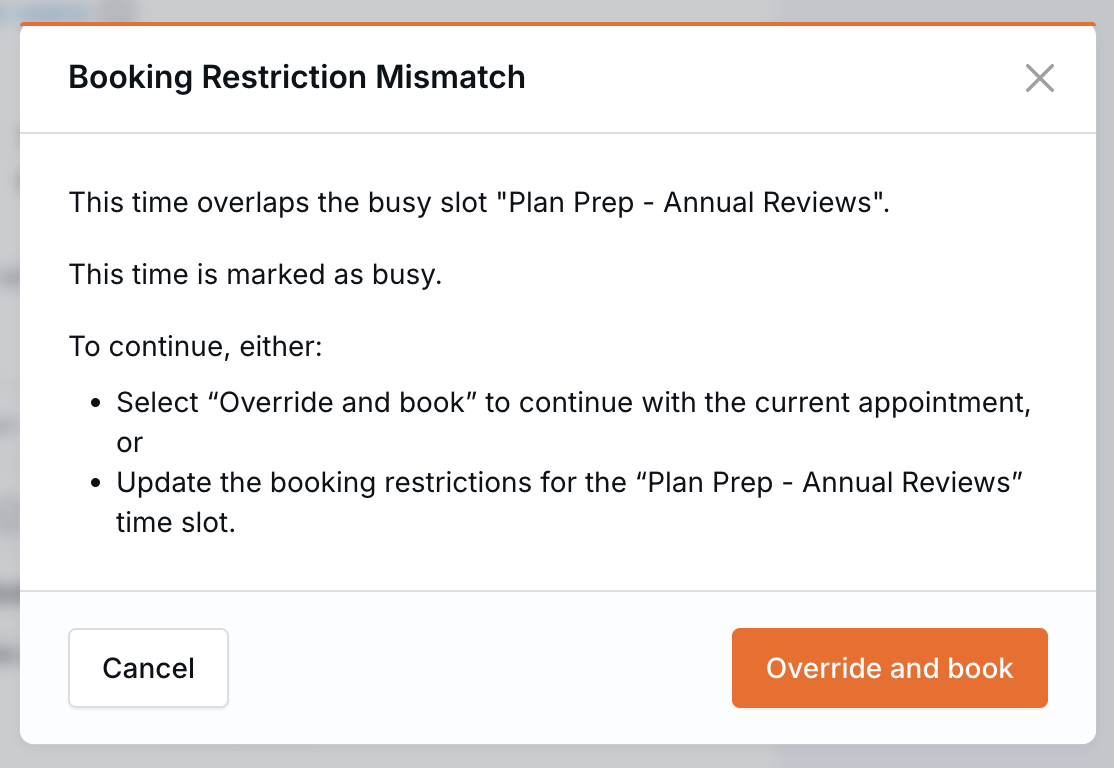
Busy time blocks can stop other team members from booking over them.
- Set appointment requirements on Free time — Limit a Free time block by meeting category, contact status, contact stage, or contact category.
- Choose how conflicts are handled — Use Warning to let team members confirm an override, or Block to prevent team members who do not own the calendar from booking.
- Control BookMyTime availability — Free slots with meeting-category restrictions appear only on public booking links with a matching category.
How It Works
When creating or editing a Time block in Calendars, use Allow users to override and book meeting to choose between Warning and Block. This applies to both Busy and Free time blocks.
On a Free time block, you can also choose the meeting categories or contact details allowed during that time. Any allowlist you leave empty remains unrestricted.
If an appointment does not meet the requirements, LeadCenter displays a Booking Restriction Mismatch before the appointment is booked. Team members can override a Warning restriction. A Block restriction must be resolved by changing the appointment, moving it, or updating the time block.
For public BookMyTime links, only meeting-category restrictions are evaluated. A restricted Free slot is shown when the link has a matching category and hidden when its category is blank or different.
Why It Matters
- Protect advisor time — Stop reserved preparation and focus time from being booked over by other team members.
- Keep the right times open — Reserve availability for the appointment types and contacts it was intended for.
- Give teams the right level of flexibility — Choose between an advisory warning and a hard booking restriction.
- Improve public availability — Show prospective clients times that are appropriate for the meeting they are scheduling.
Questions? support@leadcenter.ai

Need more help?
If you can't find the answers you're looking for, our support specialists are available to answer your questions and troubleshoot if necessary.
-
Phone Call (888) 291-7116. Our main hours are Monday to Friday 7 am-5 pm Central Time.
-
Support Send your questions and inquiries via email to support@leadcenter.ai. A support ticket will be created and one of our team members will get back to you as quickly as possible.