 Help Center
What's New
What's New
Ask Troy AI About Your Appointment Reports
11/09/2026
You can now ask Troy AI about your appointment reports (Beta). Open a report, click Troy AI in the report header, and ask a question in plain English. Troy answers from that report, so the numbers match what you see on the page.
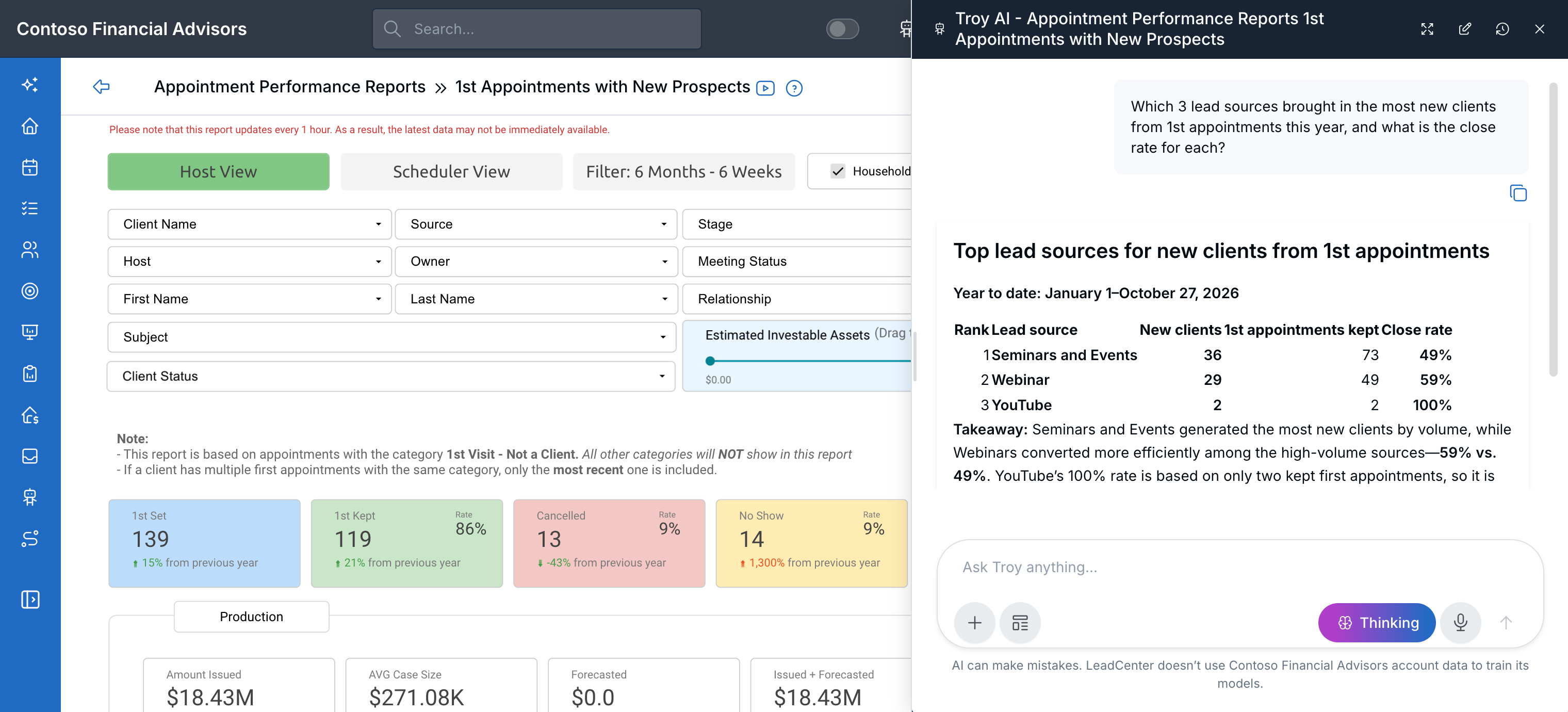
Troy opens beside the report and answers from it, here ranking sources by new clients and close rate.
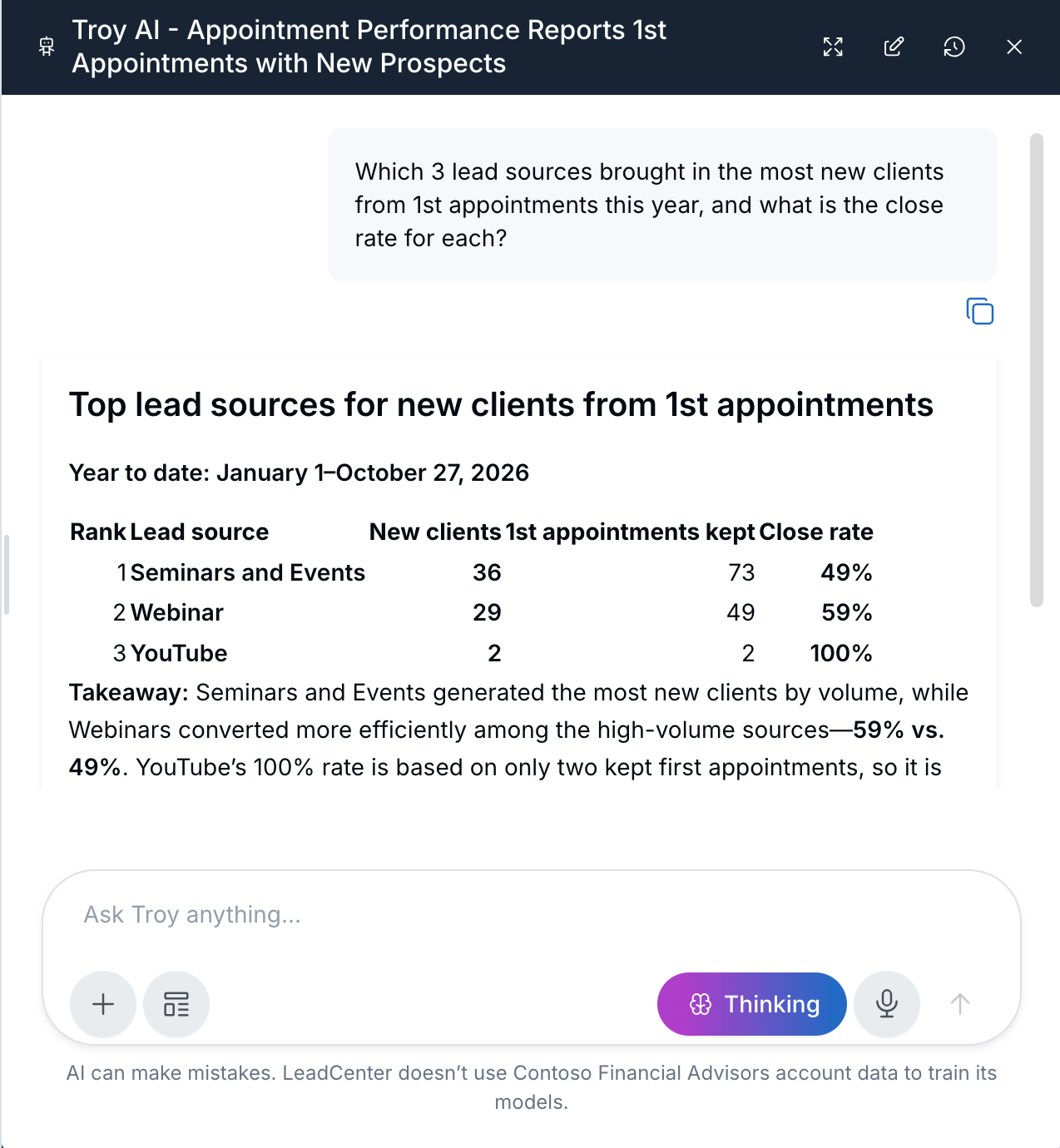
A closer look at Troy's answer
What's New
- Works on five appointment reports: 1st Appointments with New Prospects, All Appointments Report (with clients and prospects), All Appointments with New Prospects (1st, 2nd, 3rd, 4th Appt), Clients with Review Reminders, and Scheduler Performance.
- Answers the cards can't give you at a glance: Ask things like "Which 3 sources brought in the most new clients this year, and what is the close rate for each?" or "Who created the most appointments in the last 30 days, and how many were kept?"
- Compare periods: Ask Troy to compare this year with last year, or this month with last month.
How It Works
- Open Reports and choose an appointment report.
- Click Troy AI in the report header.
- Ask one question at a time, and include the dates, such as "year to date" or "last 30 days".
Why It Matters
Get the number you need without building filters or reading every card. For example questions for each report and tips for accurate answers, see Ask Troy AI About Your Appointment Reports.
Questions? support@leadcenter.ai

Need more help?
If you can't find the answers you're looking for, our support specialists are available to answer your questions and troubleshoot if necessary.
-
Phone Call (888) 291-7116. Our main hours are Monday to Friday 7 am-5 pm Central Time.
-
Support Send your questions and inquiries via email to support@leadcenter.ai. A support ticket will be created and one of our team members will get back to you as quickly as possible.