 Help Center
What's New
Get Contact Emails for the Clients You Work On, Not Just the Ones You Own
10/23/2026
Contact update emails are no longer just for contact owners. Schedulers, writing advisors, servicing advisors, and wealth managers can now get emails about the contacts they work on, and phone call emails have their own checkbox. Each person picks what they want, so everyone stays informed without a crowded inbox.
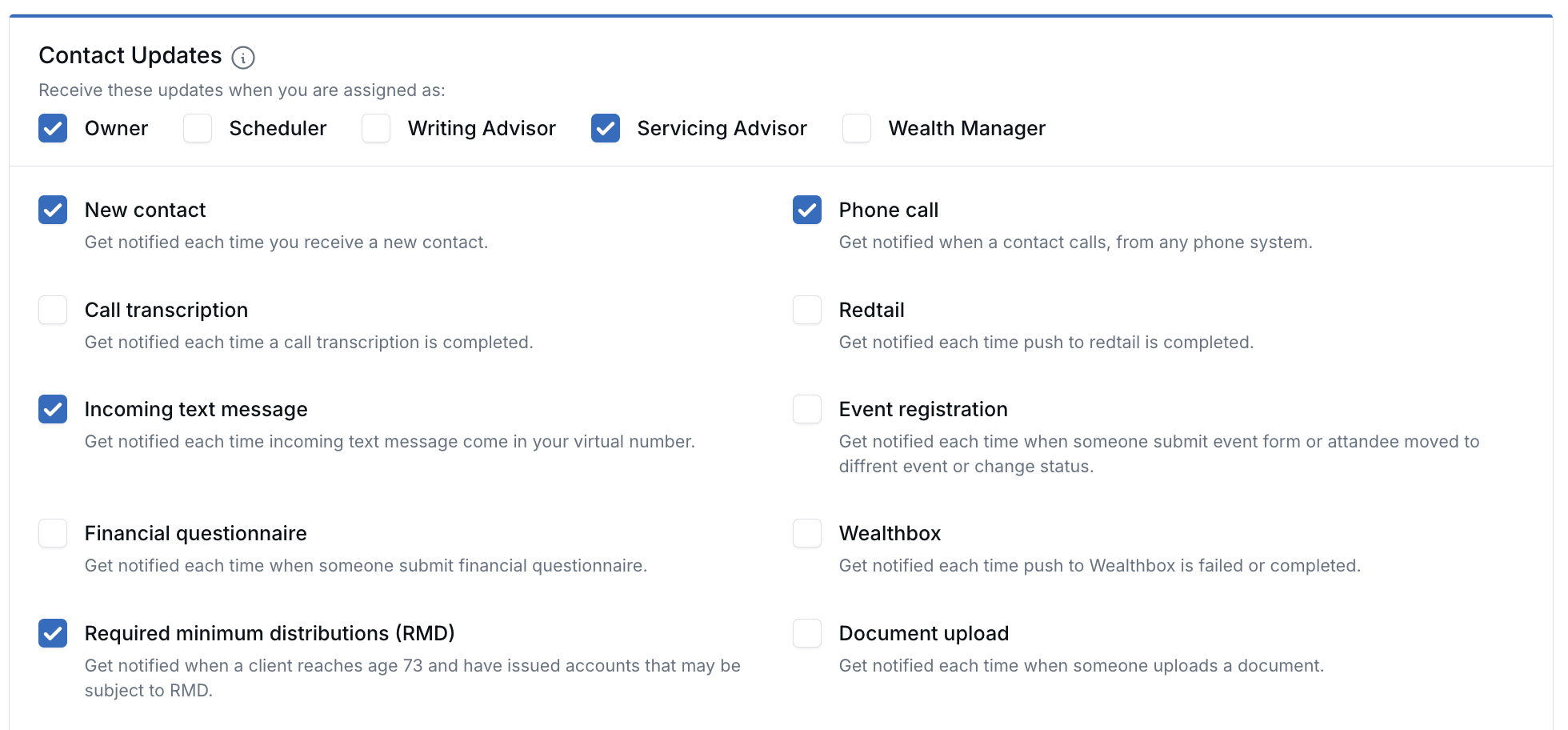
Choose your roles at the top of Contact Updates, then the events you want.
What's New
- Choose your roles — Check Owner, Scheduler, Writing Advisor, Servicing Advisor, or Wealth Manager to get contact update emails when you hold that role. Members of a contact's advisor support team get them through the matching role.
- You stay in control — An email is sent only when both the role and the event are checked, such as New contact, Incoming text message, Form submission, or Event registration.
- No duplicates — If you hold several checked roles on the same contact, you still get one email.
- Phone call emails on their own — A new Phone call checkbox emails you when someone calls one of your LeadCenter virtual numbers. It no longer depends on New contact.
How It Works
- Open your Notification preferences (your name in the top-right corner → Personal profile → Notification preferences).
- In Contact Updates, check the roles you want under Receive these updates when you are assigned as:.
- Check the events you want, including Phone call, and click Save.
Until you check another role, only Owner is checked, so you keep getting emails for the contacts you own. Phone call starts on if New contact was on for you, and off if it wasn't.
Why It Matters
- The right people hear about it — Schedulers and service teams see new texts, form submissions, and calls for the clients they handle.
- No change to ownership — Stay informed without reassigning who owns the record.
- Less inbox noise — Each person picks only the roles and events that matter to them.
Learn how it works: Personal Notification Preferences

Need more help?
If you can't find the answers you're looking for, our support specialists are available to answer your questions and troubleshoot if necessary.
-
Phone Call (888) 291-7116. Our main hours are Monday to Friday 7 am-5 pm Central Time.
-
Support Send your questions and inquiries via email to support@leadcenter.ai. A support ticket will be created and one of our team members will get back to you as quickly as possible.