 Help Center
What's New
What's New
Production Tracking Only for AUM Accounts
06/29/2026
LeadCenter now lets you mark certain AUM accounts as Production tracking only when they are used to track production and commissions, but are not real custodian accounts.
This helps keep the account details page focused on the information your team needs for tracking, without showing custodian-style sections that do not apply.
What’s New
- Production tracking only setting for AUM accounts — Mark an AUM account as tracking-only when it is not a real custodian account.
- Simplified account details view — LeadCenter hides sections that do not apply, including related accounts, assets, transactions, transfer alerts, beneficiaries, ownership, riders, tasks, documents, custom fields, and similar sidebar sections.
- Clear visual indicators — Tracking-only accounts show a yellow banner on the account details page and an orange chart icon in the All Accounts list.
- Production reporting stays intact — Issued amounts on production tracking only accounts are still included in production totals and commission calculations, unless the account is also marked Not new money.
How It Works
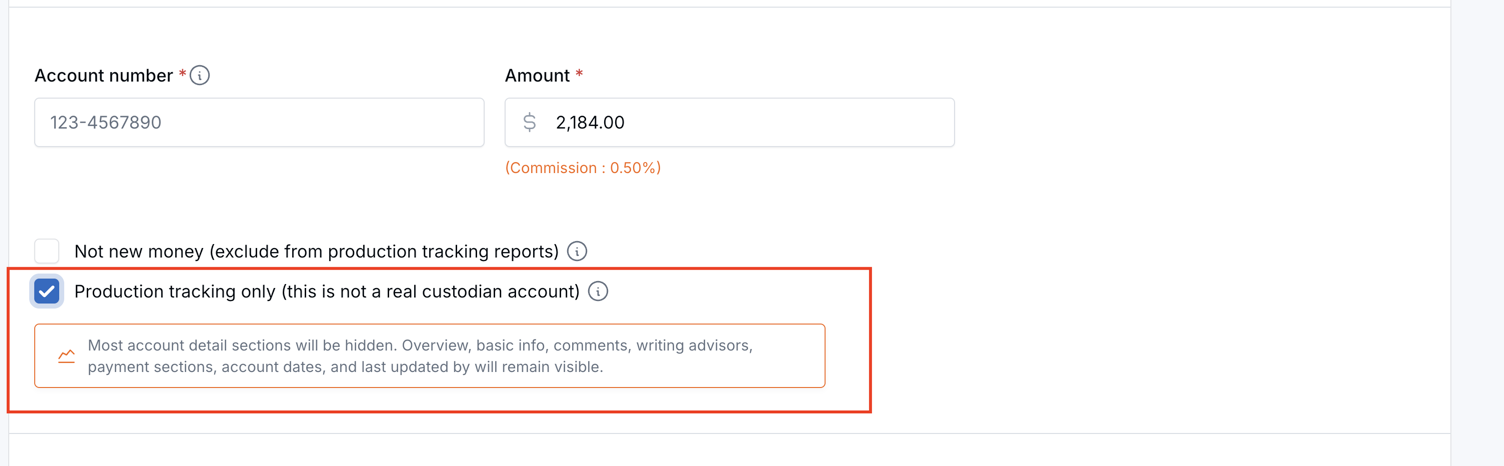
When creating or editing an AUM account, check Production tracking only (this is not a real custodian account), then save the account.
When the setting is enabled, the account details page shows a yellow banner that says Production tracking only — not a real custodian account.
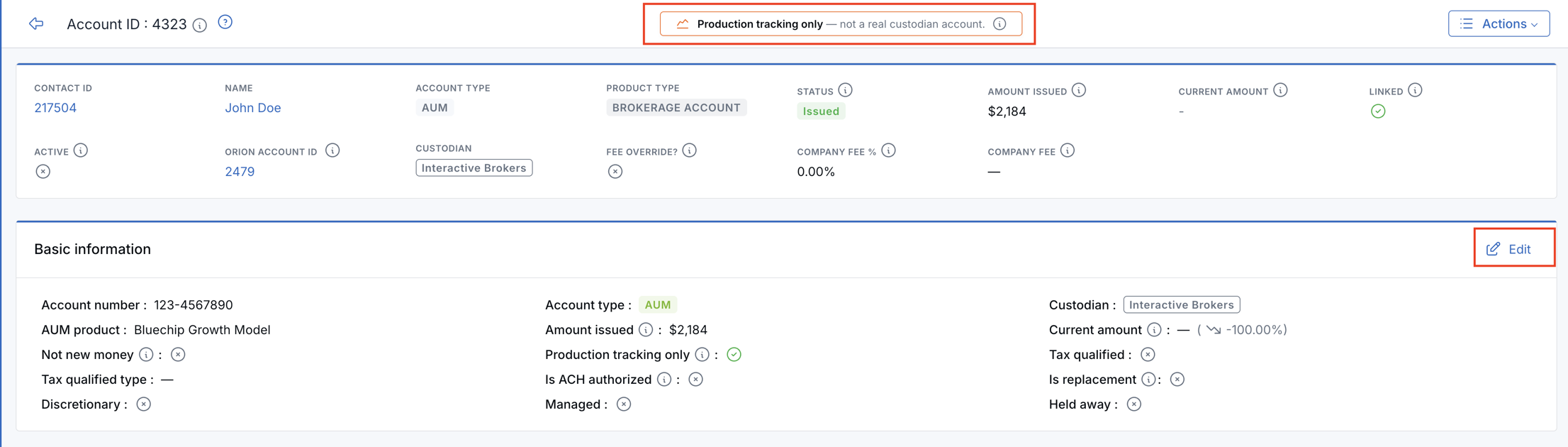
The page still uses the same two-column layout as a normal account. You can view account overview, basic information, comments, writing advisors, company fee payments, advisor commission payments, last updated by, and account dates.
All Accounts List
Production tracking only accounts show a small orange chart icon next to the account ID. You can also add a Production tracking only column from the table column settings.

Why It Matters
- Cleaner account views — Users see the sections that matter for production and commission tracking.
- Less confusion — Tracking-only accounts are clearly labeled as not real custodian accounts.
- Accurate production tracking — These accounts continue to count in production reports and commission calculations unless they are also marked Not new money.
Questions? support@leadcenter.ai

Need more help?
If you can't find the answers you're looking for, our support specialists are available to answer your questions and troubleshoot if necessary.
-
Phone Call (888) 291-7116. Our main hours are Monday to Friday 7 am-5 pm Central Time.
-
Support Send your questions and inquiries via email to support@leadcenter.ai. A support ticket will be created and one of our team members will get back to you as quickly as possible.