 Help Center
What's New
Keep Your Full Email in View While Troy AI Helps You Write
09/25/2026
Troy AI now opens in a sidebar beside the email composer instead of at the top of the form. Your full email stays in view while you draft, rewrite, or check it with Troy, so it's easier to compare Troy's suggestions with what you've already written.
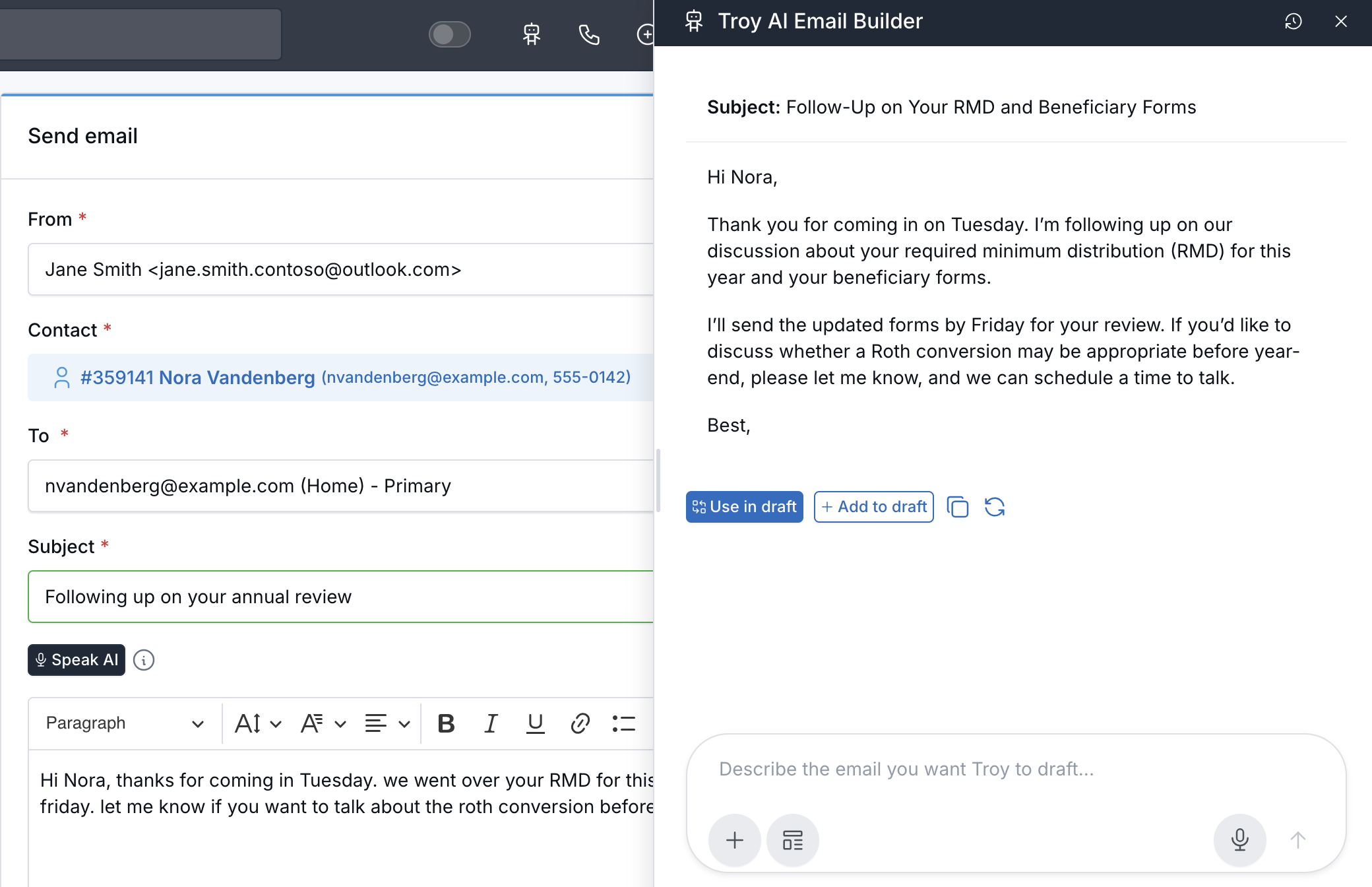
Troy polishes your email while the full editor stays in view.
What's Improved
- Side-by-side drafting — Troy opens on the right, and the email editor keeps its full size.
- Adjustable width — Drag the sidebar's left edge to make it wider or narrower. LeadCenter remembers the width you choose.
- The same Troy actions — Write new email, Enhance with AI, Formalize, Polish, Elaborate, Shorten, and Compliance check work as before.
How It Works
Open the email composer, for example by clicking Send email in your inbox, then click the Troy AI button and choose an action. When Troy proposes an email, select Use in draft or Add to draft to place it in the editor. Review the subject, names, dates, and any promised actions before you click Send. Troy never sends an email for you. For step-by-step instructions, see Use Troy AI in Your Inbox.

Need more help?
If you can't find the answers you're looking for, our support specialists are available to answer your questions and troubleshoot if necessary.
-
Phone Call (888) 291-7116. Our main hours are Monday to Friday 7 am-5 pm Central Time.
-
Support Send your questions and inquiries via email to support@leadcenter.ai. A support ticket will be created and one of our team members will get back to you as quickly as possible.