 Help Center
What's New
Get Claudia AI Notes Without Recordings or Transcripts
09/28/2026
Get Claudia AI's meeting and call summaries and notes without recordings or transcripts. Set both to delete as soon as your notes are ready, or keep them exactly as long as your compliance rules require. Your notes, summaries, tasks, and follow-up email drafts stay in LeadCenter either way.
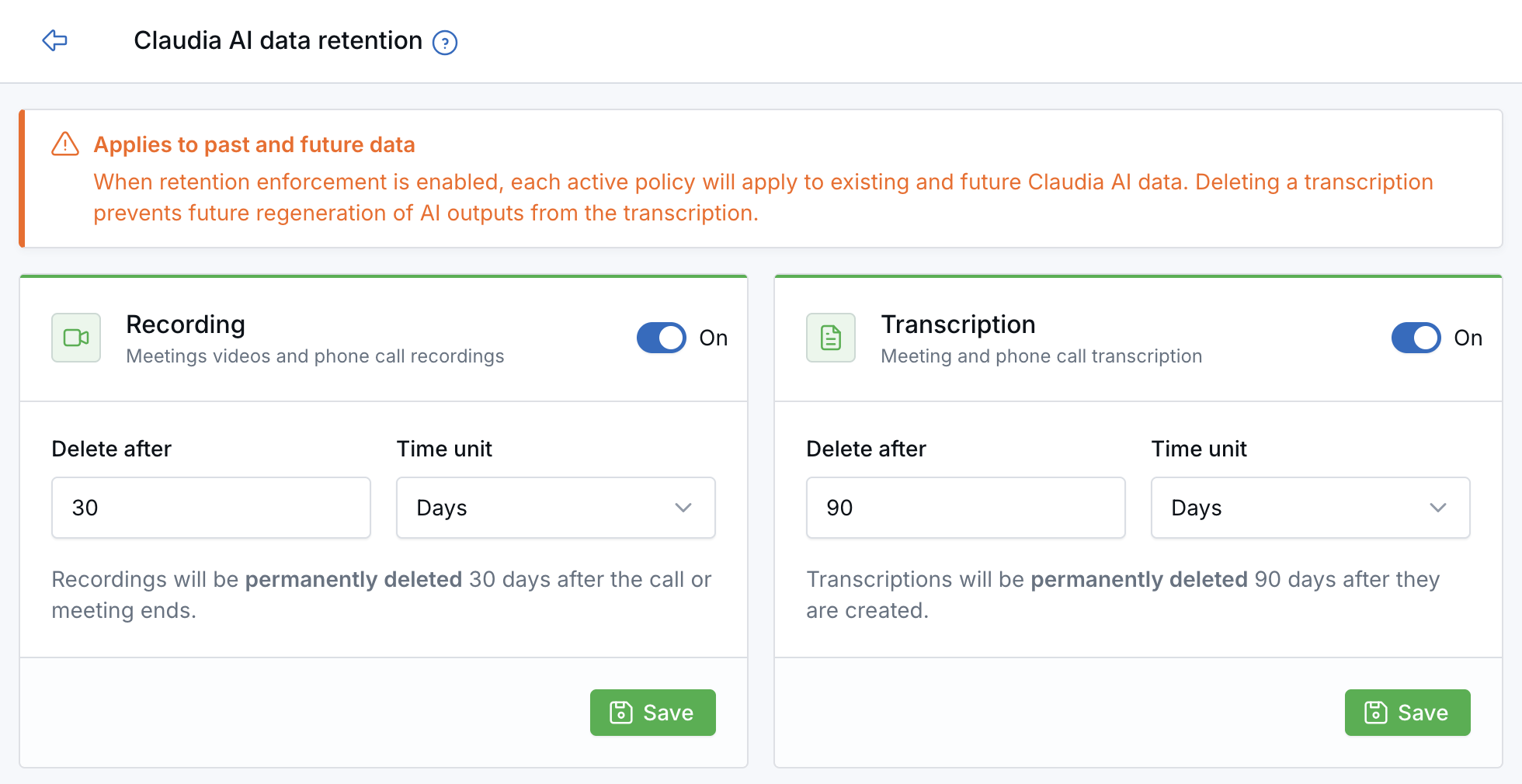
Set separate retention periods for recordings and transcriptions.
What's New
- Notes without recordings or transcripts — Set both policies to Immediate, and each recording and transcript is deleted once Claudia AI finishes your notes and summary.
- Your rules, your timeline — Set separate retention periods for recordings and transcriptions, in hours, days, or weeks, or delete them as soon as Claudia AI finishes processing.
- One policy for the whole firm — Each policy covers existing and future content across your organization, including recordings and transcriptions marked as private.
- Keep the work, drop the raw data — AI notes, summaries, tasks, and follow-up email drafts stay in LeadCenter after the recording or transcription is deleted.
- Built-in safeguards — Turning on a policy requires a typed confirmation, and removed content is clearly labeled for your team.
- Smarsh-ready — If your firm archives transcriptions to Smarsh, each transcription is archived before it is deleted.
How It Works
Open Claudia AI data retention (also found under Settings → Security management). Turn on the Recording or Transcription policy, choose how long to keep that content, and save. For step-by-step instructions, see Claudia AI Data Retention Policies.
Why It Matters
- Meet your retention requirements — Align Claudia AI with your firm's record-retention and privacy policies.
- Reduce risk — Limit how long sensitive client conversations are stored.
- Stay productive — Your team keeps the AI notes and tasks they rely on every day.
Questions? support@leadcenter.ai

Need more help?
If you can't find the answers you're looking for, our support specialists are available to answer your questions and troubleshoot if necessary.
-
Phone Call (888) 291-7116. Our main hours are Monday to Friday 7 am-5 pm Central Time.
-
Support Send your questions and inquiries via email to support@leadcenter.ai. A support ticket will be created and one of our team members will get back to you as quickly as possible.