 Help Center
What's New
What's New
More Control over Claudia AI Meeting Tools
07/13/2026
Claudia AI now gives your team more control over meeting tools, from generating meeting prep on demand to reviewing calendar category settings and monitoring in-person recording health.
What’s Included
- Run AI Meeting Prep on demand — Generate a fresh meeting brief from a contact record or upcoming appointment.
- Review Claudia AI category settings faster — See which appointment categories have custom templates and open a summary of configured settings from the calendar setup page.
- Monitor in-person recording health — View both session time and audio captured time, with warnings when recording may be interrupted.
Run Meeting Prep When You Need It
You can now run AI Meeting Prep without waiting for the scheduled preparation time. From a contact record, click Meeting Prep, select the AI template, and click Run. From an upcoming appointment, open the Claudia actions menu and choose Generate Meeting Prep.
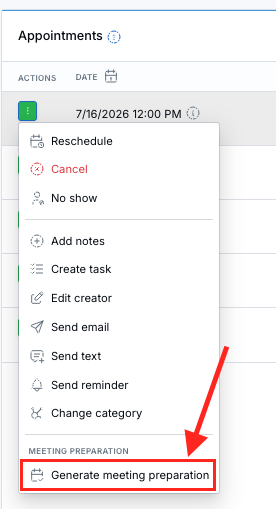
The generated brief is saved as a note on the contact’s timeline. When generated from an appointment, it is also available in the appointment’s Claudia section.
Review Category Settings More Easily
In Appointments > Calendars, Claudia AI settings now show whether appointment categories have custom templates. The View configured settings link opens a summary of each category, assigned template, and Meeting Prep timing where applicable.
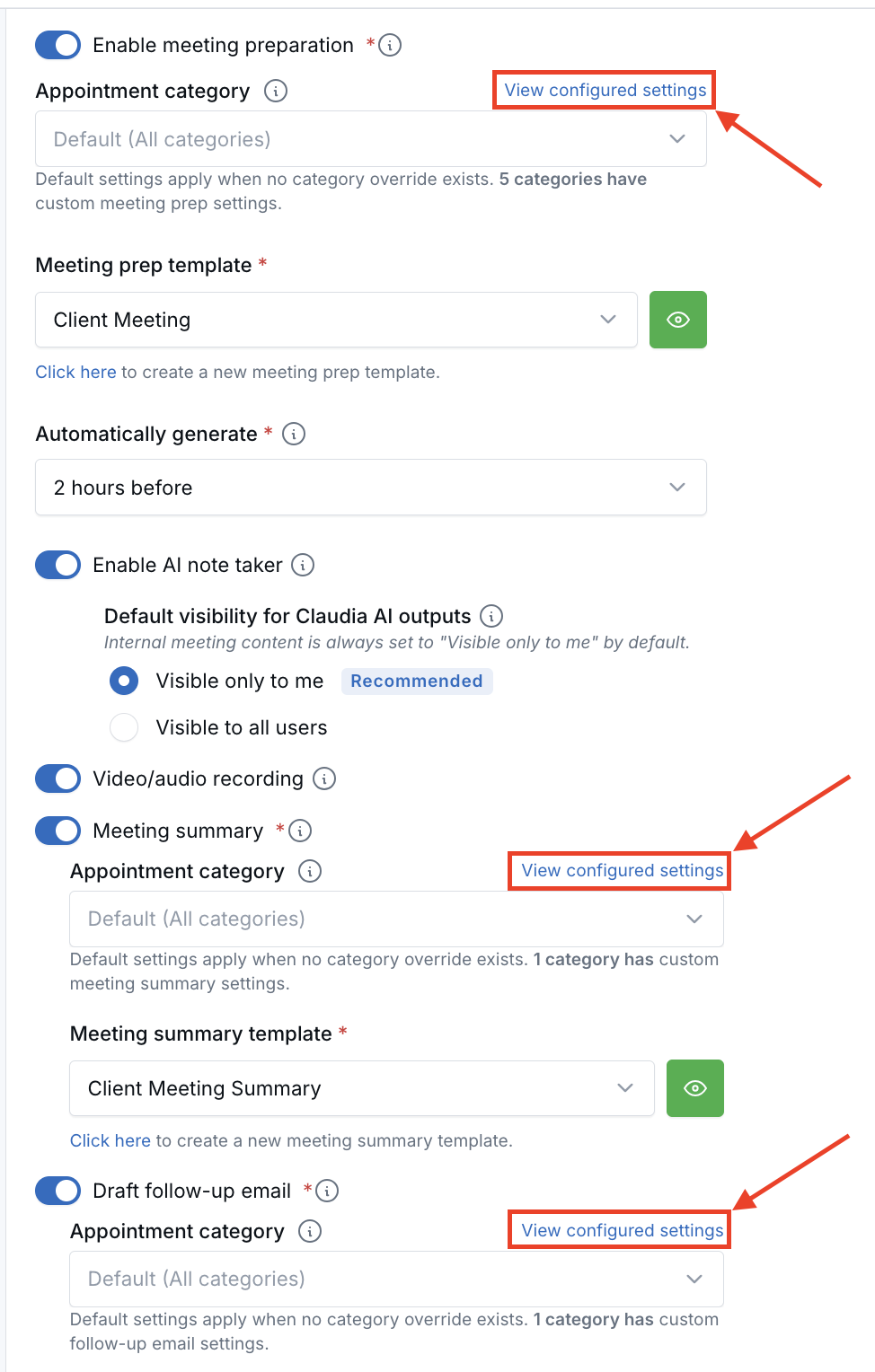
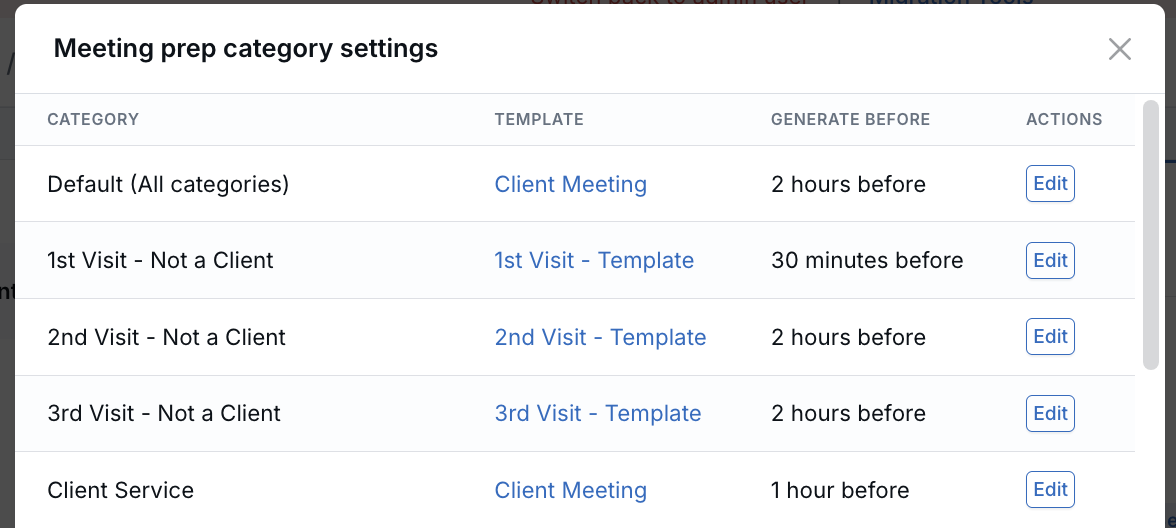
Category selections are also scoped per calendar, so each calendar loads its own saved category selection instead of carrying over the selection from another calendar.
Monitor In-Person Recording Health
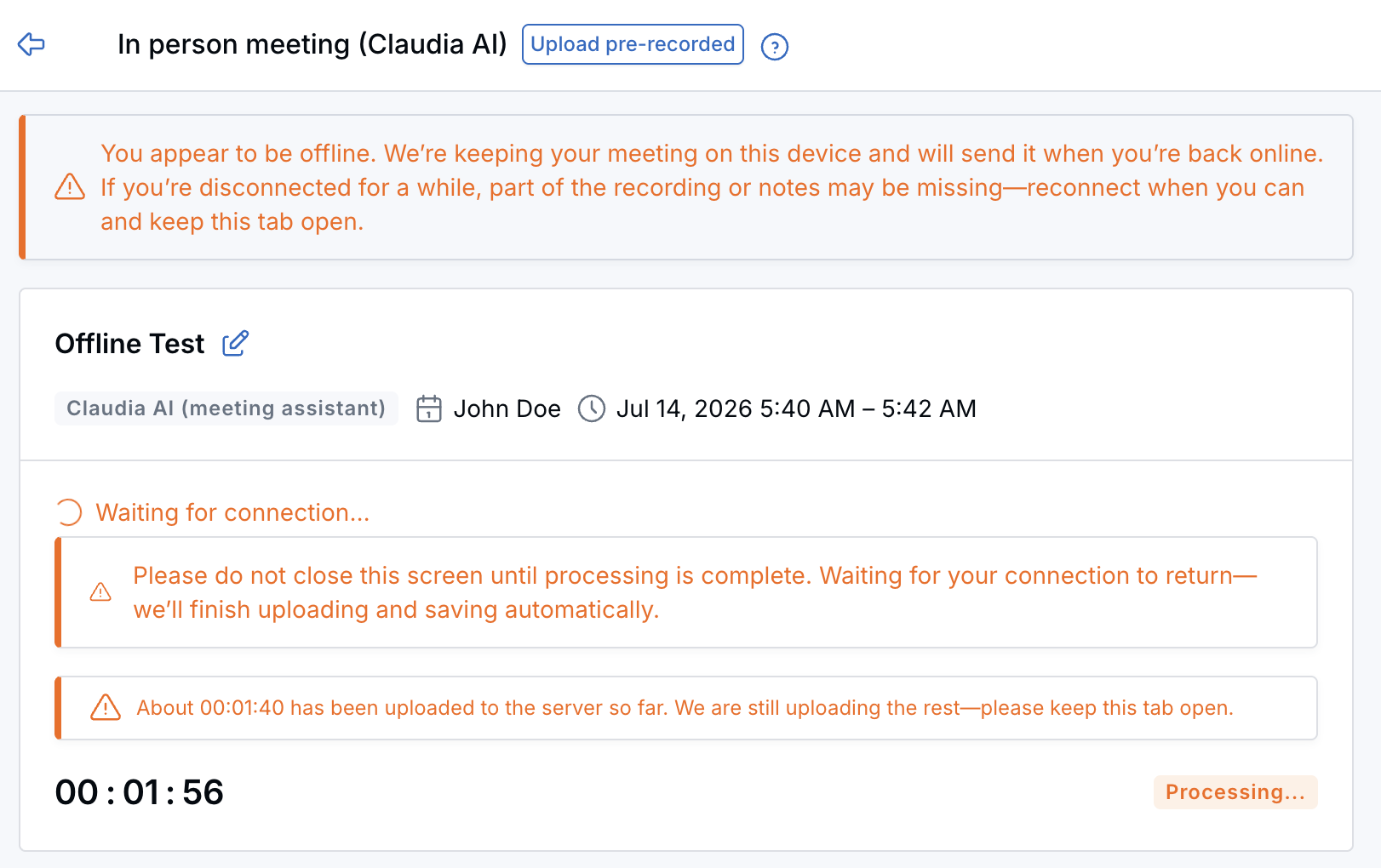
When recording an in-person meeting with Claudia AI in your browser, the recording page now shows two timers: Session, which tracks how long the recording tab has been open, and Audio captured, which reflects how much audio has been saved.
You may also see warnings if the tab is in the background, audio capture pauses, the recording is ended on the server, or your connection is slow. For best results, keep the recording tab open and in the foreground.
Why It Matters
- More flexible preparation — Generate a meeting brief when a meeting changes, gets added, or needs a fresh review.
- Clearer calendar setup — Confirm which categories use custom Claudia AI settings without checking each category manually.
- Better recording awareness — See whether audio is actually being captured during an in-person recording.
Questions? support@leadcenter.ai

Need more help?
If you can't find the answers you're looking for, our support specialists are available to answer your questions and troubleshoot if necessary.
-
Phone Call (888) 291-7116. Our main hours are Monday to Friday 7 am-5 pm Central Time.
-
Support Send your questions and inquiries via email to support@leadcenter.ai. A support ticket will be created and one of our team members will get back to you as quickly as possible.