 Help Center
What's New
Let Troy AI Connect and Fix Your Website Forms
09/30/2026
Getting a form on your website to send leads into LeadCenter used to take some technical know-how: finding the form in your website's code and matching each of its fields to LeadCenter yourself. Now Troy AI does that for you. Just paste the address of the page your form is on. Troy finds the form, checks that your LeadCenter tracking code is installed, and suggests where each answer should go in LeadCenter. And if a form stops sending leads, Troy can find out why and prepare the fix.
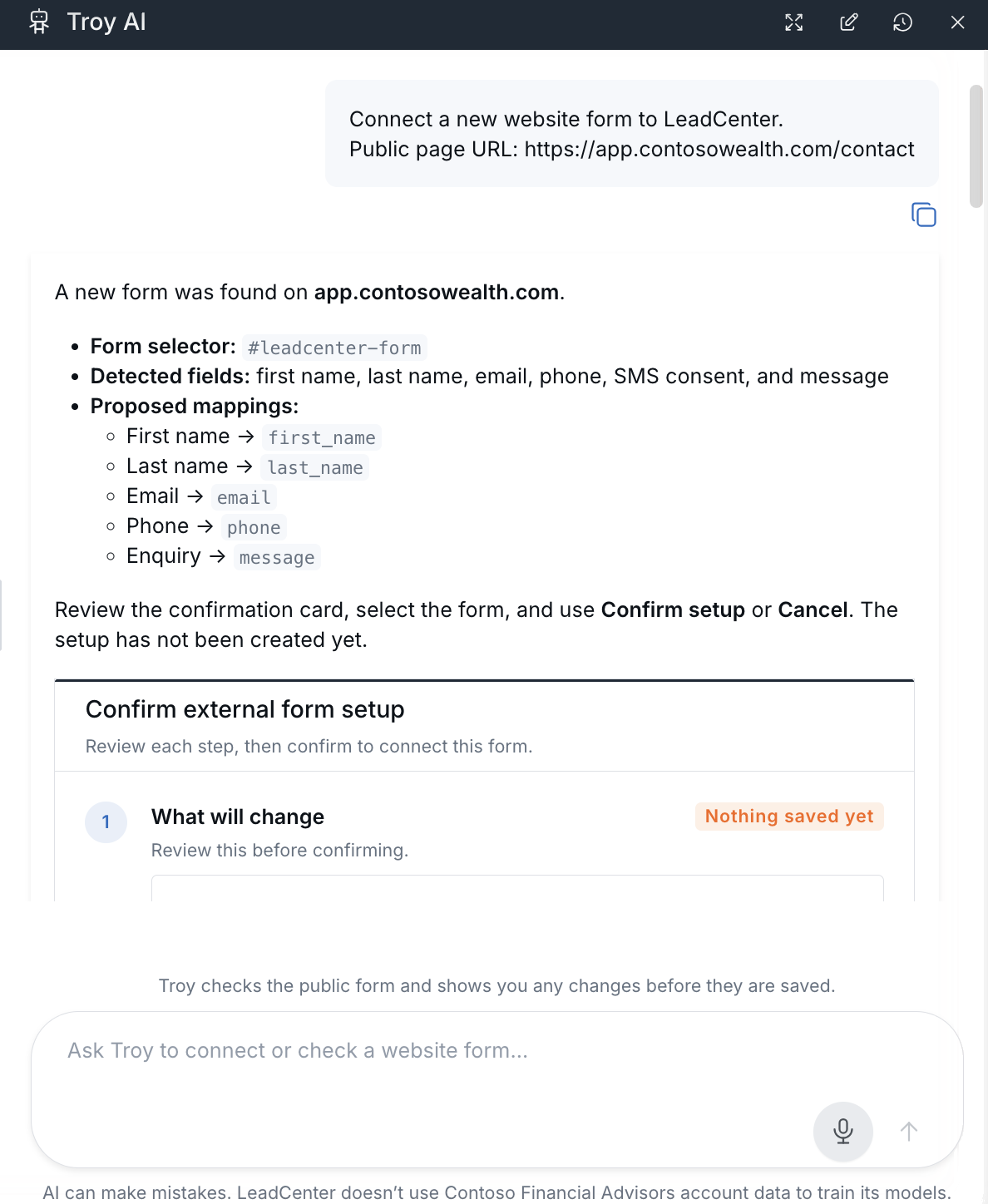
Troy finds the form and proposes how each field maps.
What's New
- Connect a form from its page address — Troy finds the form on the page, checks for your LeadCenter tracking code, and suggests where each answer should go, for you to review.
- Find out why a form stopped working — Troy checks whether the website and form are active, whether the form still matches your live page, and whether saved mappings still point to real fields.
- Fix supported problems in a click — Review Troy's proposed fixes, such as reactivating a form or updating mappings, before anything is saved.
- Confirm it works — Submit a test entry and ask Troy to check the latest submission and the contact it's linked to.
Where to Find It
Open Website forms integration and click Troy AI. You can also choose Register form with Troy AI from the Actions menu, or Diagnose with Troy AI from a form's row.
Why It Matters
- Start capturing leads sooner — Skip hunting through page code for selectors and field names.
- Catch broken forms before leads slip away — Spot inactive forms, changed pages, and mismatched fields in one guided check.
- Stay in control — See exactly what Troy will change before anything is saved.
Learn how: Connect Website Forms and Fix Connections with Troy AI
Questions? support@leadcenter.ai

Need more help?
If you can't find the answers you're looking for, our support specialists are available to answer your questions and troubleshoot if necessary.
-
Phone Call (888) 291-7116. Our main hours are Monday to Friday 7 am-5 pm Central Time.
-
Support Send your questions and inquiries via email to support@leadcenter.ai. A support ticket will be created and one of our team members will get back to you as quickly as possible.