 Help Center
What's New
New: Assign Workflow Tasks by Role with Workflow Service Teams
04/27/2026
You can now assign workflow tasks by role instead of hard-coding them to one specific user. With Workflow Service Teams, LeadCenter automatically routes the task to the right team member based on the contact’s service team setup.
What’s New
- Assign tasks by role instead of a fixed user — Use roles like Paraplanner, Account Manager, or CSA in workflow task assignments.
- Resolve the right assignee automatically — When the workflow runs, LeadCenter uses the contact’s assigned workflow service team to determine who should receive the task.
- Support fallback and shared-role assignment — Use default settings when a contact has no assigned team, and support multiple users on the same role when needed.
How It Works
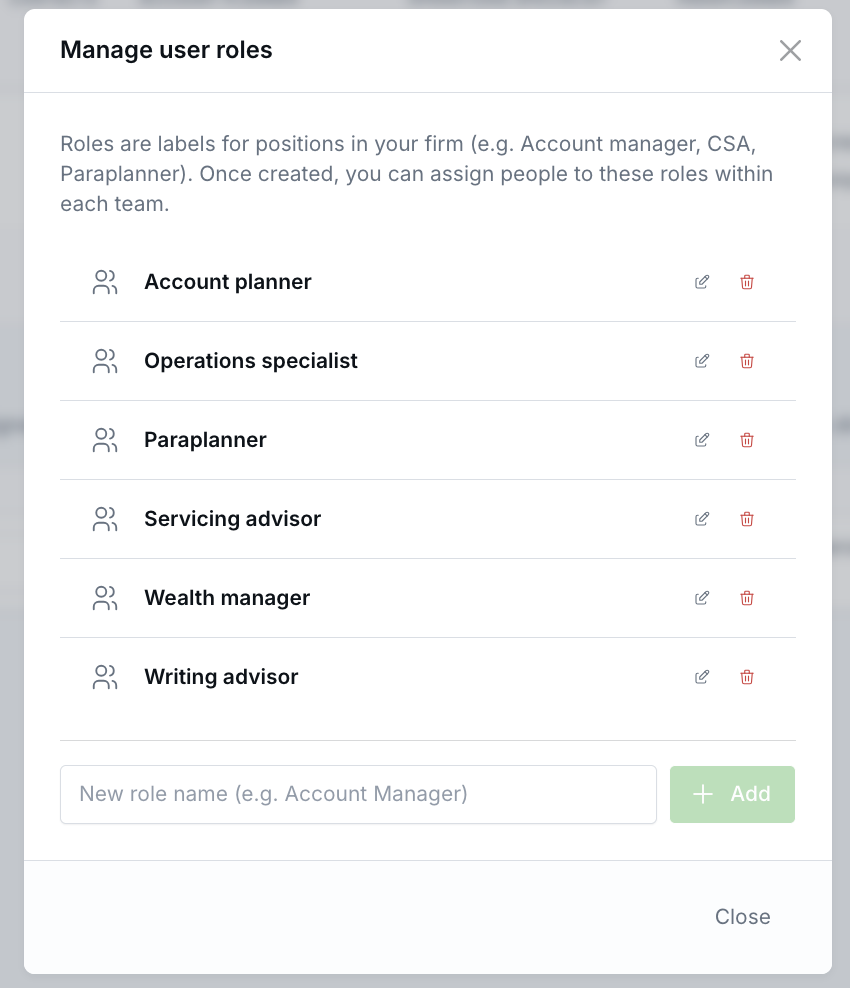
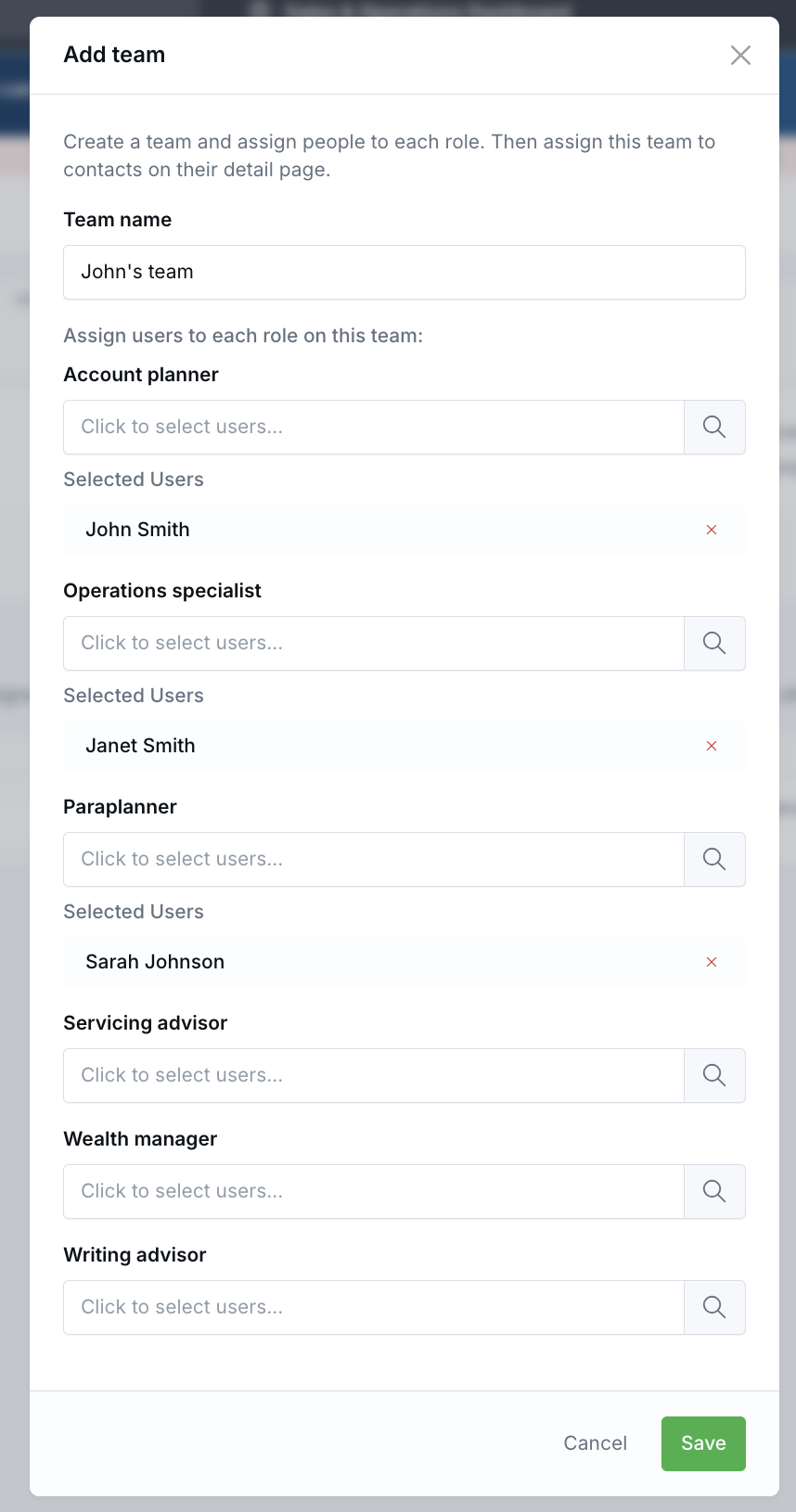
Start by creating your workflow service team roles and teams under Settings → Workflows & Templates → Workflow Service Teams.
On the contact record, assign a Workflow Service Team in the Additional Info section, or leave it on None (use default) to use the default settings team.
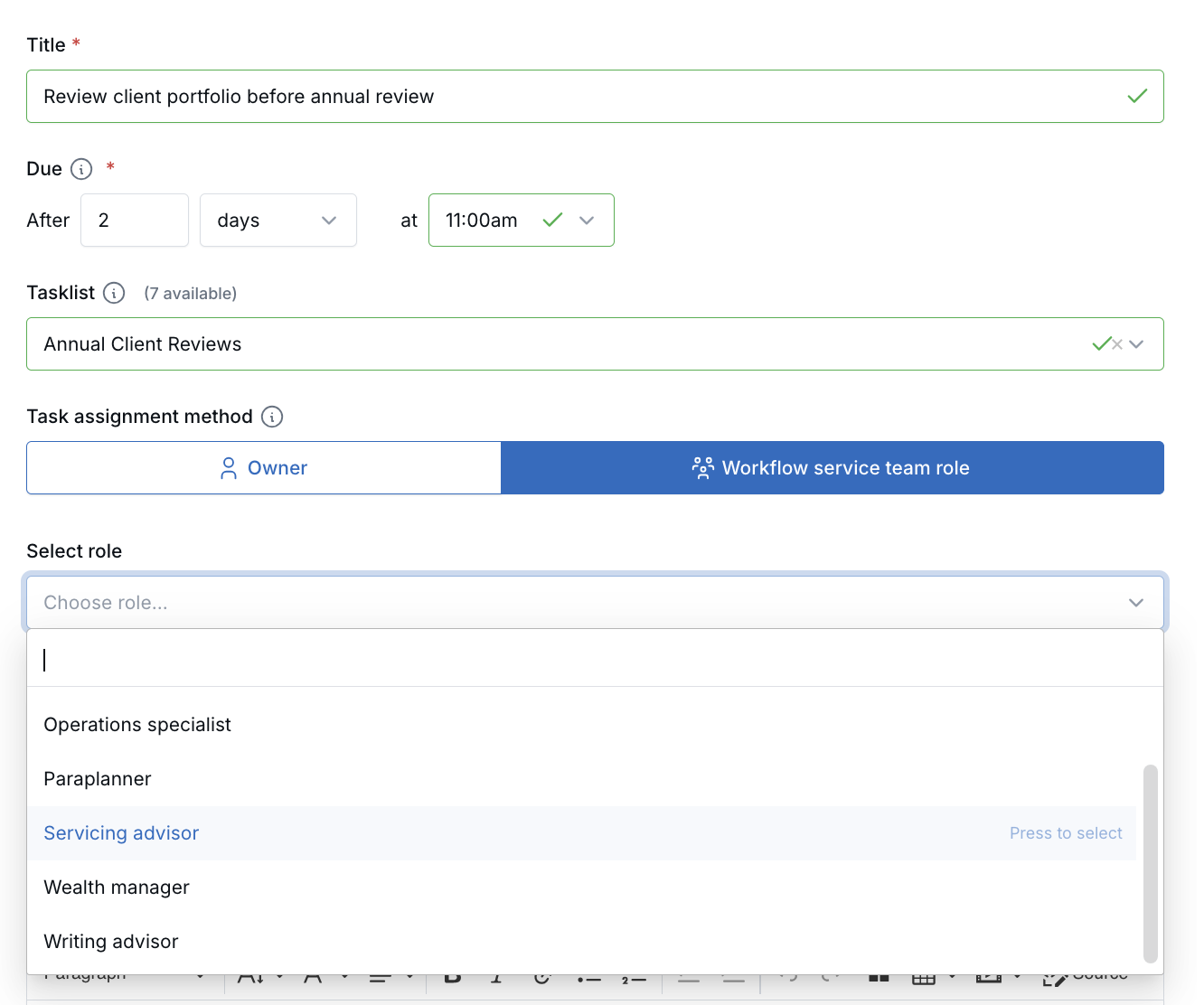
In the workflow builder, edit a Create Task node and change the Task Assignment Method from Owner to Workflow Service Team Role. Then choose the role you want LeadCenter to use for that task.
When the workflow runs, LeadCenter resolves the assignee in this order: workflow launch override, the contact’s assigned workflow service team, default settings, and finally the contact owner if no matching role is configured.
Why It Matters
- Reduce workflow maintenance — Build workflows around roles instead of editing assignments every time team members change.
- Support different advisor teams more easily — The same workflow can route tasks differently depending on the contact’s team setup.
- Improve assignment flexibility — Use fallback settings and shared-role handling to keep tasks moving to the right people.
Questions? support@leadcenter.ai

Need more help?
If you can't find the answers you're looking for, our support specialists are available to answer your questions and troubleshoot if necessary.
-
Phone Call (888) 291-7116. Our main hours are Monday to Friday 7 am-5 pm Central Time.
-
Support Send your questions and inquiries via email to support@leadcenter.ai. A support ticket will be created and one of our team members will get back to you as quickly as possible.