 Help Center
What's New
Choose the Next Workflow Step When Completing a Task
07/02/2026
Task step routing is now available in LeadCenter workflows. When a task represents a decision point, the person completing the task can choose which Step the workflow should move to next.
What's New
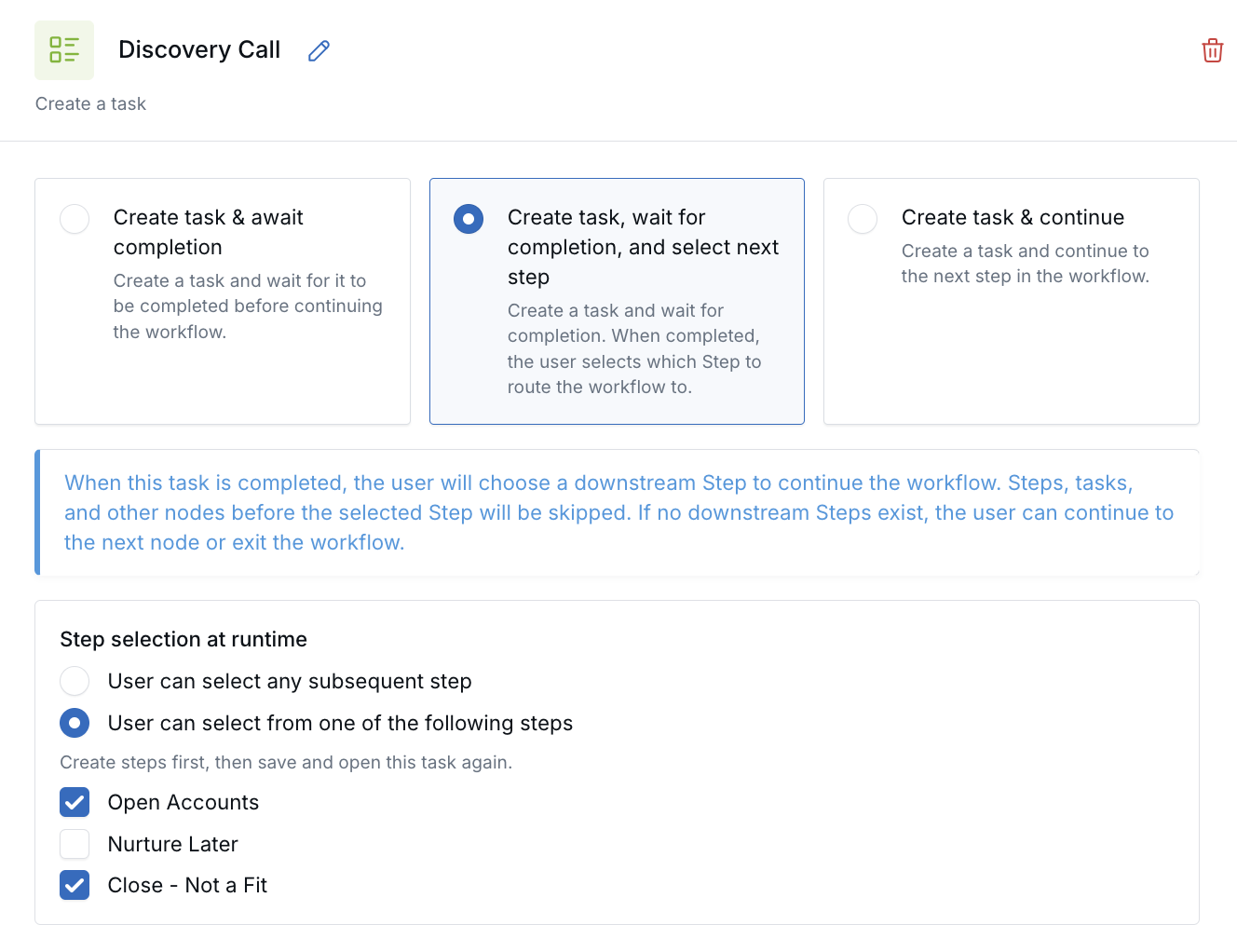
- User-selected workflow routing: Configure a Create Task node to let the assigned user choose the next Step when the task is completed.
- Controlled routing options: Allow users to select any downstream Step or limit them to specific Steps you choose.
- Smarter workflow progression: Once a Step is selected, LeadCenter automatically skips intermediate Steps, tasks, and nodes before continuing the workflow.
How It Works
Workflows, edit a workflow and open a Create Task node. Select Create task, wait for completion, and select next step, then choose whether users can select any downstream Step or only specific downstream Steps.
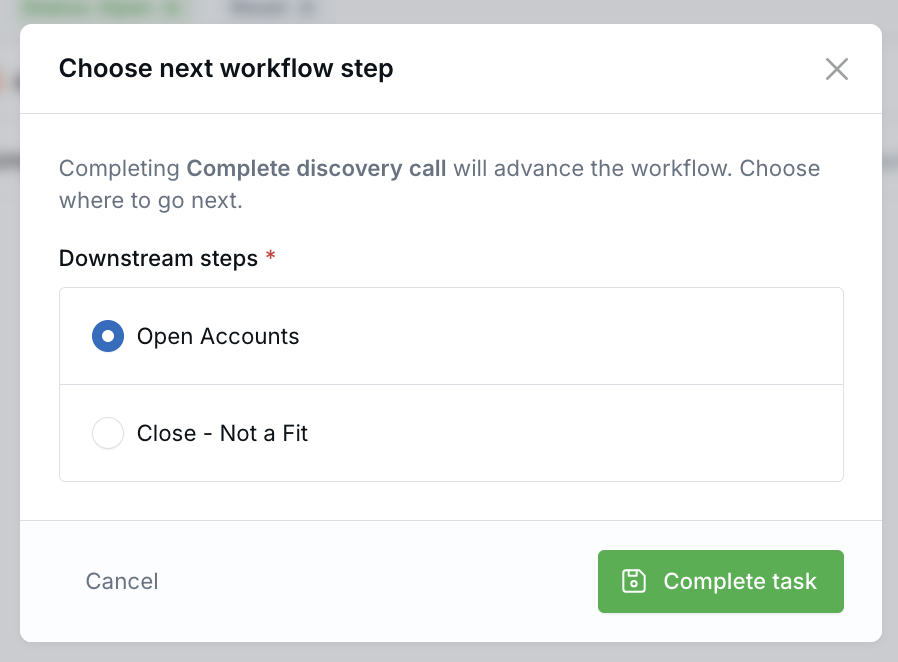
When the assigned user completes the task, LeadCenter prompts them to choose the next Step. The workflow immediately continues to the selected Step while automatically skipping any preceding downstream Steps, tasks, and nodes.
Why It Matters
- Support multiple outcomes in one workflow: Route contacts based on real-world decisions without building duplicate workflows.
- Reduce manual work: Complete the task and direct the workflow in one action.
- Keep workflows organized: Only the relevant workflow path continues after a routing decision is made.
Questions? support@leadcenter.ai

Need more help?
If you can't find the answers you're looking for, our support specialists are available to answer your questions and troubleshoot if necessary.
-
Phone Call (888) 291-7116. Our main hours are Monday to Friday 7 am-5 pm Central Time.
-
Support Send your questions and inquiries via email to support@leadcenter.ai. A support ticket will be created and one of our team members will get back to you as quickly as possible.