 Help Center
What's New
What's New
Restore an Earlier Version of a Workflow
08/10/2026
You can now review every saved version of a workflow and restore an earlier version when you need to undo changes or return to a previous setup.
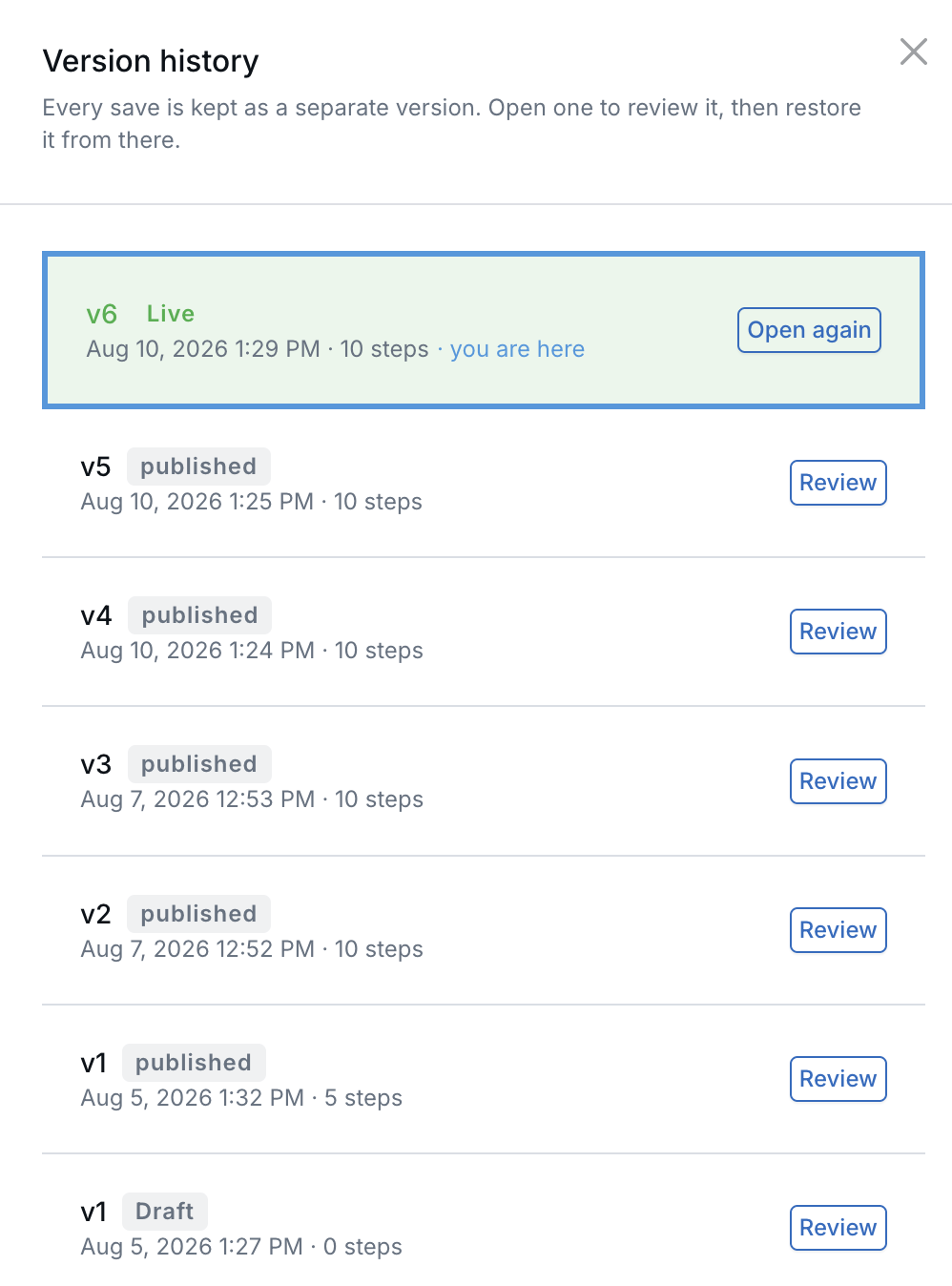
Every save is kept, and the live version is marked.
What’s New
- Complete version history — Every workflow save is kept as a separate version.
- Full review before restoring — Open an earlier version in a new tab and inspect the complete workflow before making a change.
- Non-destructive restores — Restoring creates a new version. It does not overwrite or remove any existing history.
How It Works
Open a workflow in the workflow builder and select Versions. The version-history panel lists saved versions from newest to oldest, including when each version was saved, its status, and its number of steps. It also identifies the version that is currently live.
Select Review to open a version in a new tab. Auto-save is disabled while reviewing history, so browsing an earlier version does not create a draft or change what is running. When you are ready, select Restore this version and confirm the change.
Why It Matters
- Recover from unwanted changes — Return to an earlier workflow without rebuilding it by hand.
- Review changes with confidence — Compare an earlier version with the current workflow before restoring it.
- Keep a recoverable history — Every restore becomes another version, so no previous state is lost.
Questions? support@leadcenter.ai

Need more help?
If you can't find the answers you're looking for, our support specialists are available to answer your questions and troubleshoot if necessary.
-
Phone Call (888) 291-7116. Our main hours are Monday to Friday 7 am-5 pm Central Time.
-
Support Send your questions and inquiries via email to support@leadcenter.ai. A support ticket will be created and one of our team members will get back to you as quickly as possible.