 Help Center
What's New
Introducing Troy AI Agentic: Hand Off the Routine
10/16/2026
Meet Troy AI agents: scheduled assistants that take on the repetitive workflows that eat your team's week. Tell Troy what you need in plain English, run a test, and set a schedule. Troy reviews your CRM, delivers a report, and, when you ask it to, handles the follow-through in LeadCenter for you. Your team stays the same size while its output multiplies.
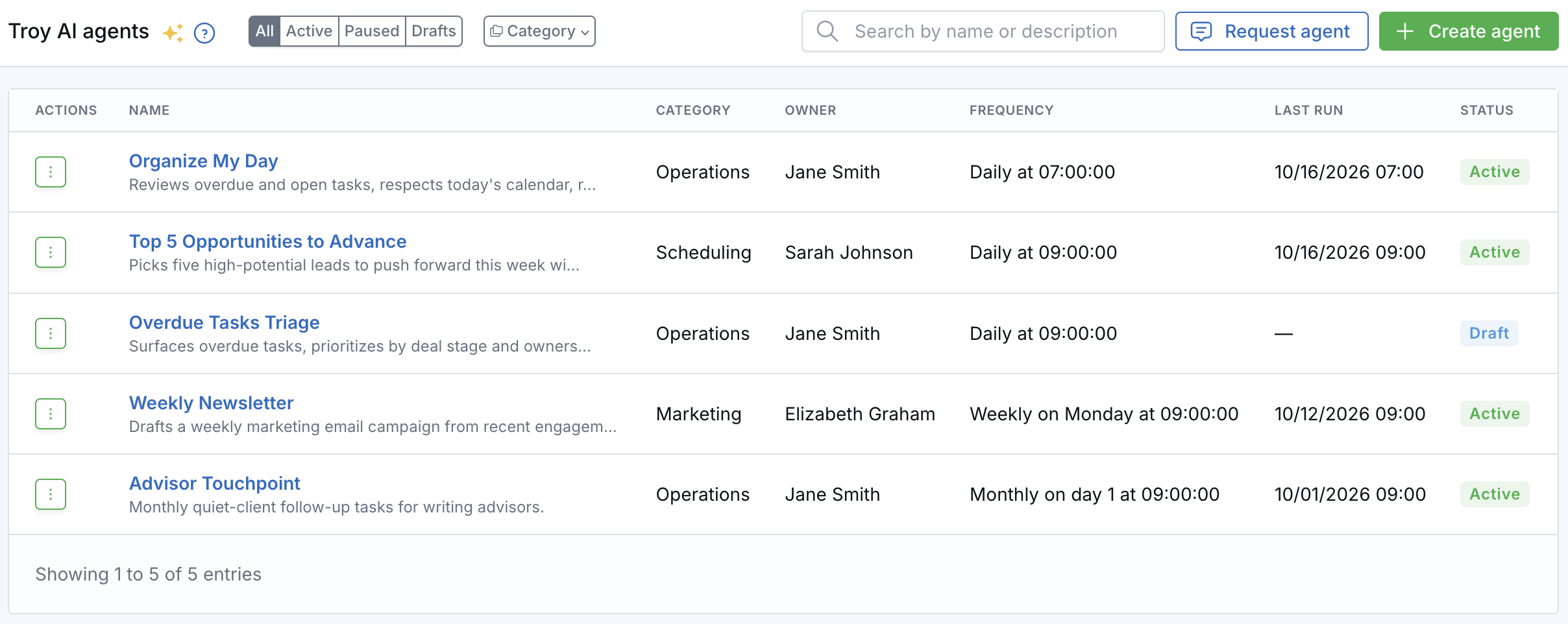
Your agents, their schedules, and when they last ran, all in one place.
What Troy AI Agents Can Do
- See the whole practice — Agents work across contacts, pipeline, appointments and calendars, tasks, emails, marketing, financial accounts, documents, and workflows, using the same access as the agent's owner.
- Report on your schedule — Run hourly, daily, weekly, monthly, quarterly, semi-annually, or on a custom schedule. Reports always appear in LeadCenter, and you can also get them by email.
- Take action for you — Reschedule overdue tasks, create follow-up tasks, sort your task inbox, draft email replies, and draft marketing email campaigns. Troy never sends or publishes a campaign on its own.
- Go straight to the records — Reports link to the contacts, tasks, and pipeline leads Troy found, so you can act in one click.
Ideas to Hand Off
- Operations — Start each morning with overdue work rescheduled into open time and stale follow-ups flagged.
- Advisors — Get a monthly list of clients you haven't talked to in a while, with a follow-up task for each.
- Marketing — Get a drafted weekly market update email campaign, ready for you to review and send.
- Schedulers — See the top five opportunities to move forward this week, with outreach drafts ready to go.
- Executives — Get a Monday report on production, appointments, and lead KPIs.
How to Get Started
- Open Troy AI agents in the left sidebar (or go to the AI page and click View Agents under Troy AI Agents).
- Click Create agent. Start from a Troy AI template, or write your own instructions (you can also dictate them with Speak AI).
- Choose the owner and schedule, and whether to email the report when a run completes.
- Click Run test to preview the result while Troy shows its progress live.
- When you're happy with the test, save the agent so it runs on its schedule. You can pause or resume it anytime from its Actions menu.
Not Sure Where to Start? We'll Build It for You
For the next 6 months, building your Troy AI agents is on us: our AI team will build them for you at no cost. This can include a 30-minute session with our AI team to map out what your firm wants to hand off.
To ask for one, open the Troy AI agents page and click Request agent. Choose how often it should run (every weekday morning, once a week, once a month, or once a quarter), describe the job in your own words, and click Request this agent.
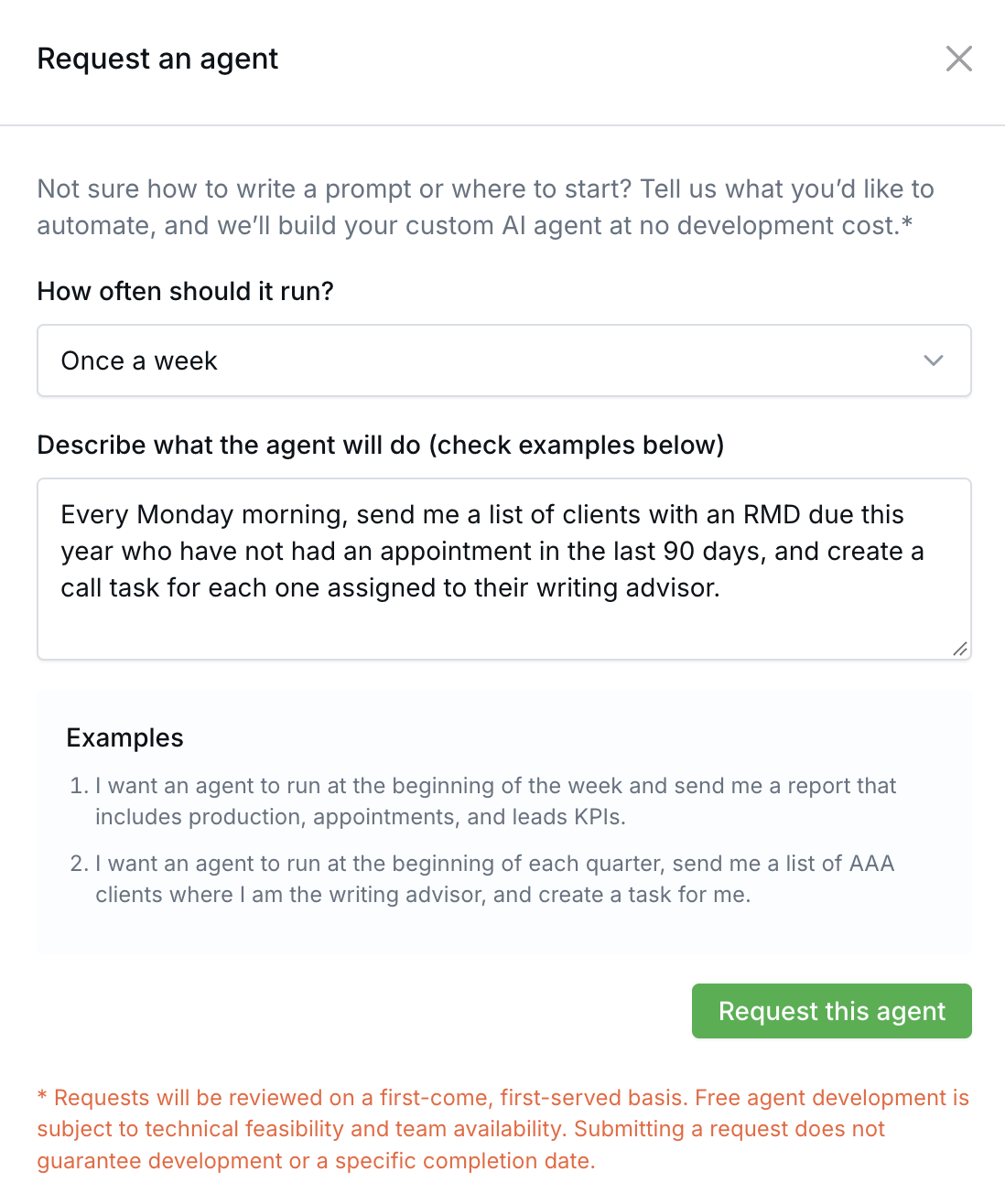
Pick how often it should run and describe the job in your own words.
Requests are reviewed on a first-come, first-served basis. Free agent development is subject to technical feasibility and team availability. Submitting a request does not guarantee development or a specific completion date.
Learn how it works: Troy AI Agents: Create, Test, Schedule, and Automate CRM Work

Need more help?
If you can't find the answers you're looking for, our support specialists are available to answer your questions and troubleshoot if necessary.
-
Phone Call (888) 291-7116. Our main hours are Monday to Friday 7 am-5 pm Central Time.
-
Support Send your questions and inquiries via email to support@leadcenter.ai. A support ticket will be created and one of our team members will get back to you as quickly as possible.