 Help Center
What's New
What's New
Route Workflows by Appointment Status
08/10/2026
The Appointment filter now includes a Status field, so a workflow can respond to what actually happened at a meeting rather than only to the meeting itself.
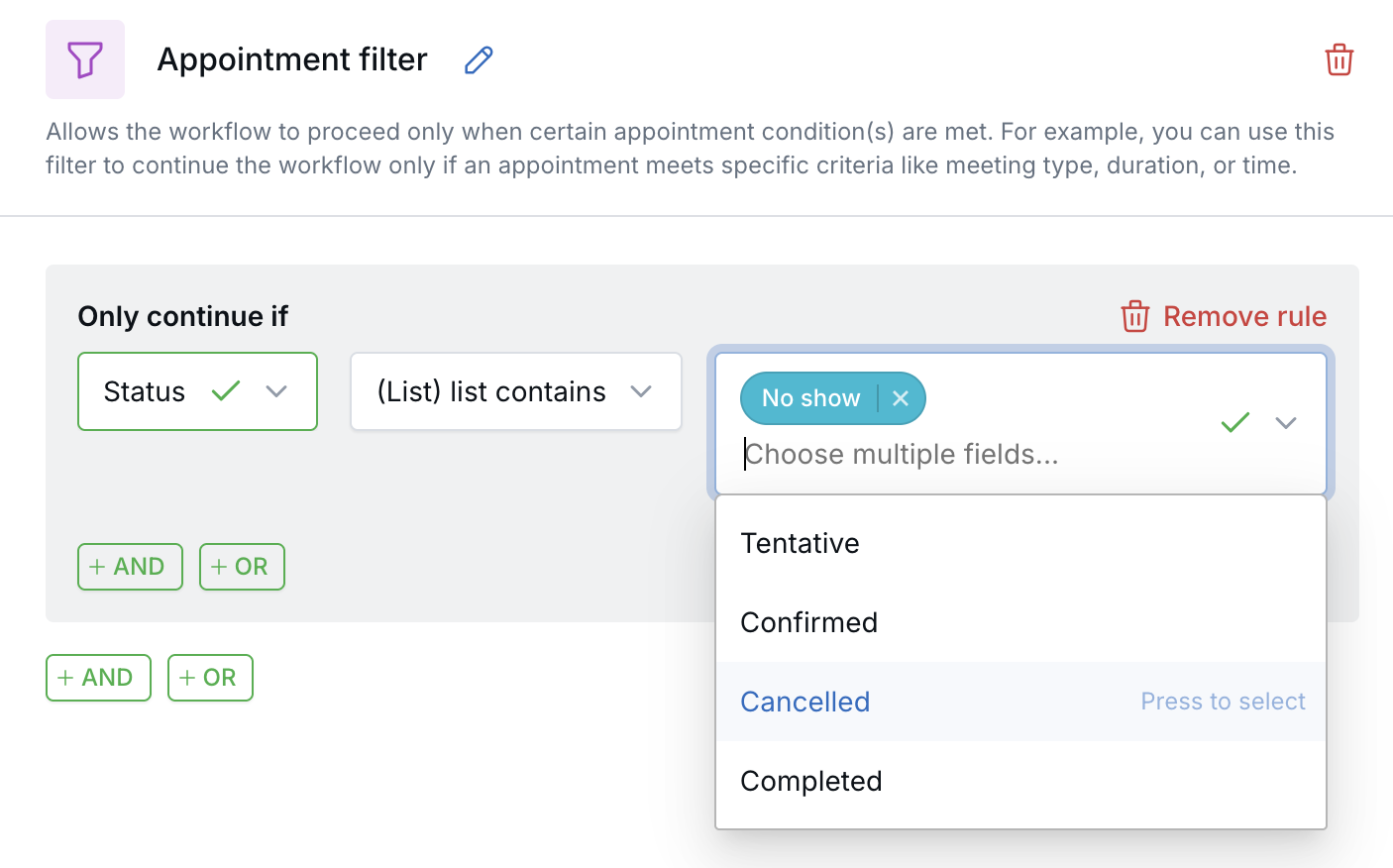
Continue a workflow only when an appointment matches the status you choose.
What’s New
- Match on appointment status — Choose one or more of Tentative, Confirmed, Cancelled, Completed, or No show.
- Combine with other appointment fields — Use Status alongside Category, Host, and Meeting type to target a specific group of appointments.
- Build follow-up around outcomes — Continue only on No show, then create a follow-up task or send a re-booking email.
How It Works
Add an Appointment filter to a workflow and open its rule. Select Status, then choose the statuses the appointment must match. Add further rules with AND or OR when you need to narrow the results.
The workflow continues only when an appointment matches the rule. Appointments with any other status stop at the filter.
Why It Matters
- Respond to the outcome — Treat a no show differently from a completed meeting.
- Reduce manual follow-up — Let the workflow create the task or send the message instead of tracking it yourself.
- Keep automation targeted — Combine status with category or host so only the right appointments trigger the workflow.
Questions? support@leadcenter.ai

Need more help?
If you can't find the answers you're looking for, our support specialists are available to answer your questions and troubleshoot if necessary.
-
Phone Call (888) 291-7116. Our main hours are Monday to Friday 7 am-5 pm Central Time.
-
Support Send your questions and inquiries via email to support@leadcenter.ai. A support ticket will be created and one of our team members will get back to you as quickly as possible.