 Help Center
What's New
What's New
Change note visibility in bulk
06/30/2026
You can now update visibility for multiple notes at once from the Notes page or the Notes tab on a contact or household.
Select the notes you created, choose Change visibility, and set them to Visible to all users or Visible to me only.
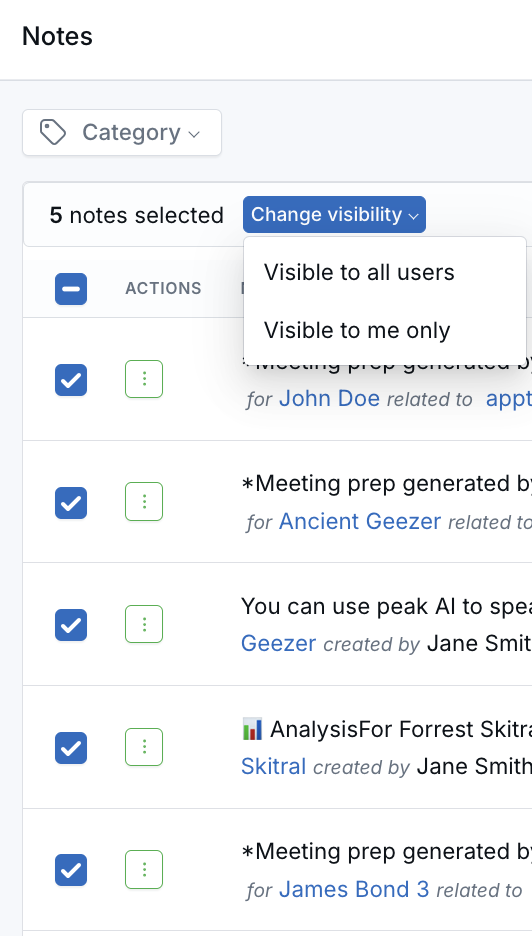
Bulk visibility follows the same rules as editing a single note. You can only change visibility for notes you created, and notes already set to the selected visibility are skipped.
For selections of more than 20 eligible notes, LeadCenter processes the update in the background. Refresh the page shortly to see the updated visibility.
Questions? support@leadcenter.ai

Need more help?
If you can't find the answers you're looking for, our support specialists are available to answer your questions and troubleshoot if necessary.
-
Phone Call (888) 291-7116. Our main hours are Monday to Friday 7 am-5 pm Central Time.
-
Support Send your questions and inquiries via email to support@leadcenter.ai. A support ticket will be created and one of our team members will get back to you as quickly as possible.