 Help Center
What's New
New: Connect Intulse to Sync Calls and Text Messages into LeadCenter
05/04/2026
LeadCenter now integrates with Intulse, making it easier to keep call and text activity connected to your contacts. Once connected, Intulse call logs, recordings, and SMS history can sync into LeadCenter so your team can review communication history from the contact record.
What’s New
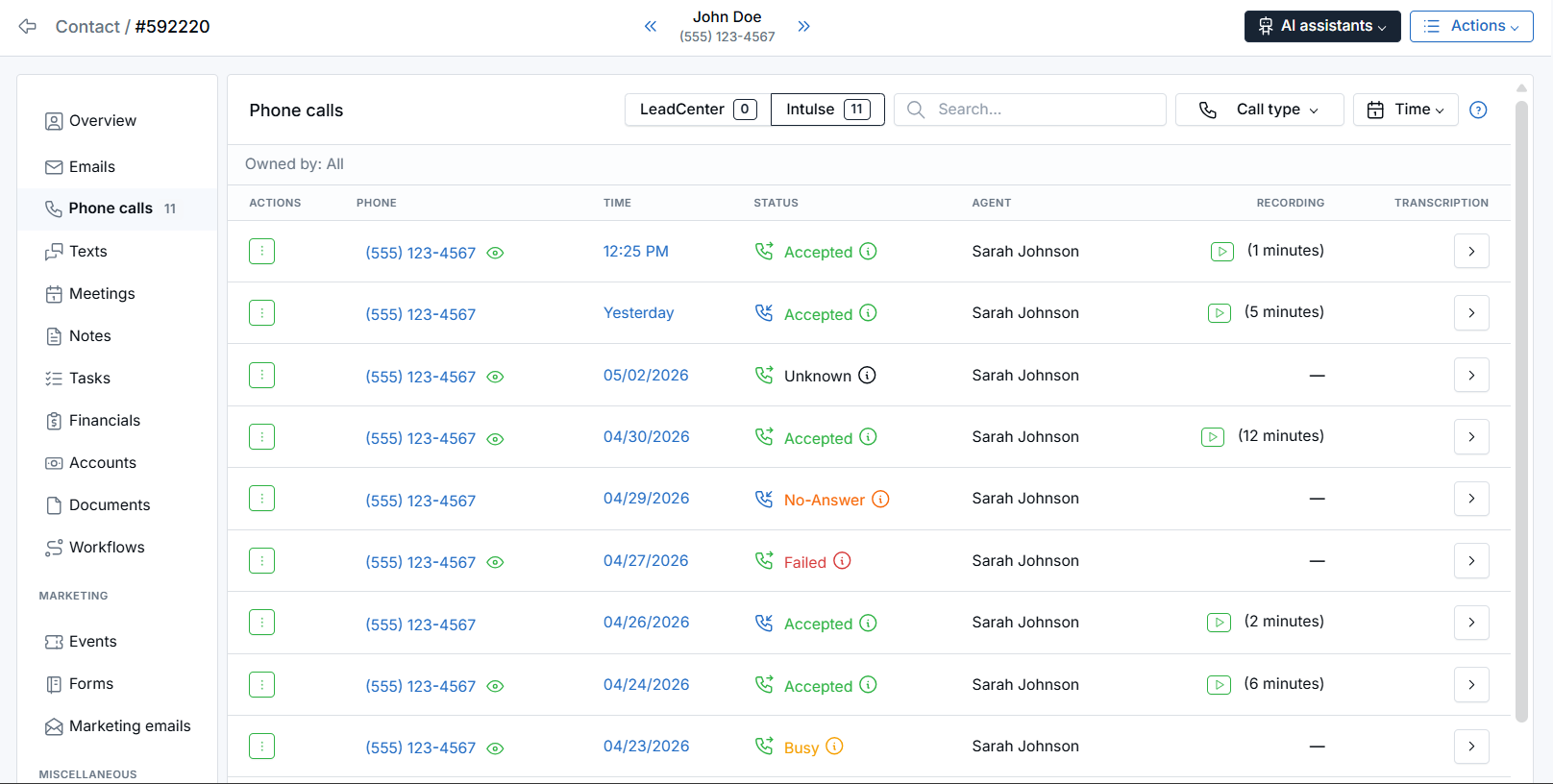
- Sync Intulse call logs into LeadCenter — Inbound and outbound calls from Intulse can appear on the contact’s Calls tab.
- Bring SMS history into the contact timeline — Text message conversations from Intulse can be matched to contacts and shown in LeadCenter.
- Create new contacts from unknown numbers — When a call or text comes from a phone number that does not match an existing contact, LeadCenter can create a new contact with that number.
How It Works
Go to Settings → Integrations → Telephony and open the Intulse card. Enter your Intulse Organization API Key, then click Connect.
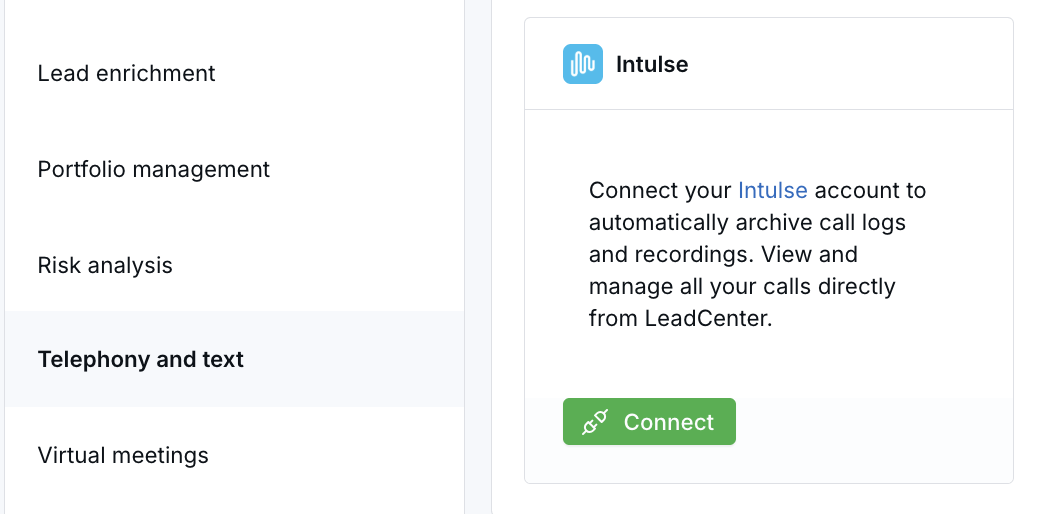
After Intulse is connected, LeadCenter can sync completed call activity and pull SMS history. Calls and text messages are matched to contacts by phone number whenever possible.
Call logs appear on the contact’s Calls tab and can include details such as direction, result, duration, and recording playback when available. Text messages appear on the contact’s SMS tab as a read-only conversation thread.
Why It Matters
- Centralize communication history — Keep Intulse calls and text activity visible alongside the contact record.
- Reduce manual tracking — Let LeadCenter match call and SMS activity to contacts automatically when possible.
- Improve follow-up context — Give your team a clearer view of recent phone and text interactions before the next outreach.
Questions? support@leadcenter.ai

Need more help?
If you can't find the answers you're looking for, our support specialists are available to answer your questions and troubleshoot if necessary.
-
Phone Call (888) 291-7116. Our main hours are Monday to Friday 7 am-5 pm Central Time.
-
Support Send your questions and inquiries via email to support@leadcenter.ai. A support ticket will be created and one of our team members will get back to you as quickly as possible.