 Help Center
What's New
New: External Calendar Events Are Now Read-Only in LeadCenter
03/31/2026
Appointments synced from Microsoft Outlook or Google Calendar are now read-only in LeadCenter. This helps prevent accidental edits that can cause sync conflicts, inconsistent appointment data, or unwanted update and cancellation emails being sent from connected calendar accounts.
What’s New
- Externally synced appointments are now read-only — Events that originate from Outlook or Google Calendar can be viewed in LeadCenter, but most fields can no longer be edited there.
- Category can still be updated — You can continue assigning or changing the Category field directly in LeadCenter.
- LeadCenter remains safe for visibility — All appointment details stay visible, while edit restrictions help protect the original calendar as the source of truth.
How It Works
When you open an appointment that was synced from Microsoft Outlook or Google Calendar, LeadCenter now displays that event as read-only. A blue informational banner appears at the top of the appointment form, and all fields are locked except for Category.
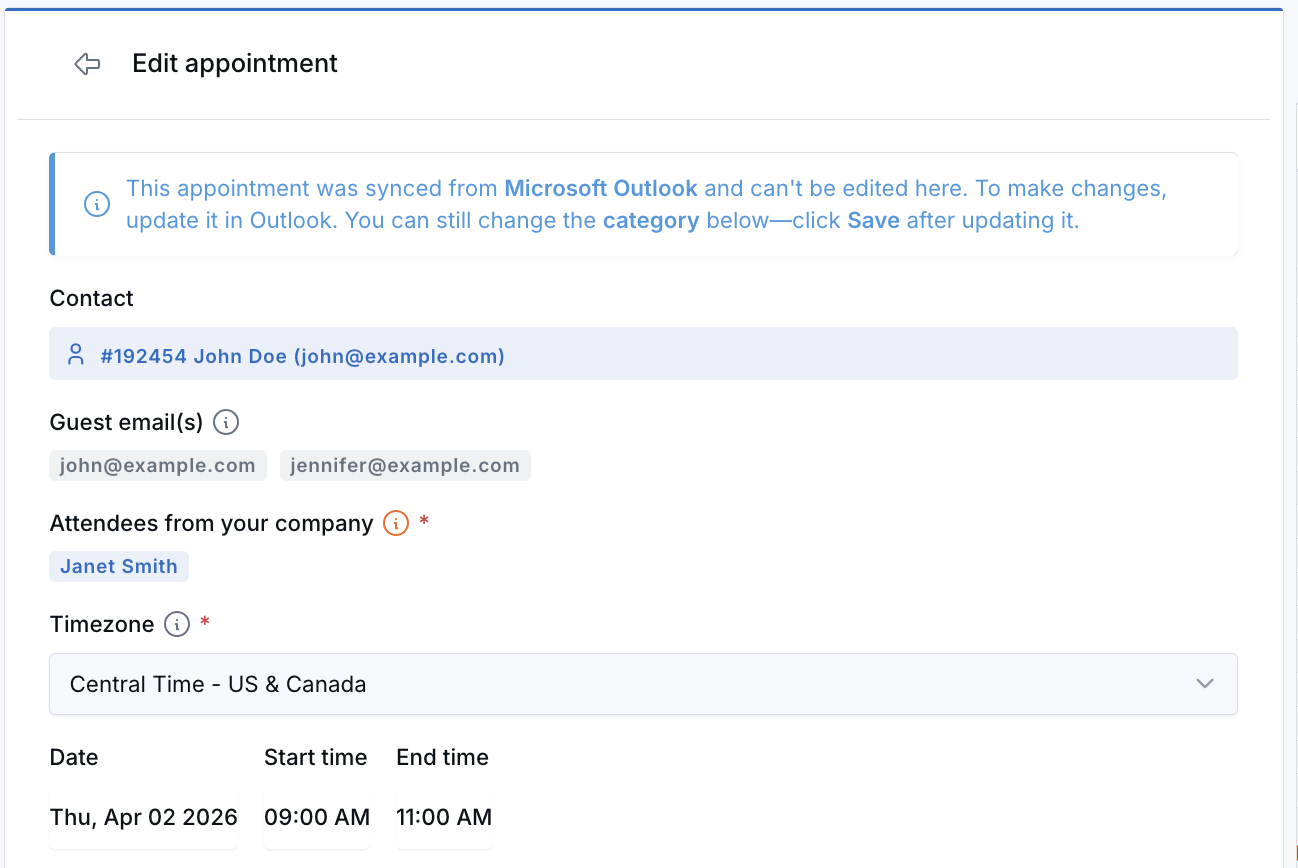
If you need to update the appointment’s subject, time, attendees, description, or other event details, make those changes in the original calendar application. Once updated there, the changes will sync back to LeadCenter automatically.
You can still update the Category field inside LeadCenter. After choosing a category, click Save Category to keep that change.
Why It Matters
- Reduce sync issues — Prevent edits in LeadCenter from creating conflicts with Microsoft Outlook or Google Calendar.
- Avoid unwanted client notifications — Help reduce accidental calendar updates or cancellations that could trigger emails from connected advisor accounts.
- Keep calendar data more reliable — Make the external calendar the source of truth while still giving your team visibility inside LeadCenter.
Questions? support@leadcenter.ai

Need more help?
If you can't find the answers you're looking for, our support specialists are available to answer your questions and troubleshoot if necessary.
-
Phone Call (888) 291-7116. Our main hours are Monday to Friday 7 am-5 pm Central Time.
-
Support Send your questions and inquiries via email to support@leadcenter.ai. A support ticket will be created and one of our team members will get back to you as quickly as possible.