 Help Center
What's New
What's New
Choose Who Can See Your Email Drafts
10/14/2026
You now decide who can see each email draft. Keep a draft private while you're still working on it, or share it so your team can review it before it goes out.
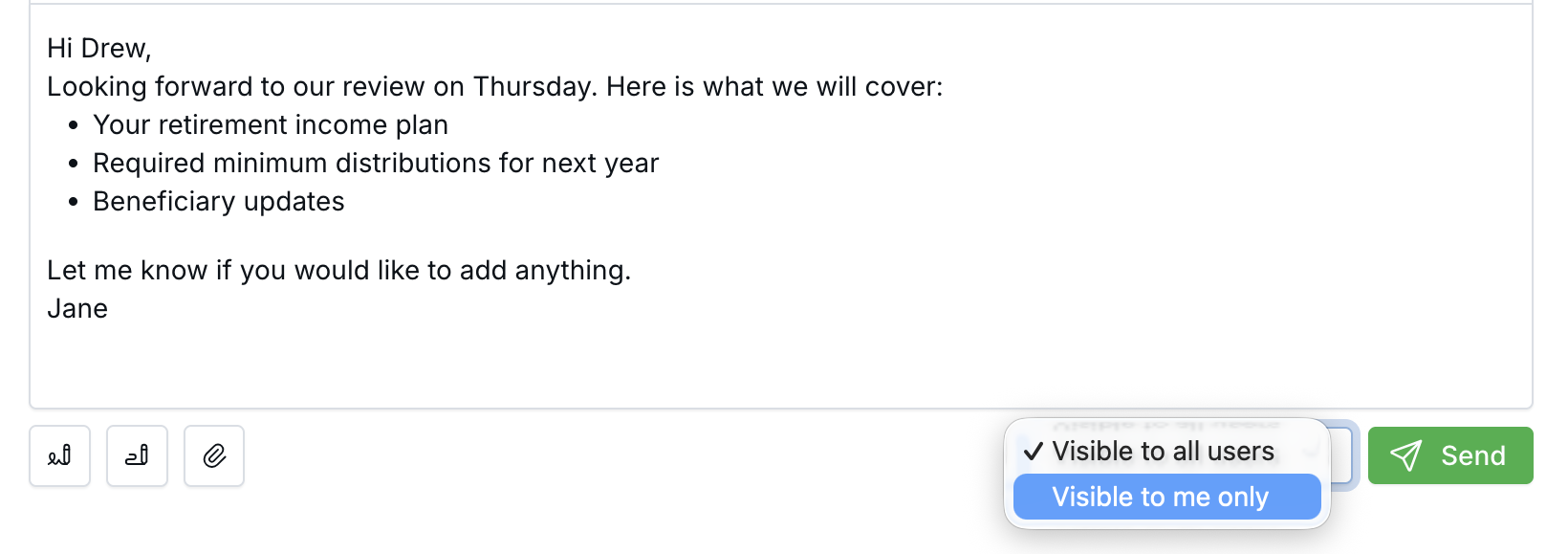
Choose who can see the draft right next to the Send button.
What's New
- Pick visibility as you write — Next to the Send button, choose Visible to me only or Visible to all users.
- Shared drafts show up for your team — A shared draft appears in Email Drafts, on the contact's Emails tab, and in the household's emails.
- You stay in control — Only the person who created a draft can change who sees it.
How It Works
Choose the visibility while you write. There's no extra save step: LeadCenter saves your choice with the draft automatically, including when you leave the page or attach a file.
New drafts start as Visible to me only, unless your calendars are set to share Claudia AI outputs with all users. Follow-up drafts that Claudia AI writes after a meeting follow the host calendar's setting, and drafts from internal meetings always start as private. See Claudia AI Meeting Visibility for that setting.
Why It Matters
- Work in private — Nobody sees a half-written email until you're ready.
- Get a second look — Share a client email so a colleague can review it in the contact's record.
- Clear ownership — Teammates can see a shared draft without changing who owns it.
Learn how it works: Sending and Receiving Emails

Need more help?
If you can't find the answers you're looking for, our support specialists are available to answer your questions and troubleshoot if necessary.
-
Phone Call (888) 291-7116. Our main hours are Monday to Friday 7 am-5 pm Central Time.
-
Support Send your questions and inquiries via email to support@leadcenter.ai. A support ticket will be created and one of our team members will get back to you as quickly as possible.