 Help Center
What's New
Turn PDF Questionnaires into Online Forms with Linus AI
09/25/2026
Linus AI, the landing page and form builder in LeadCenter, can now turn an existing PDF questionnaire into an online form. It also remembers the conversation for each page and keeps a revision history, so you can keep refining a page or go back to an earlier version at any time.
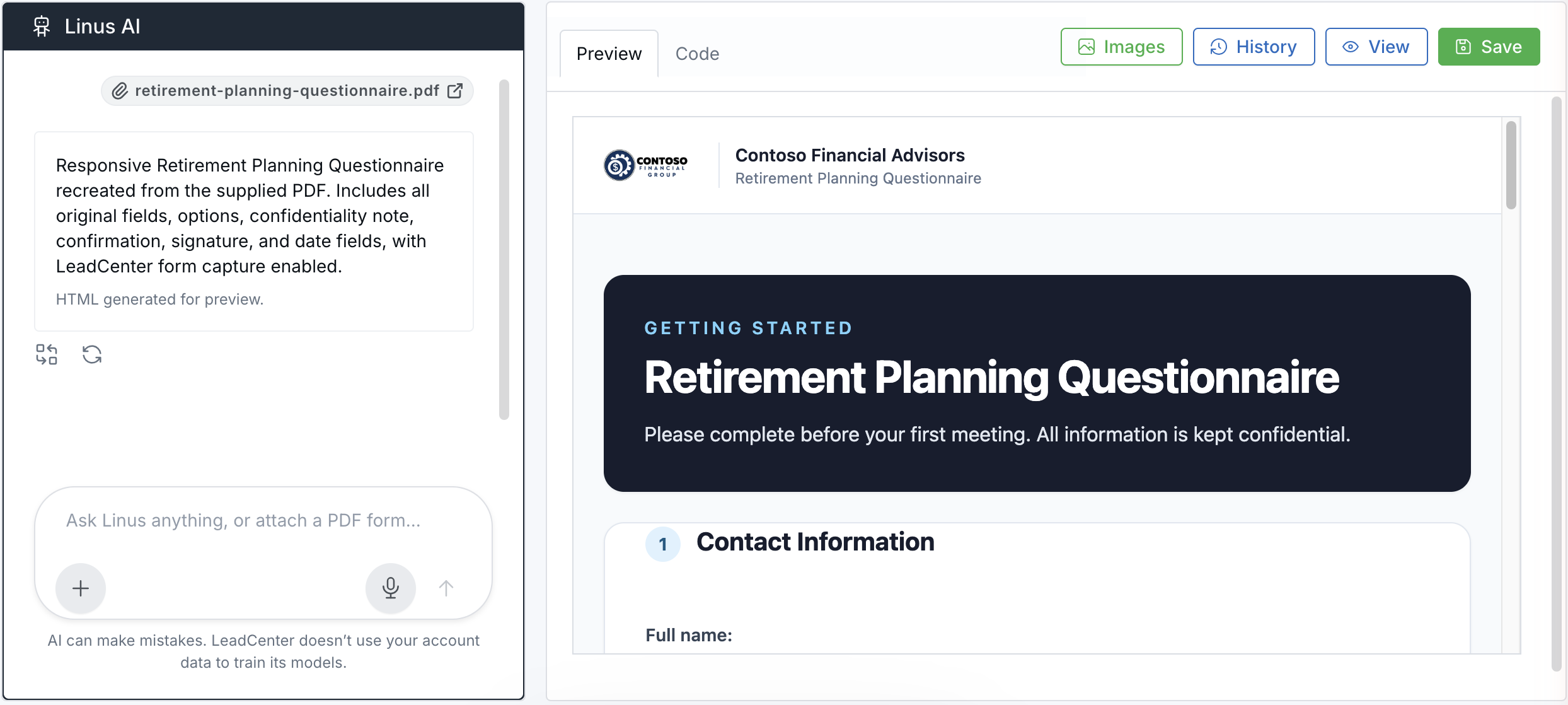
Linus turns an attached PDF questionnaire into an online form.
What's New
- Convert PDF questionnaires into online forms — Attach a PDF intake form or questionnaire and Linus recreates its questions, fields, and answer options as a responsive web form connected to LeadCenter.
- Pick up where you left off — Each page keeps its Linus conversation, so when you reopen a page you can see your earlier requests and ask for the next change without explaining the page again.
- Restore earlier versions — Open History to see recent Linus updates, manual edits, and saved versions, then restore the one you want.
How It Works
From the Marketing Dashboard, open Linus AI and start a new landing page or open an existing one. To convert a questionnaire, click the + button beside the message box, choose Add PDF, and send the request Linus prepares for you. Review the result in Preview, then click Save. To go back to an earlier version, click History and select Restore. For full instructions, see Linus AI Landing Page and Form Builder.
Why It Matters
- Move paper forms online — Replace printed intake forms and questionnaires without rebuilding them field by field.
- Refine pages faster — Build on your earlier requests instead of starting over.
- Edit with confidence — Undo a Linus update or manual edit that didn't turn out as expected.

Need more help?
If you can't find the answers you're looking for, our support specialists are available to answer your questions and troubleshoot if necessary.
-
Phone Call (888) 291-7116. Our main hours are Monday to Friday 7 am-5 pm Central Time.
-
Support Send your questions and inquiries via email to support@leadcenter.ai. A support ticket will be created and one of our team members will get back to you as quickly as possible.