 Help Center
What's New
Time Your Appointment Workflows Around When the Meeting Starts
10/27/2026
The Appointment filter in workflows can now check how soon an appointment starts, or how long ago it started. Use it to skip reminder emails for last-minute bookings, or to start a follow-up after the meeting.
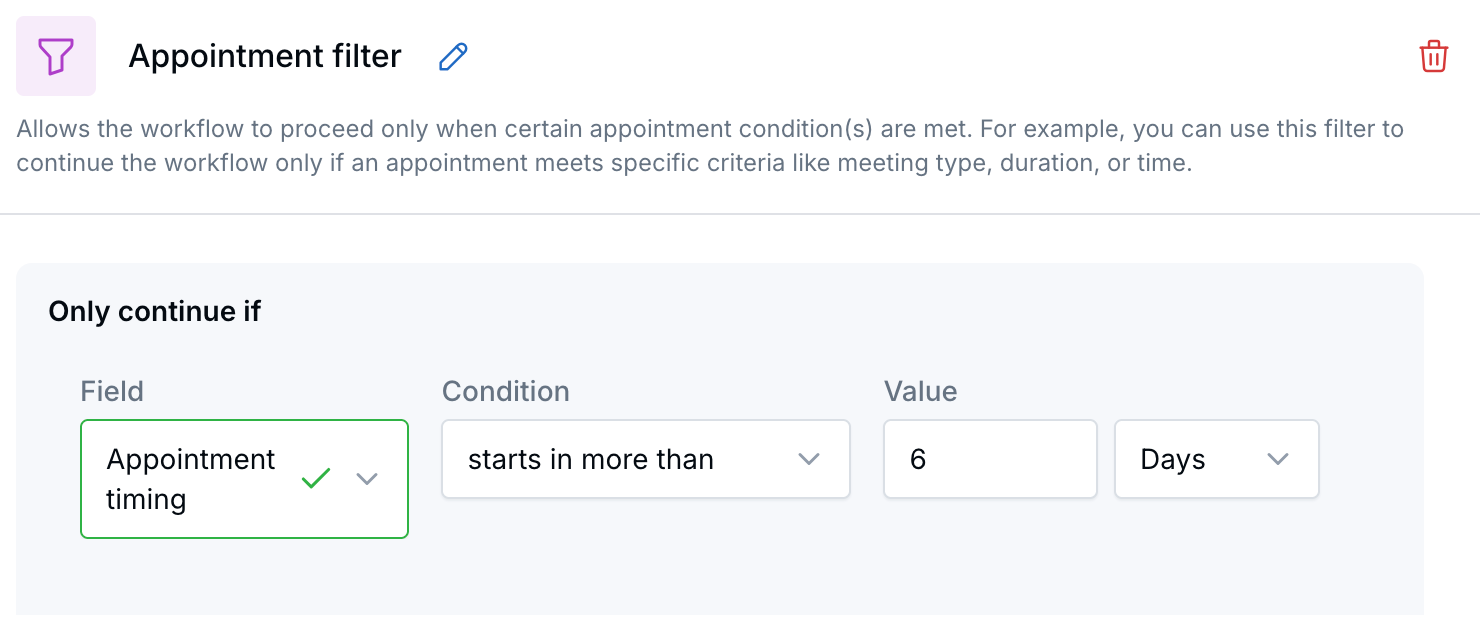
Only continue when the appointment starts more than 6 days from now.
What's New
- Upcoming appointments: starts within the next, starts in more than, and starts in exactly.
- Past appointments: started within the last, started more than, and started exactly.
- Any time unit: Enter a number and choose minutes, hours, or days.
- Works with Branch: Add a Branch after the filter to send matching appointments one way and the rest another.
How It Works
- In Workflows, open a workflow that uses the Appointment created trigger.
- Add or open an Appointment filter and add a rule.
- Choose the Appointment timing field and a condition.
- Enter a number, choose Minutes, Hours, or Days, and click Apply.
Example: Your pre-meeting drip sends emails 5 days, 3 days, and 1 day before the appointment. Add Appointment timing → starts in more than → 6 Days right after the trigger. A client who books 2 days out won't get all three emails at once.
Why It Matters
Your appointment workflows send the right message at the right time, even when meetings are booked at the last minute. For details, see Using Appointment-Based Workflow Triggers & Waits.
Questions? support@leadcenter.ai

Need more help?
If you can't find the answers you're looking for, our support specialists are available to answer your questions and troubleshoot if necessary.
-
Phone Call (888) 291-7116. Our main hours are Monday to Friday 7 am-5 pm Central Time.
-
Support Send your questions and inquiries via email to support@leadcenter.ai. A support ticket will be created and one of our team members will get back to you as quickly as possible.