 Help Center
What's New
Control Amounts When Converting Transactions in Bulk
08/20/2026
When converting transactions to related accounts in bulk, you can now choose where each transaction amount is applied. Use LeadCenter's transaction-based defaults, apply every selected amount to production, or update account balances without changing production or commissions.
What's New
Automatic (Default) applies a rule based on the transaction type:
| Transaction type | Amount applied to | Production and commissions |
|---|---|---|
| Deposits & contributions | Issued amount | Adds to issued production; may update commissions |
| Withdrawals & distributions | Current amount | Balance only; issued production unchanged |
| Merge outs | Issued amount, keeping the negative sign | May reduce production and commissions |
The other two options apply one rule to every selected transaction:
- Issued amount — Applies every selected transaction to the issued amount, regardless of transaction type. This changes production and may recalculate commissions.
- Current amount — Applies every selected transaction to the current amount only. Production and commissions remain unchanged.
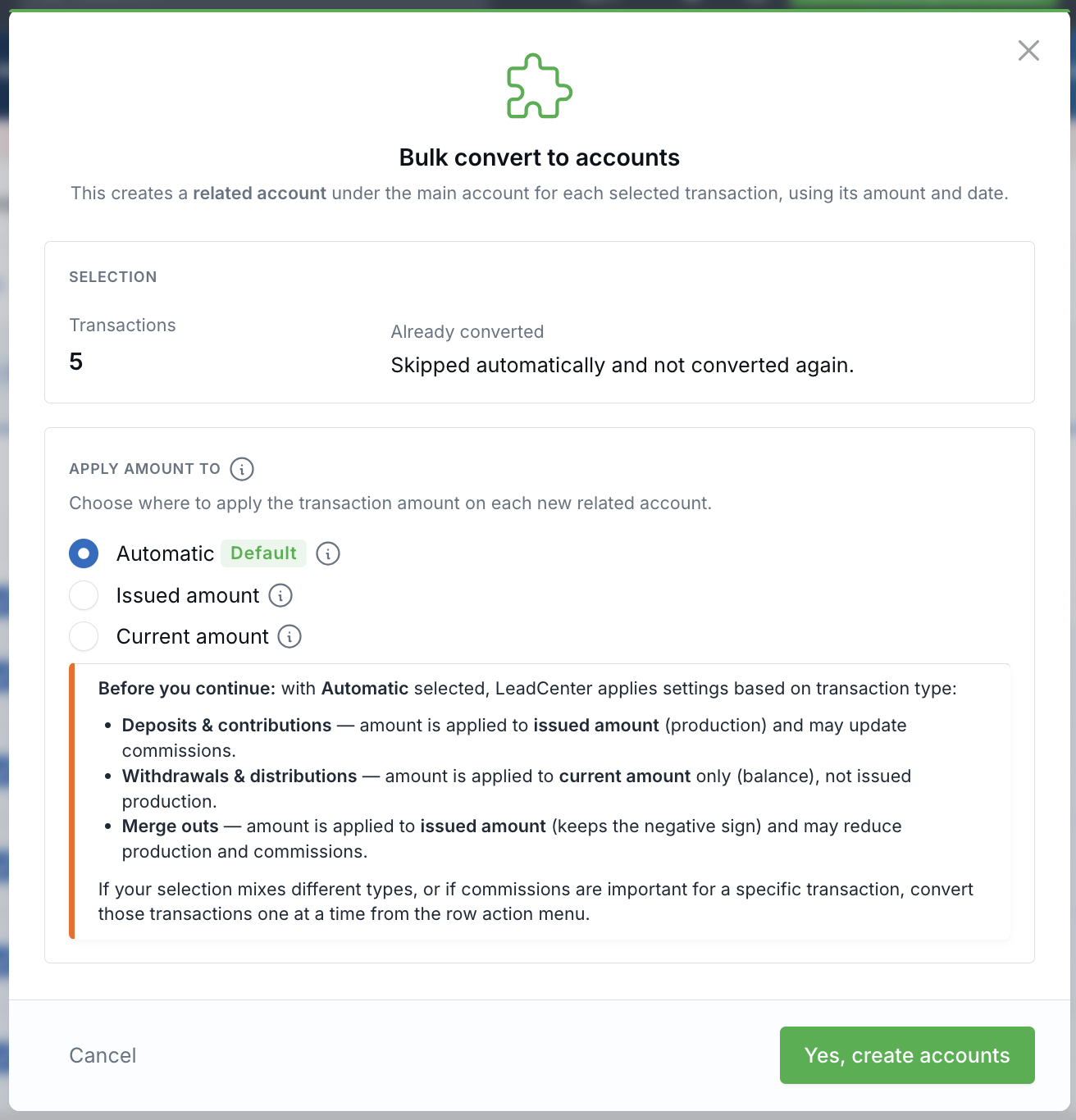
Choose where the amount lands before the related accounts are created.
How It Works
Start a bulk conversion from an account's Transactions section, or from Financial Accounts → Transactions. Select the transactions to convert, choose Convert to related account, then pick the amount option that matches your reporting goal in the Bulk convert to accounts window. Each new related account is created under the transaction's main account, using its amount and date.
Why It Matters
- Protect production reporting — Decide when converted activity should contribute to issued production.
- Control commission recalculation — Use current amounts when you need balance changes without affecting commissions.
- Process transactions consistently — Apply one clear rule across a bulk selection while retaining transaction-aware defaults when appropriate.
Questions? support@leadcenter.ai

Need more help?
If you can't find the answers you're looking for, our support specialists are available to answer your questions and troubleshoot if necessary.
-
Phone Call (888) 291-7116. Our main hours are Monday to Friday 7 am-5 pm Central Time.
-
Support Send your questions and inquiries via email to support@leadcenter.ai. A support ticket will be created and one of our team members will get back to you as quickly as possible.