 Help Center
What's New
Find the Right Contacts by Their Accounts and Events
10/27/2026
You can now find contacts based on their financial accounts and the events they registered for. Advanced filters and segments have two new cards, Account filters and Event filters, under the appointment card.
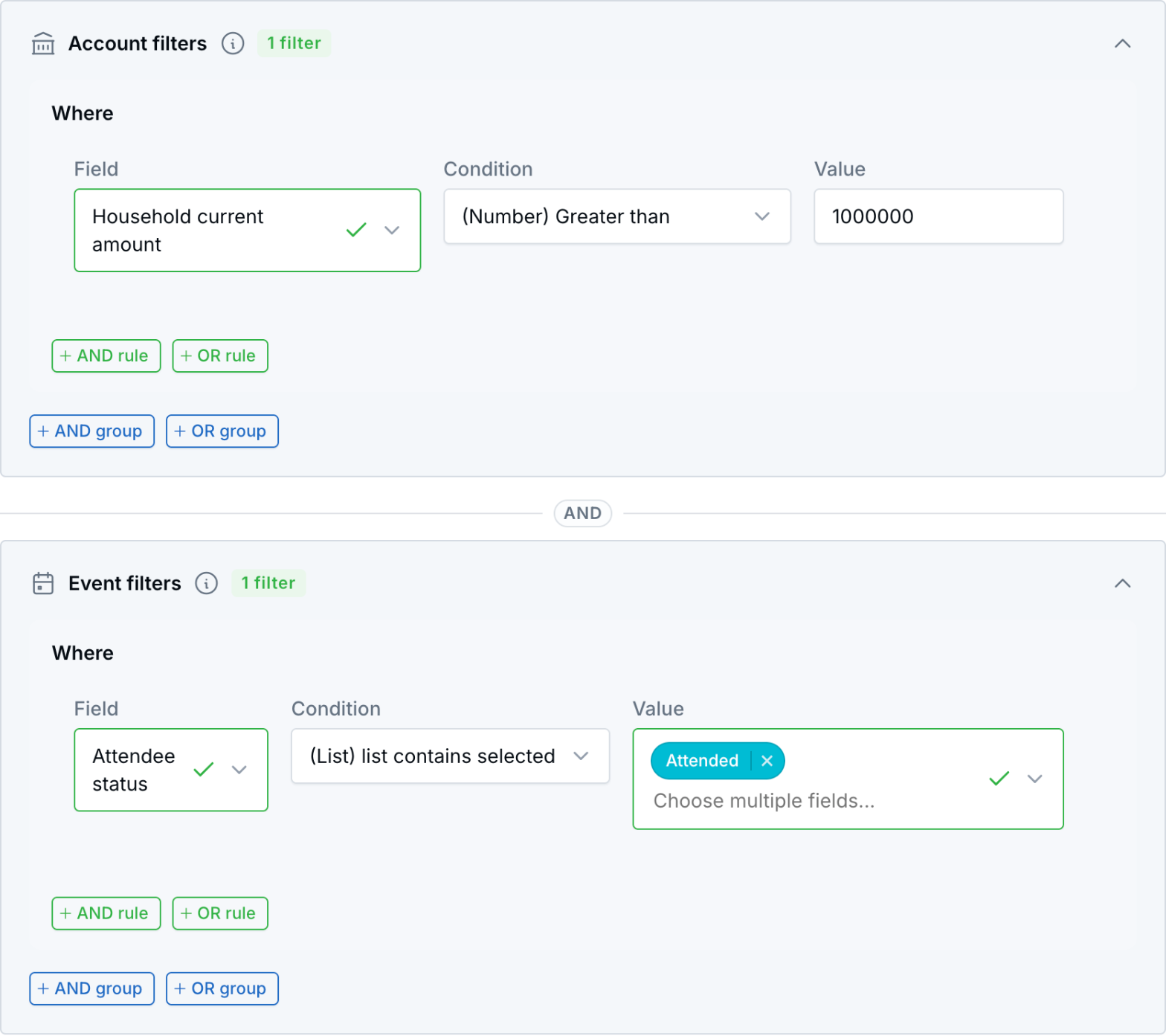
Households with more than $1 million that attended an event, built with the Account and Event filters cards.
What's New
- Account filters: Filter by account status, type, tax type, writing advisor, insurance company and product, RMD, issued and signed year, and account custom fields. You can also filter by totals, such as current amount, issued amount, number of accounts, and household amounts across the whole family.
- Event filters: Filter by event, event status, type, source, and date, plus attendee status (such as Attended or No show) and attendee type. You can also filter by how many events a contact registered for.
- Saved with your segments: Account and event rules are saved with your segments, so you can reuse them in email campaigns, text campaigns, and workflows.
How It Works
- Open Contacts or the pipeline, click the filter icon, and choose Advanced filters. You can also create or edit a segment under Audiences.
- Choose a saved segment or Create one-time use segment.
- On the Account filters or Event filters card, click Add filter and build your rule.
- Click Apply.
Some ideas:
- Households with more than $1,000,000 in current amount, for a client appreciation event.
- Clients with a policy from a specific insurance company, when that carrier changes its rates.
- Registrants marked No show at last month's seminar, to send the replay.
- Retirement workshop attendees with no appointments yet, using an Event type rule plus an appointment rule.
Why It Matters
Build lists from the data that matters most to your practice, without exporting spreadsheets. For details, see Creating and Saving Contacts Filters and Creating Segments.
Questions? support@leadcenter.ai

Need more help?
If you can't find the answers you're looking for, our support specialists are available to answer your questions and troubleshoot if necessary.
-
Phone Call (888) 291-7116. Our main hours are Monday to Friday 7 am-5 pm Central Time.
-
Support Send your questions and inquiries via email to support@leadcenter.ai. A support ticket will be created and one of our team members will get back to you as quickly as possible.