 Help Center
What's New
Hand Off Contacts to the Right Team Automatically
10/20/2026
When a prospect becomes a client, or a client moves to another advisor's team, your workflows can now hand them off automatically. The Update contact step can change a contact's Workflow service team, and every role-based task created after that goes to the new team.
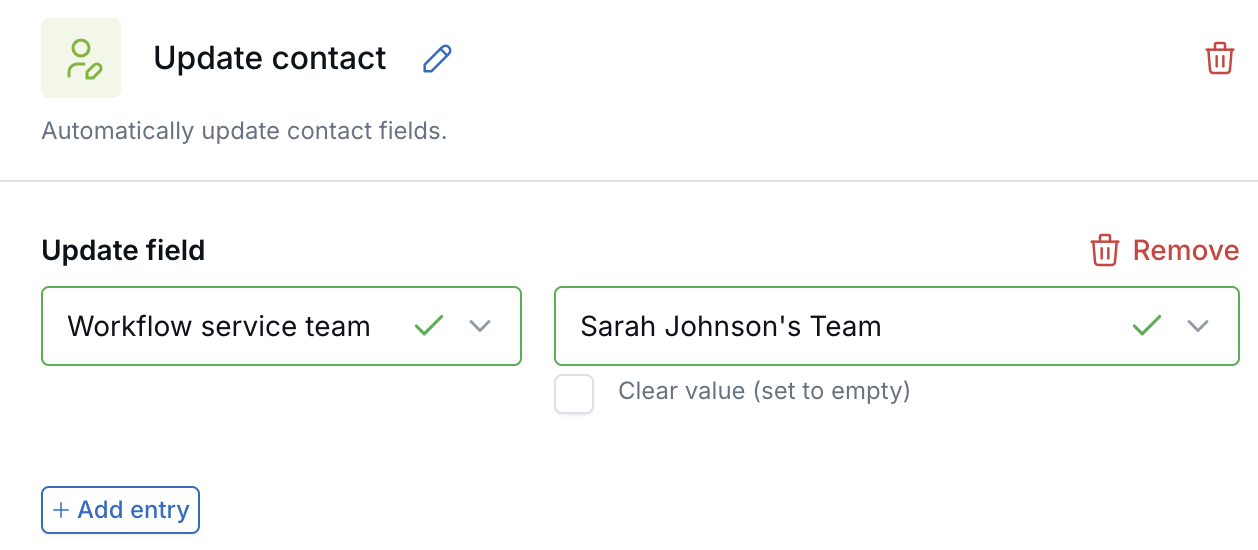
Set the contact's new service team in an Update contact step.
What's New
- Change teams inside a workflow — The Update contact step now includes the Workflow service team field.
- Set teams from Zapier — The LeadCenter.AI Create Contact and Update Contact actions in Zapier include the same field.
- Later tasks follow the new team — Create task steps that assign by Workflow service team role use the contact's team at the moment the task is created.
How It Works
- Make sure the team exists. See Workflow Service Teams.
- In your workflow, add an Update contact step and choose Workflow service team and the new team.
- Place it before the Create task steps that should go to that team.
For example: move a new client from your onboarding team to their service team, hand a contact to another advisor's team, or assign the right service group when a contact reaches a new stage.
Why It Matters
- Fewer manual handoffs — The team changes at the exact step in the process where it should.
- Tasks land with the right people — Each new task checks the contact's current team.
- One workflow for every team — Route work through different advisor and service teams without hard-coding users.
Learn more: Workflow Service Teams

Need more help?
If you can't find the answers you're looking for, our support specialists are available to answer your questions and troubleshoot if necessary.
-
Phone Call (888) 291-7116. Our main hours are Monday to Friday 7 am-5 pm Central Time.
-
Support Send your questions and inquiries via email to support@leadcenter.ai. A support ticket will be created and one of our team members will get back to you as quickly as possible.