 Help Center
What's New
New: Set Team Member Priority for Round-Robin Shared Calendars
03/31/2026
You can now assign a priority level to each team member on a shared calendar link. This gives you more control over how round-robin bookings are distributed when multiple team members are available for the same time slot.
What’s New
- Set booking priority by user — Assign High, Medium, or Low priority to each team member on a shared calendar link.
- Control who receives bookings first — Higher-priority team members are selected before lower-priority team members when they are available.
- Keep load balancing within the same priority — When multiple team members share the same priority, LeadCenter still distributes bookings based on who has fewer appointments that week.
- Preserve the existing round-robin workflow — This update enhances shared round-robin calendar links without changing group meeting behavior.
How It Works
Go to Shared Calendars, then create or edit a shared calendar link. In the user picker, you can now assign a Priority level for each selected team member before saving.
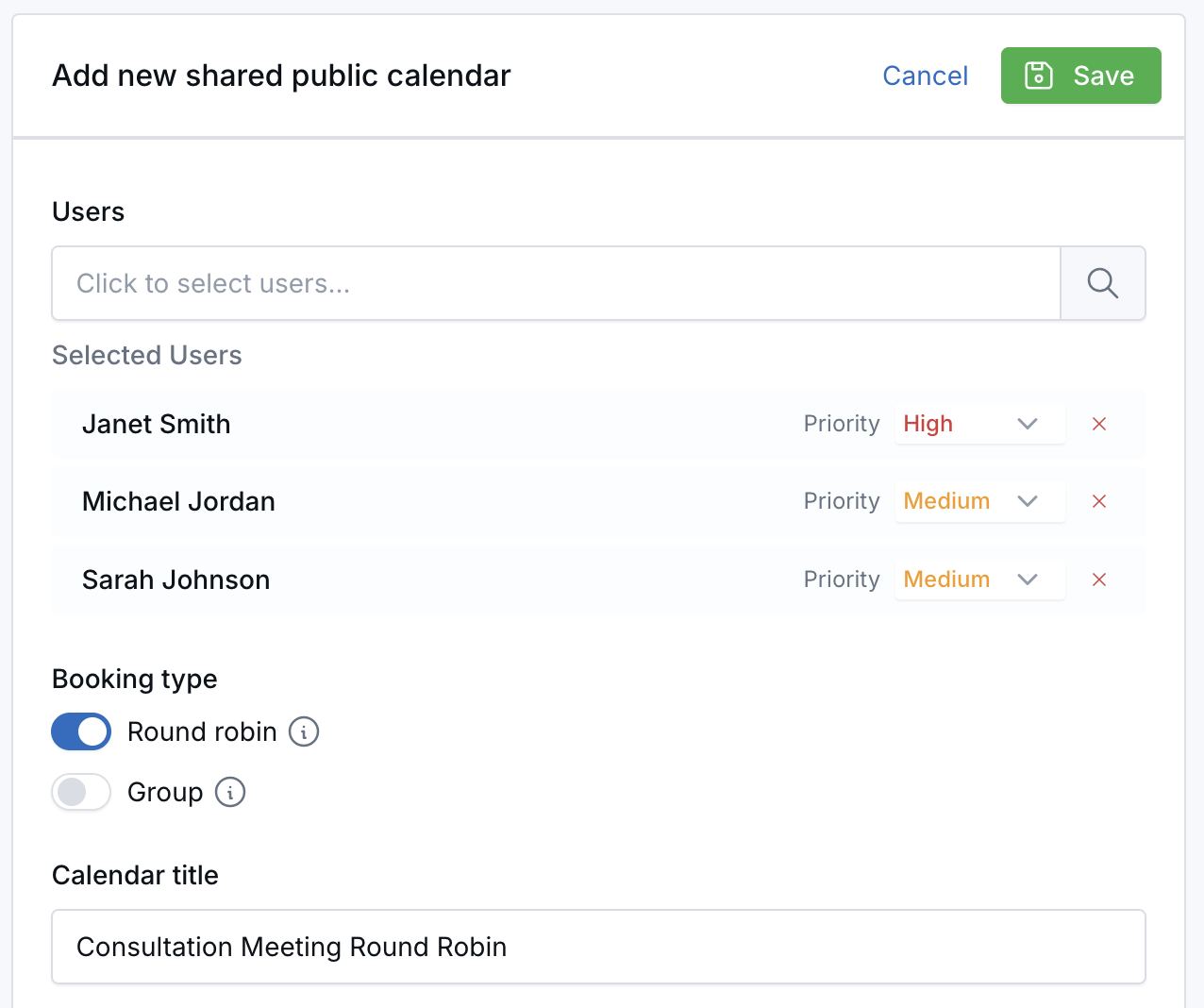
When a visitor books through a round-robin shared calendar link, LeadCenter first checks user priority. If more than one available team member shares the same priority level, the booking is assigned to the person with fewer appointments that week.
This feature applies to round-robin shared calendar links only. For group meetings, the priority dropdown is hidden because all selected members attend the meeting together.
Why It Matters
- Give teams more control over lead distribution — Route new bookings toward senior advisors, primary closers, or specific team members first.
- Support structured scheduling workflows — Use priority to reflect how your team actually handles first meetings, overflow coverage, or escalation paths.
- Keep shared calendars flexible — Combine priority-based routing with round-robin balancing so bookings stay both intentional and efficient.
Questions? support@leadcenter.ai

Need more help?
If you can't find the answers you're looking for, our support specialists are available to answer your questions and troubleshoot if necessary.
-
Phone Call (888) 291-7116. Our main hours are Monday to Friday 7 am-5 pm Central Time.
-
Support Send your questions and inquiries via email to support@leadcenter.ai. A support ticket will be created and one of our team members will get back to you as quickly as possible.