 Help Center
What's New
New: Related accounts can now fill in AUM products and writing advisors automatically
06/03/2026
When you link an unlinked Orion, Black Diamond, or CSV account as a related account under an existing main issued account, LeadCenter can now fill in missing AUM product and writing advisor details automatically.
What’s New
- AUM product can be copied from the main account — For AUM sleeves, LeadCenter copies the AUM product from the main account when the sleeve does not already have one.
- Writing advisors can be assigned automatically — LeadCenter can copy writing advisors and commission splits from the main account, use the Orion representative when applicable, or fall back to the contact writing advisor.
- Existing values are protected — Accounts that already have an AUM product or writing advisors keep their existing values.
How It Works
For related or sleeve accounts, LeadCenter first checks the main account. If the main account has writing advisors, those advisors and commission splits are copied to the new related account.
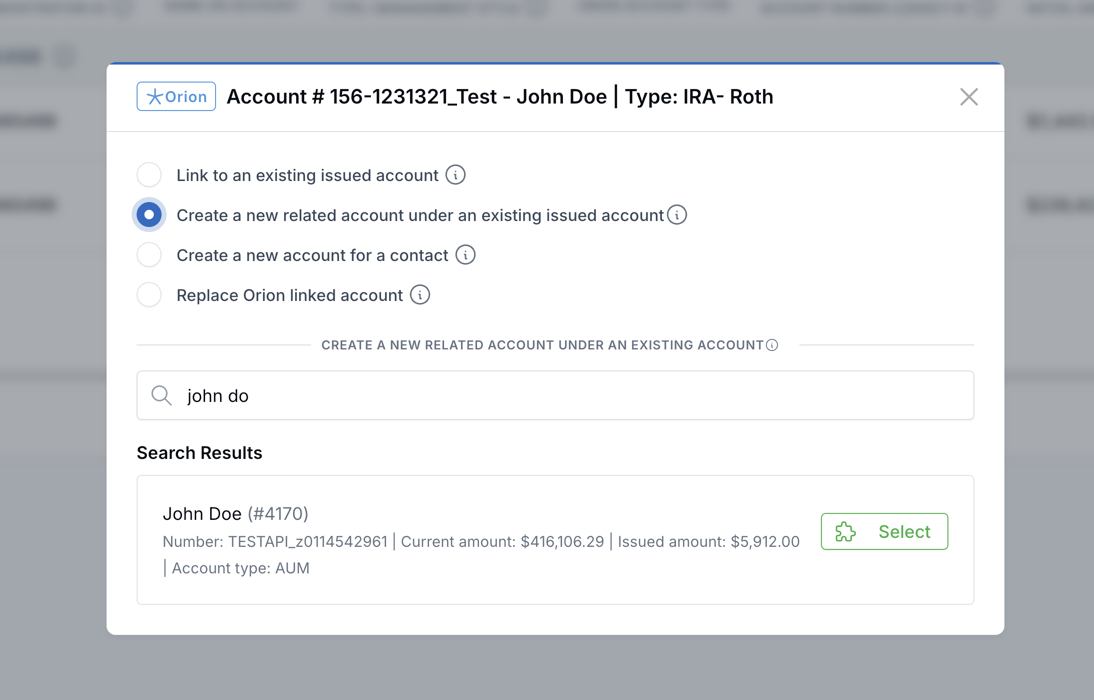
For Orion accounts, if the main account does not have writing advisors, LeadCenter checks the Orion representative name and matches it to an active user in your firm. If a match is found, that advisor is added at 100%.
If neither of those options applies, LeadCenter uses the contact writing advisor when one is set on the contact profile.
Where This Applies
- Find & Link — Create a new related account under an existing main issued account, including single and bulk actions.
- Link custodial and attach siblings — Orion sibling accounts can become related accounts under the same main.
- Bulk create for a contact — Siblings can be attached under a custodial main.
- Black Diamond and CSV unlinked pages — Related accounts use the same main-account and contact-writing-advisor behavior.
- Auto Link — Orion sleeves created under a registration main can use the same auto-fill logic.
Why It Matters
- Less manual cleanup — Related accounts can start with the right product and advisor details when those fields are available.
- More consistent sleeves — Writing advisors and commission splits can follow the main account when related accounts are created.
- Safer linking — LeadCenter only fills missing values and does not remove or replace existing advisors or products.
Questions? support@leadcenter.ai

Need more help?
If you can't find the answers you're looking for, our support specialists are available to answer your questions and troubleshoot if necessary.
-
Phone Call (888) 291-7116. Our main hours are Monday to Friday 7 am-5 pm Central Time.
-
Support Send your questions and inquiries via email to support@leadcenter.ai. A support ticket will be created and one of our team members will get back to you as quickly as possible.