 Help Center
What's New
Print Your Day or Week as an Easy-to-Read Agenda
11/24/2026
Prefer paper on a busy day? You can now print your calendar as a clean, large-print agenda. Each meeting shows the client, their phone and email, where to meet, the agenda, open tasks, the latest note, and space for handwritten notes.
What's New
- One click from your calendar: Click the Print agenda button in the calendar toolbar. The agenda opens in a new tab.
- A day or a whole week: From the week view you get the whole week, one page per day. From any other view you get one day.
- Large, clear text: Choose Small, Normal, Large or Extra large text.
- Your choice of details: Turn Tasks, Events, and Latest note & open tasks on or off.
- Several advisors at once: Print up to 10 users, each with their own section on every day.
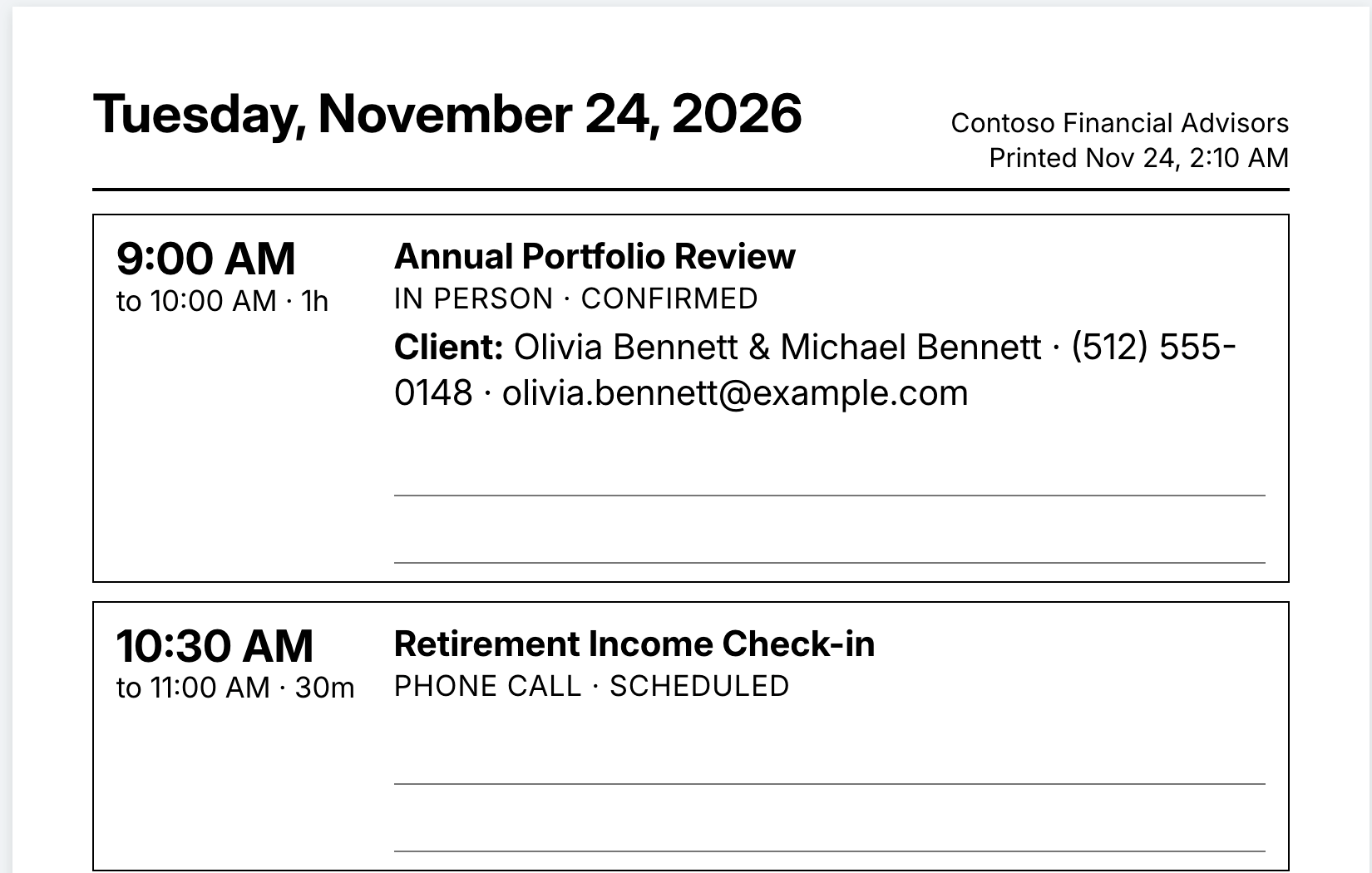
Each meeting shows the client details and space for notes.
How to Print Your Agenda
- Open your calendar and go to the day or week you want.
- Click the Print agenda button (the printer icon) in the toolbar.
- In the new tab, pick the Date, Print (One day or Whole week), Text size and what to Include.
- Click Print. To keep a copy, choose Save as PDF in the print window.

Click the printer icon in your calendar toolbar.
Private appointments you aren't attending print as "Private" with no details, the same as on your calendar.
Learn more: Print Your Calendar as a Large-Print Agenda

Need more help?
If you can't find the answers you're looking for, our support specialists are available to answer your questions and troubleshoot if necessary.
-
Phone Call (888) 291-7116. Our main hours are Monday to Friday 7 am-5 pm Central Time.
-
Support Send your questions and inquiries via email to support@leadcenter.ai. A support ticket will be created and one of our team members will get back to you as quickly as possible.